

Dataprotection Management
The EU General Data Protection Regulation (GDPR) has imposed high requirements on the handling of personal data since 2018. Organizations must not only work in compliance with data protection regulations, but also demonstrably document this. The Data Protection Management System (DPMS) of the fuentis Suite 4 is a software-supported solution for managing data protection-relevant processes.
The DPMS module works with the other modules of the fuentis Suite 4 (codename Phoenix), including ISMS, BCMS, and Incident Management. Data protection is therefore assessed in the context of overall information security, not separately from it.
This page covers the concepts. For hands-on work there are dedicated pages:
- DPMS step by step: the order of operations from scratch
- Scoping RoPAs and processing activities
- Partners, agreements and responsibilities
- From security incident to data breach
Core Concepts of the DPMS
Section titled “Core Concepts of the DPMS”1. Register of Processing Activities (RoPA)
Section titled “1. Register of Processing Activities (RoPA)”The Register of Processing Activities (RoPA) (Verzeichnis von Verarbeitungstätigkeiten, VVT, in the German interface) is the central object of the DPMS. It documents all processing activities of personal data in your organization in accordance with Art. 30 GDPR.
Structural Setup:
- RoPA (main level): one register, typically per area of responsibility
- Processing activities: individual processing activities within the RoPA
- Organizational unit: each RoPA belongs to exactly one unit
Documented Information per Processing Activity:
- Purposes of processing and legal bases
- Categories of data subjects and data types
- Data recipients and data source
- Transfers to third countries incl. justification
- Retention period, responsible department and person
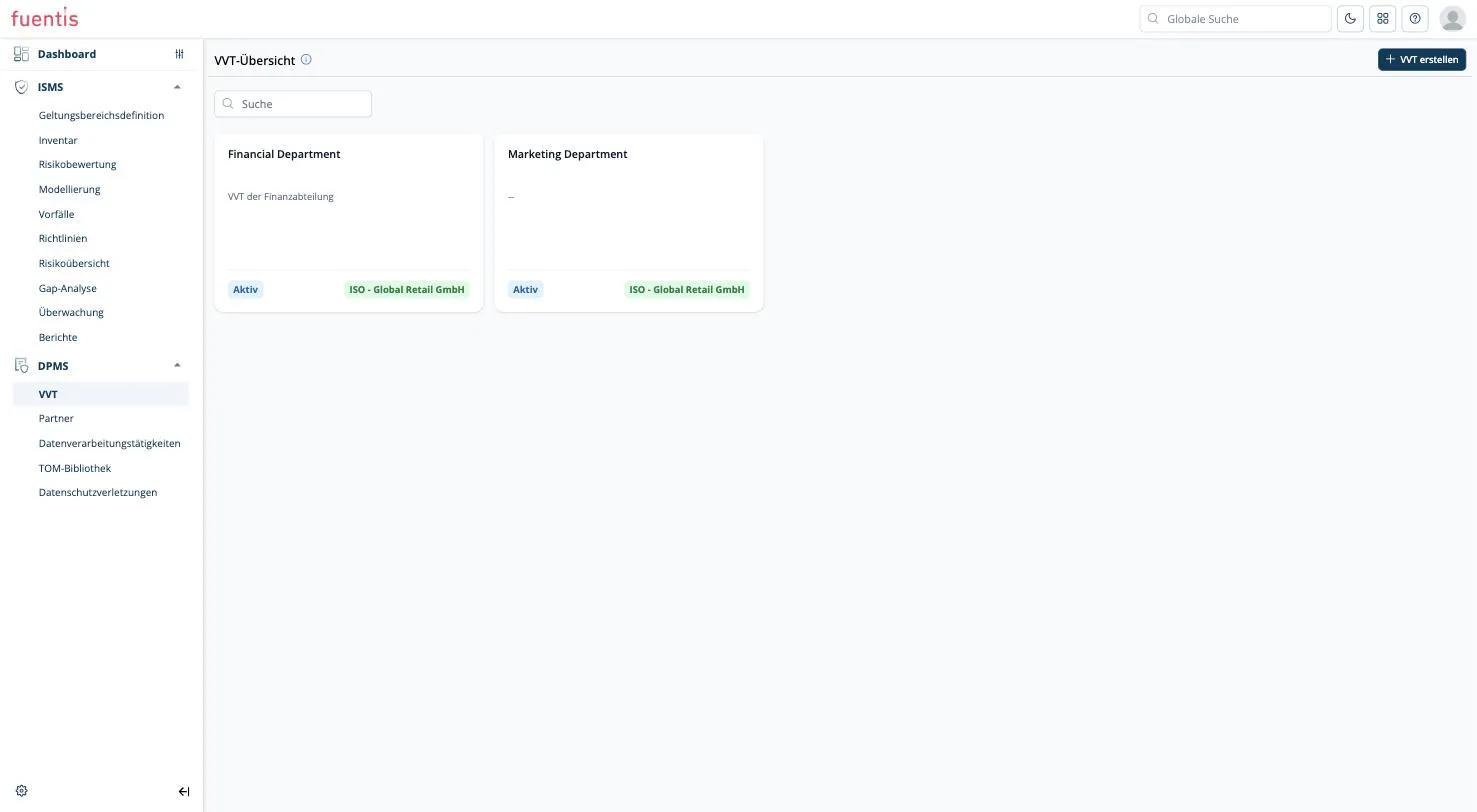
How to scope a register sensibly and what counts as a processing activity is covered on Scoping RoPAs and processing activities.
2. Technical and Organizational Measures (TOMs)
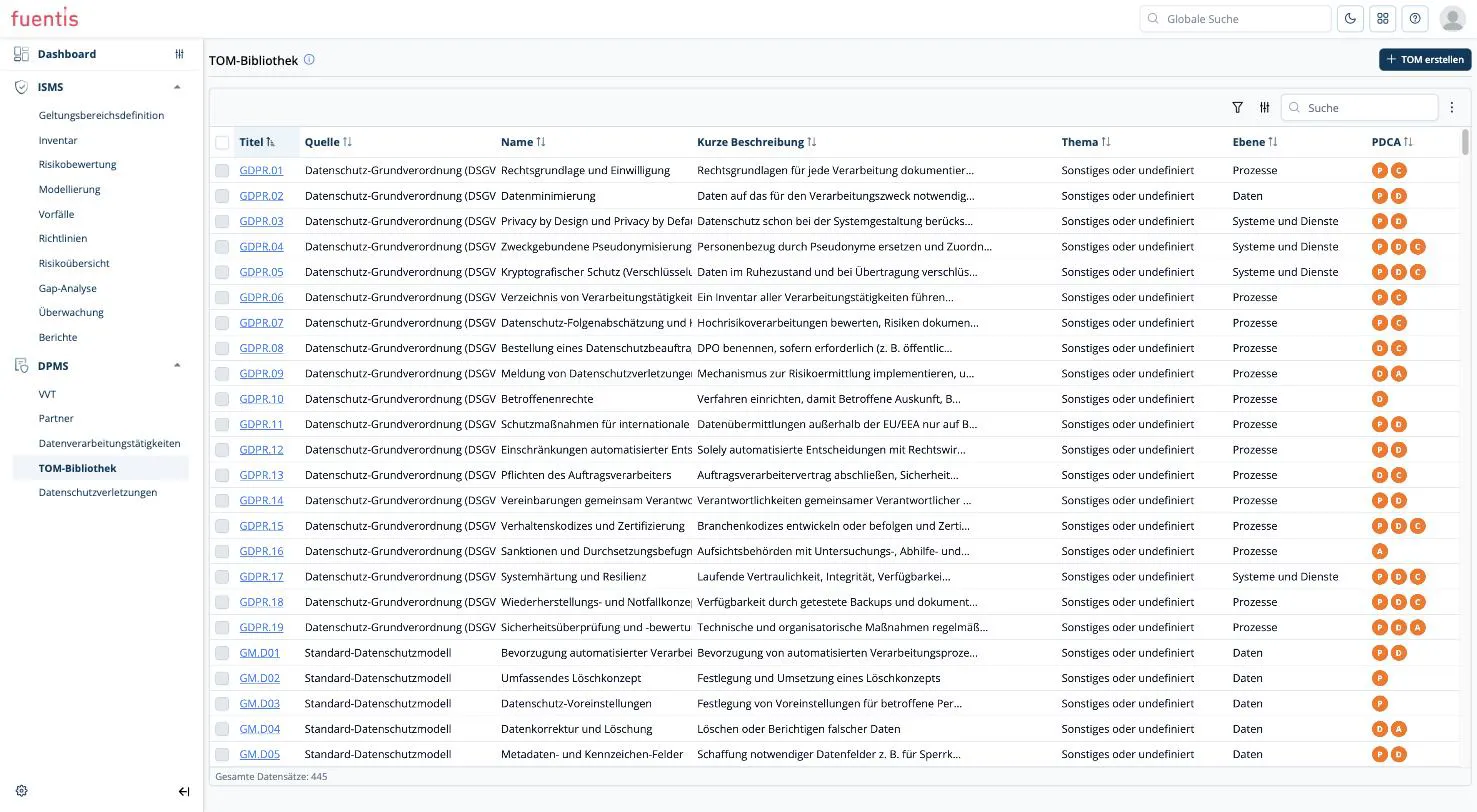
Section titled “2. Technical and Organizational Measures (TOMs)”TOMs are security precautions for protecting personal data. The DPMS ships an extensive catalog, currently around 445 entries.
Catalog sources:
- General Data Protection Regulation (GDPR): identifiers
GDPR.01toGDPR.19 - Standard Data Protection Model (SDM): identifiers
GM.D…
Catalog TOMs are read-only. They belong to the fuentis core unit and cannot
be changed. The Edit button does switch into edit mode, but no field becomes
editable.
Your own TOMs are created via Create TOM. They end up in the same library and are then available for assignment just like the shipped ones.
Attributes of a TOM:
- Level: processes, data, or systems and services
- Assurance goals per SDM, e.g. transparency or confidentiality
- PDCA cycle: which phases the measure belongs to
- Implementation guidelines: concrete notes on implementation
Assignment: TOMs are assigned at the level of the individual processing activity, in the TOMs tab. There you can either Assign from the library or Create a new TOM directly. Assignment at RoPA level does not currently exist.
3. Partner and Processor Management
Section titled “3. Partner and Processor Management”Under Partners you maintain every company you have a data processing relationship with, in both directions. Each partner holds master data, the contact details of their data protection officer, and the agreements.
Three agreement types are available:
- General
- Joint controllership agreement: shared data responsibility
- Data processing agreement: external provider processing on your behalf
Agreements are uploaded as files and can then be assigned to individual processing activities. Details on Partners, agreements and responsibilities.
4. Data Breaches
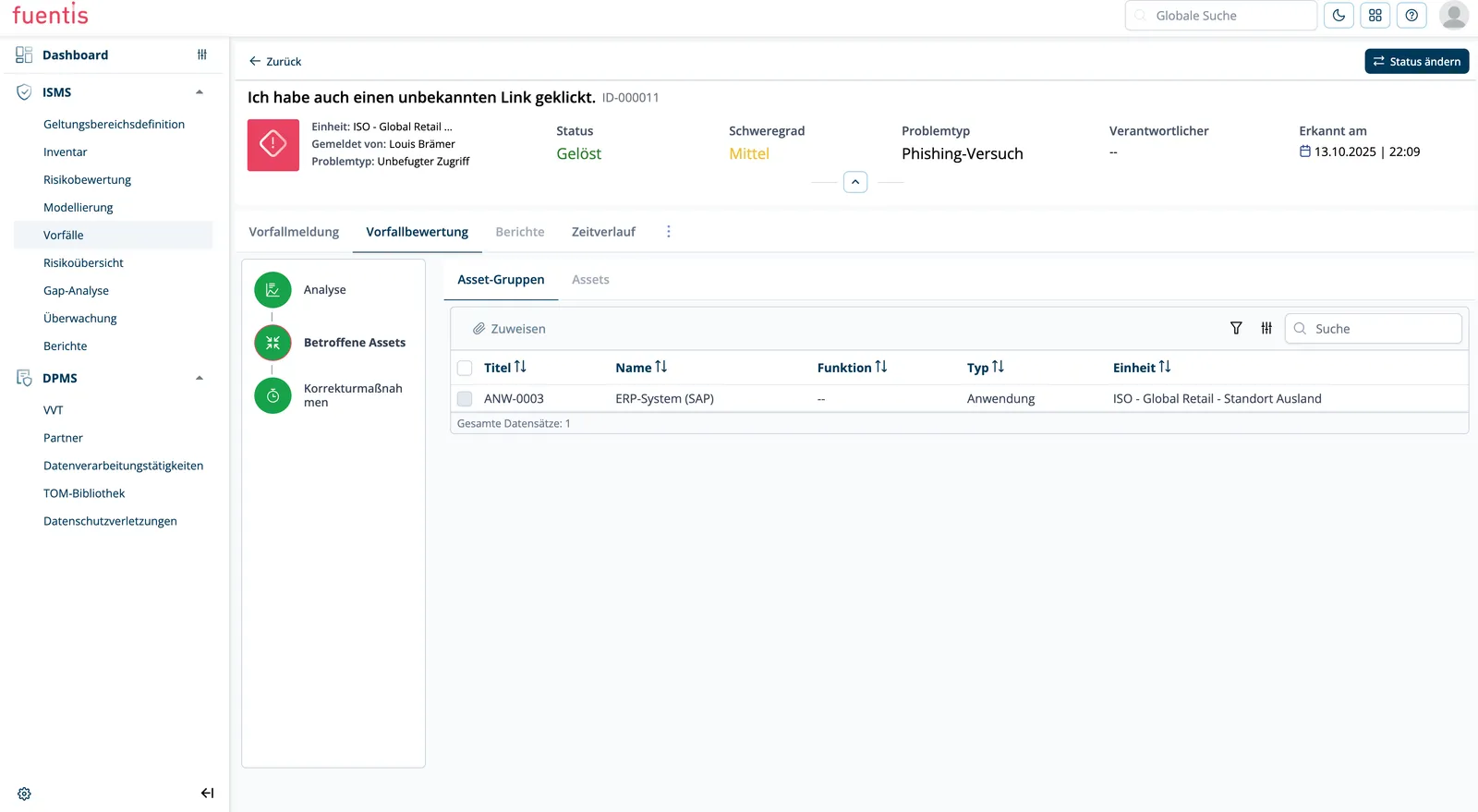
Section titled “4. Data Breaches”Integration with Incident Management: Data breaches do not originate in the DPMS. They are reported in the incident management system, triaged and accepted there, and appear in the DPMS once the incident assessment classifies them as a data breach.
Notification deadlines: The notification deadline is calculated automatically: 72 hours from the timestamp in Detected on. It is shown in the overview list next to the detection time.
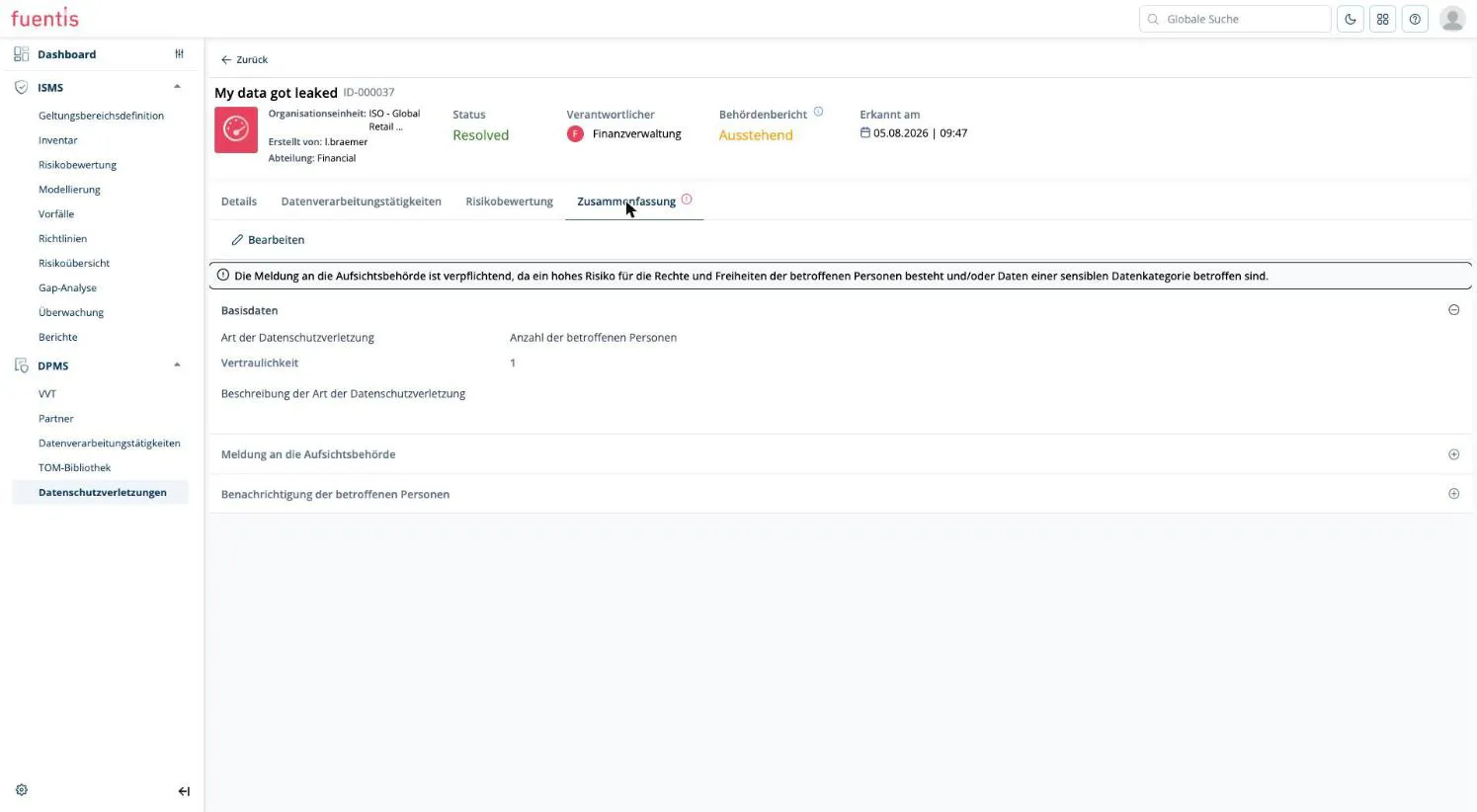
Risk assessment: Likelihood and impact produce the risk value. If that value is high or sensitive data categories are involved, the system displays a notice in the Summary tab stating that notification of the supervisory authority is mandatory.
What gets documented:
- Type of data breach and number of affected data subjects
- Notification of the supervisory authority: responsible person, date and time, details of the notification
- Notification of the affected data subjects, documented the same way
The full sequence is on From security incident to data breach.
Practical Application in the DPMS
Section titled “Practical Application in the DPMS”Workflow: From Recording to Compliance
Section titled “Workflow: From Recording to Compliance”1. Initial Inventory:
- Create partners and their agreements
- Build the RoPA structure per area of responsibility
- Record processing activities and link them to the agreements
2. Continuous Maintenance:
- Regular reviews by data protection officers
- Updates for process changes
- Keep legal basis and TOMs complete per processing activity
3. Evidence:
- Legal basis per Art. 6 GDPR documented for every processing activity
- Assigned TOMs per processing activity
- Complete documentation of data breaches incl. authority notification
Integration with Other fuentis Modules
Section titled “Integration with Other fuentis Modules”Using ISMS and DPMS together:
- Information security and data protection are assessed together, instead of in separate tools
Incident Management:
- Incidents are the only source of data breaches in the DPMS
- Technical remediation stays with the incident manager, the data protection assessment with the DPO
Asset Management:
- Processing activities can be related to documented business processes
Best Practices for DPMS Usage
Section titled “Best Practices for DPMS Usage”1. Structured Approach
Section titled “1. Structured Approach”Practice Tip: Step-by-Step Implementation
Start with critical processing activities (HR, customer data, health data) and expand gradually. Scope the registers by area of responsibility from the beginning. Restructuring later is laborious.
2. Do Not Postpone the Legal Basis
Section titled “2. Do Not Postpone the Legal Basis”Every processing activity permanently shows a notice that the legal basis per Art. 6 GDPR must be documented. The notice only disappears with the first assignment. Leaving it in place quickly obscures which activities are actually still open.
3. Spread the Work
Section titled “3. Spread the Work”Departments record their own processing activities, the IT department documents the technical TOMs, data protection officers review the result, add legal bases and report breaches, and incident managers coordinate technical remediation.
In PDCA terms: record (plan), assign and implement TOMs (do), review the register regularly (check), sharpen measures (act).
Current Limits of the Module
Section titled “Current Limits of the Module”So that expectations match the actual scope, here is what the DPMS does not cover today:
- No DPMS reports. The report generator only knows ISMS report types. An Art. 30 export of the register cannot currently be produced.
- No data protection impact assessment. There is no DPIA workflow and no
threshold analysis when creating a processing activity. The TOM catalog does
contain a DPIA entry (
GDPR.07), but that is a measure in the catalog, not a guided process. - No central organization master data. The fields under Controller information are plain free-text fields per register and are not linked to the partner master data. With several registers the same details are maintained repeatedly.
- No bulk notification of data subjects. Notification of affected people is only documented in the system, not sent from it.
- TOMs only at processing activity level. There is no overarching assignment at RoPA level.
Where the module fits
Section titled “Where the module fits”The DPMS complements an existing ISMS. Anyone looking for a pure, in-depth data protection tool without an ISMS should check the feature set against their requirements first (see Current Limits of the Module).
For several companies, the module can be kept separate through the binding to organizational units.
Glossary
Section titled “Glossary”DPMS: Data Protection Management System
RoPA / VVT: Register of Processing Activities - Verzeichnis von Verarbeitungstätigkeiten
Processing activity: A single activity in which personal data is processed
TOM: Technical and Organizational Measure - Security precaution for data protection
Data Breach: Security incident involving personal data
DPO: Data Protection Officer
DPIA: Data Protection Impact Assessment
Joint controllership: Shared data responsibility between two companies
Processor: External service provider processing data on your behalf
SDM: Standard Data Protection Model - German reference model for data protection
Assurance goals: Protection goals of the SDM used to categorize TOMs