

Report-Module
The reporting module of the fuentis Suite enables systematic documentation and communication of your Information Security Management System (ISMS). Reports are essential for the traceability of ISMS status, communication with management level, and fulfillment of compliance requirements according to ISO 27001 and IT-Grundschutz. They create transparency about the progress of individual ISMS phases and serve as a foundation for informed decisions.
Central Concepts and Requirements
Section titled “Central Concepts and Requirements”Practical Tip: With the ISMS modules Monitoring, Risk Overview, the Dashboards, and the ability to export all tables and information as .csv or .pdf files, the fuentis Suite provides a variety of evaluation and reporting functions. You can often use these better for e.g., management summaries or project updates. You will find more information about these functions in the corresponding help pages.
Navigation
Section titled “Navigation”When you navigate to the Reports area via the global navigation, you arrive at the following overview page:
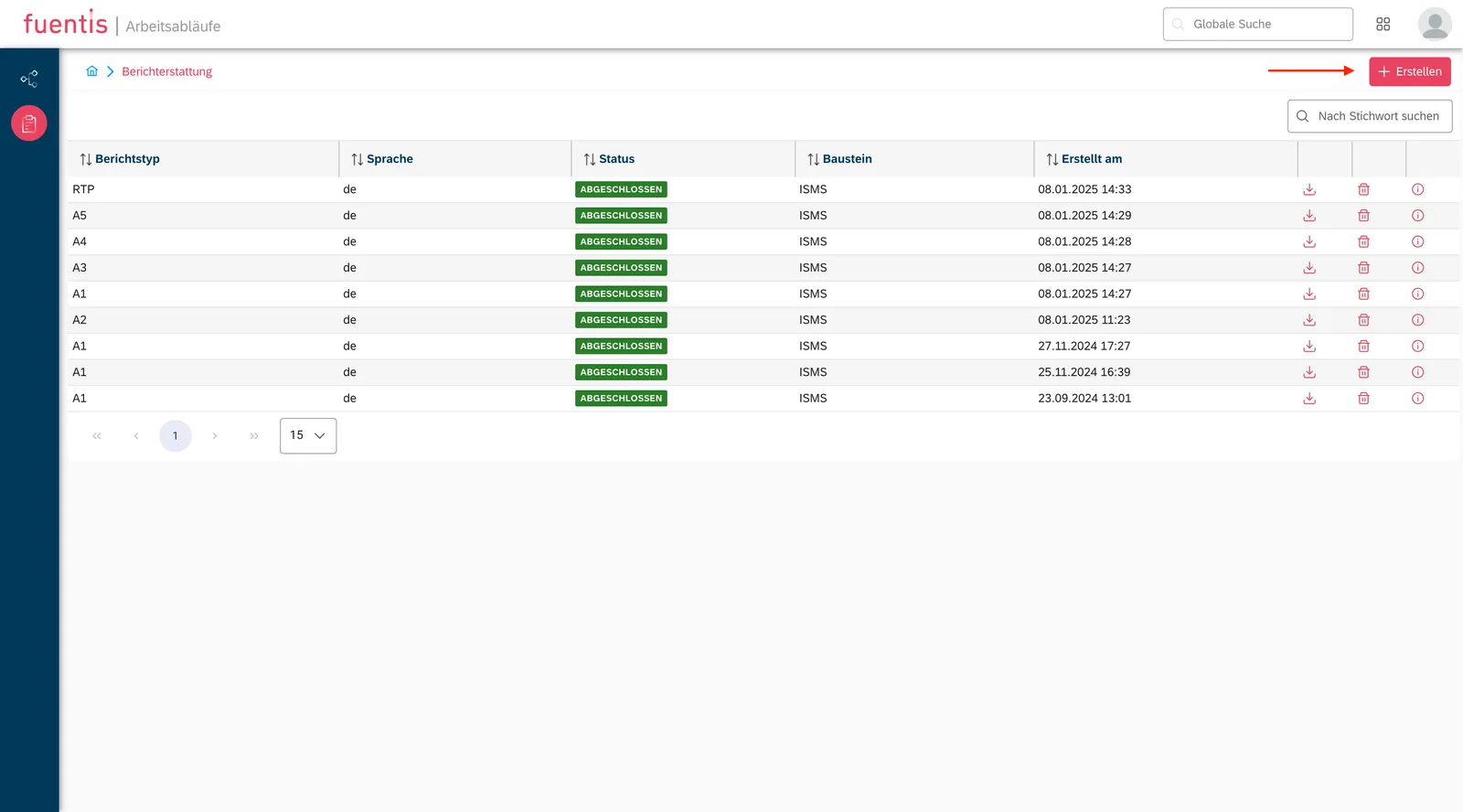
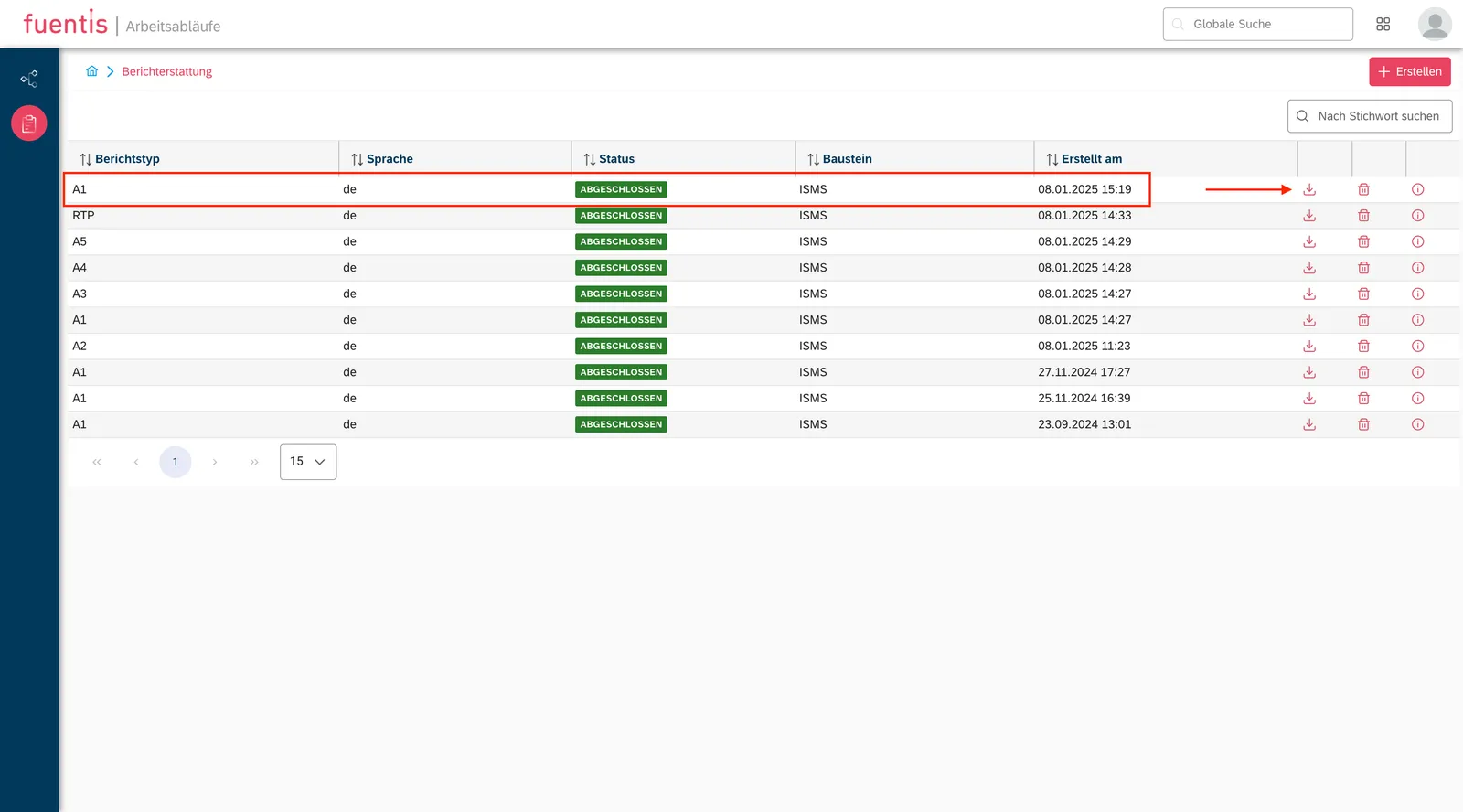
Here you will find all relevant information about the reports already created. You can create them using the button in the top right. In the table, you can download the reports, permanently delete them from the software, and view the metadata.
Note: In this module, you can also directly access the support module Workflows via the left navigation bar. This is not covered in this guide; you will find more information on the corresponding page in the Support Modules section.
Report Types and ISMS Phases
Section titled “Report Types and ISMS Phases”The report types in the fuentis Suite are directly oriented to the standardized phases of ISMS development. Each report type systematically documents the status and results of a specific phase:
Overview of Report Types:
| Report Type | Phase (DE) | Phase (EN) | Focus |
|---|---|---|---|
| A1 | Strukturanalyse | Inventory Analysis | Recording of all relevant IT assets, processes, and organizational units |
| A2 | Schutzbedarfsfeststellung | Protection requirement assessment | Assessment of the criticality of information and systems |
| A3 | Modellierung | Security Check | Assignment of security controls to identified assets |
| A4 | IT-Grundschutz-Check | IT-Grundschutz-Check | Review of the implementation of baseline protection requirements |
| A5 | Risikoanalyse | Risk analysis | Identification and assessment of security risks |
| RTP (A6) | Realisierungsplan | Realisation plan | Planning and prioritization of measures for risk treatment |
The scope defines the organizational and technical boundaries of the ISMS for which a report is created. This can include the entire organization, individual locations, departments, or specific IT systems. Correct scope definition is crucial for:
- The validity and relevance of the report
- Fulfillment of regulatory requirements
- Targeted communication with stakeholders
Target Object Types
Section titled “Target Object Types”Target object types categorize the various elements within your ISMS scope:
- Applications: Software and applications
- IT Systems: Servers, workstations, network components
- Rooms and Buildings: Physical security areas
- Processes: Business and IT processes
- Networks: Network segments and communication connections
- People: Roles and responsibilities
Implementation in Practice
Section titled “Implementation in Practice”Step-by-Step Process for Report Creation
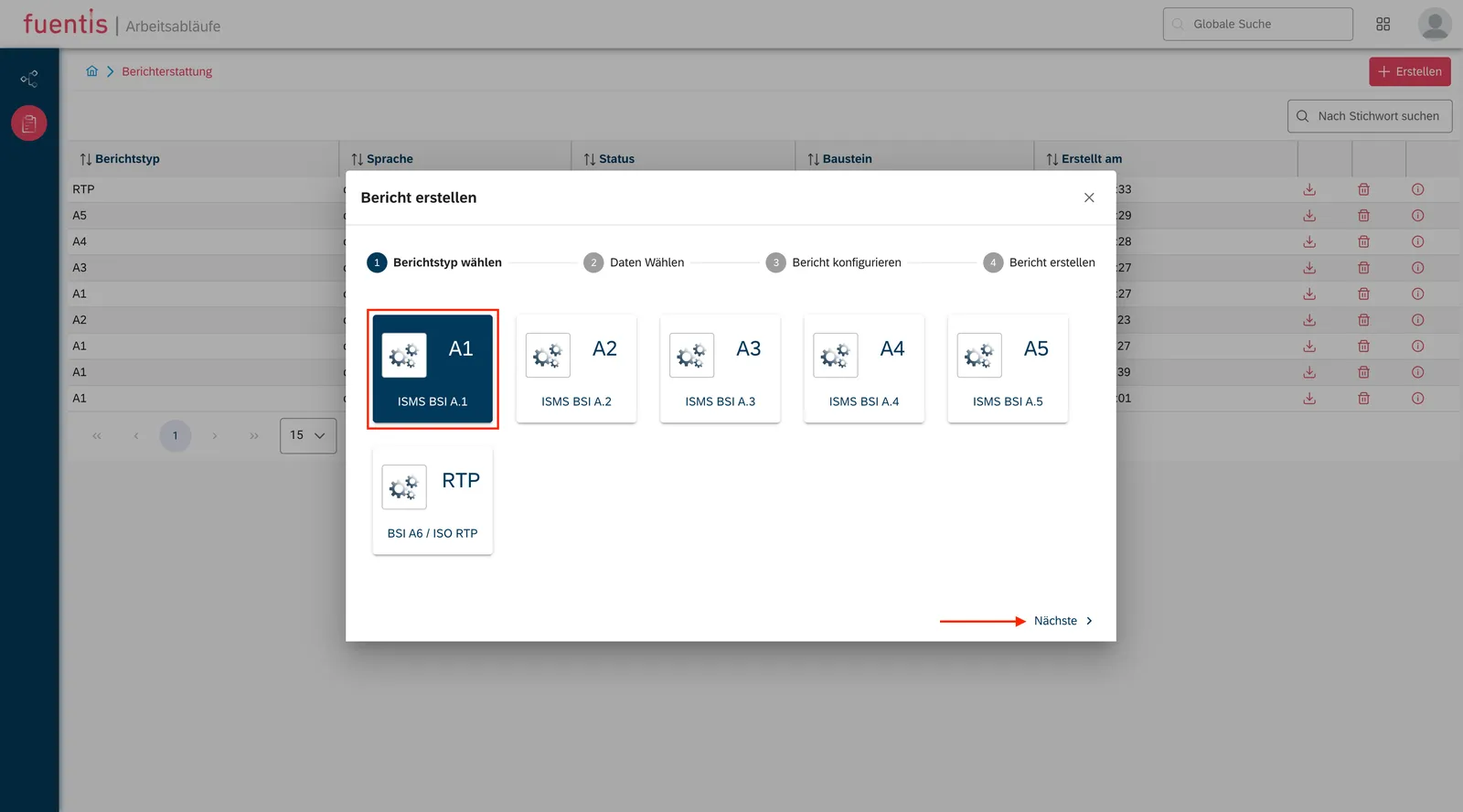
Section titled “Step-by-Step Process for Report Creation”1. Select Report Type
- Determine the ISMS phase to be documented
- Select the corresponding report type (A1-A6)
- Consider the current status of your ISMS development
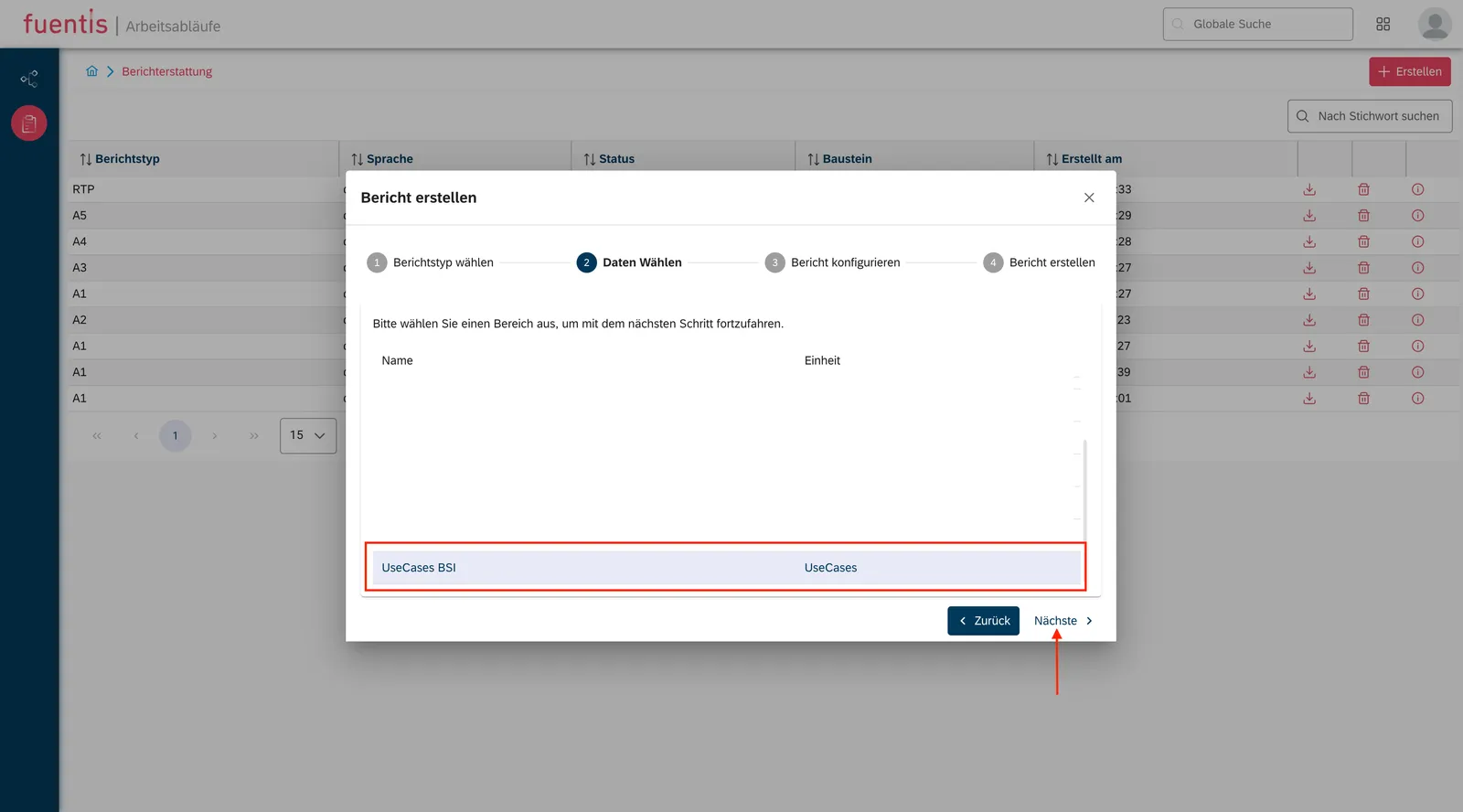
2. Define Scope
- Define the organizational framework
- Delimit technical systems
- Ensure that the scope matches your ISMS documentation
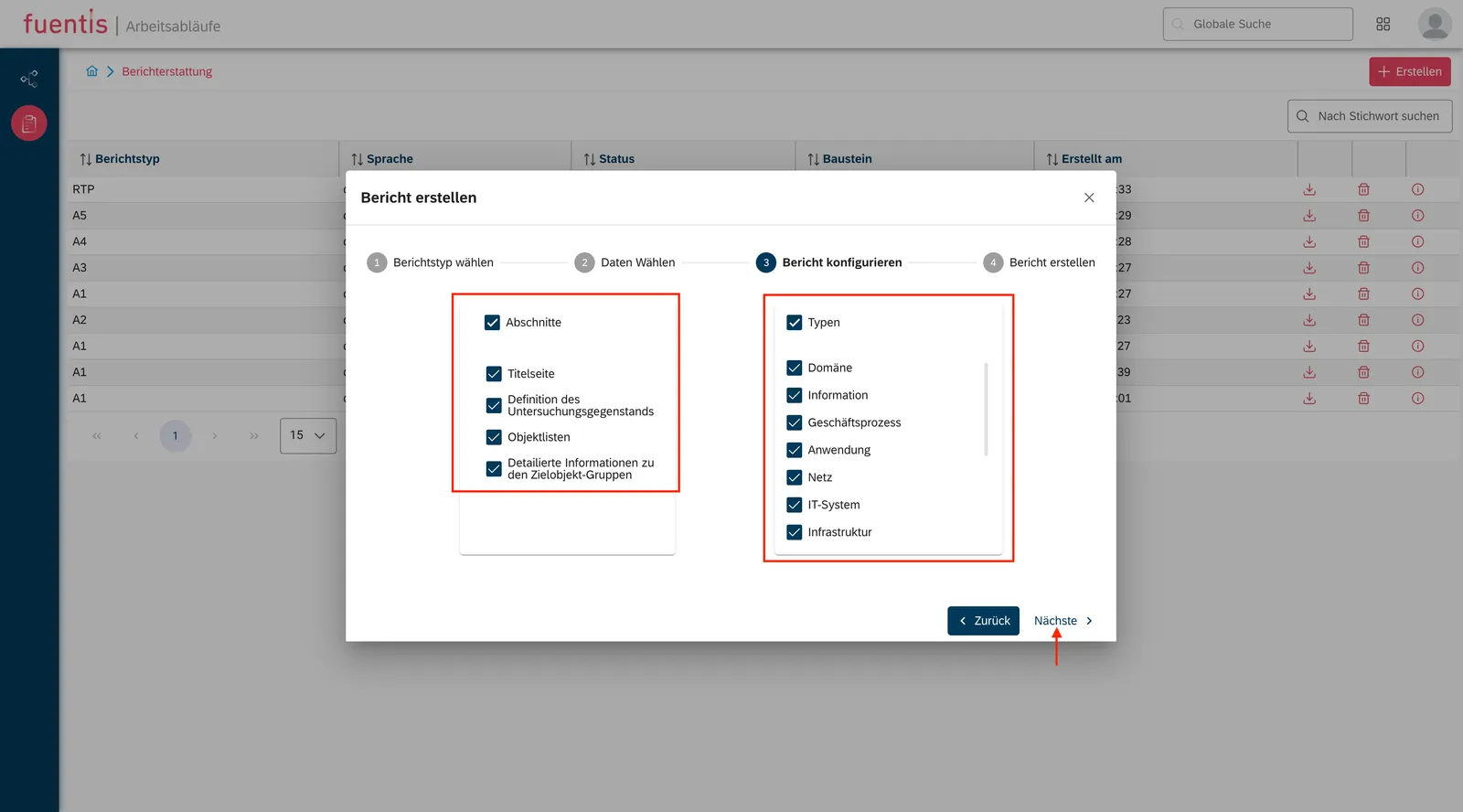
3. Report Configuration
- Content Options: Enable or disable specific report sections
- Design Adjustments: Adapt the layout to your corporate identity
- Target Object Selection: Select relevant object types or create a comprehensive report
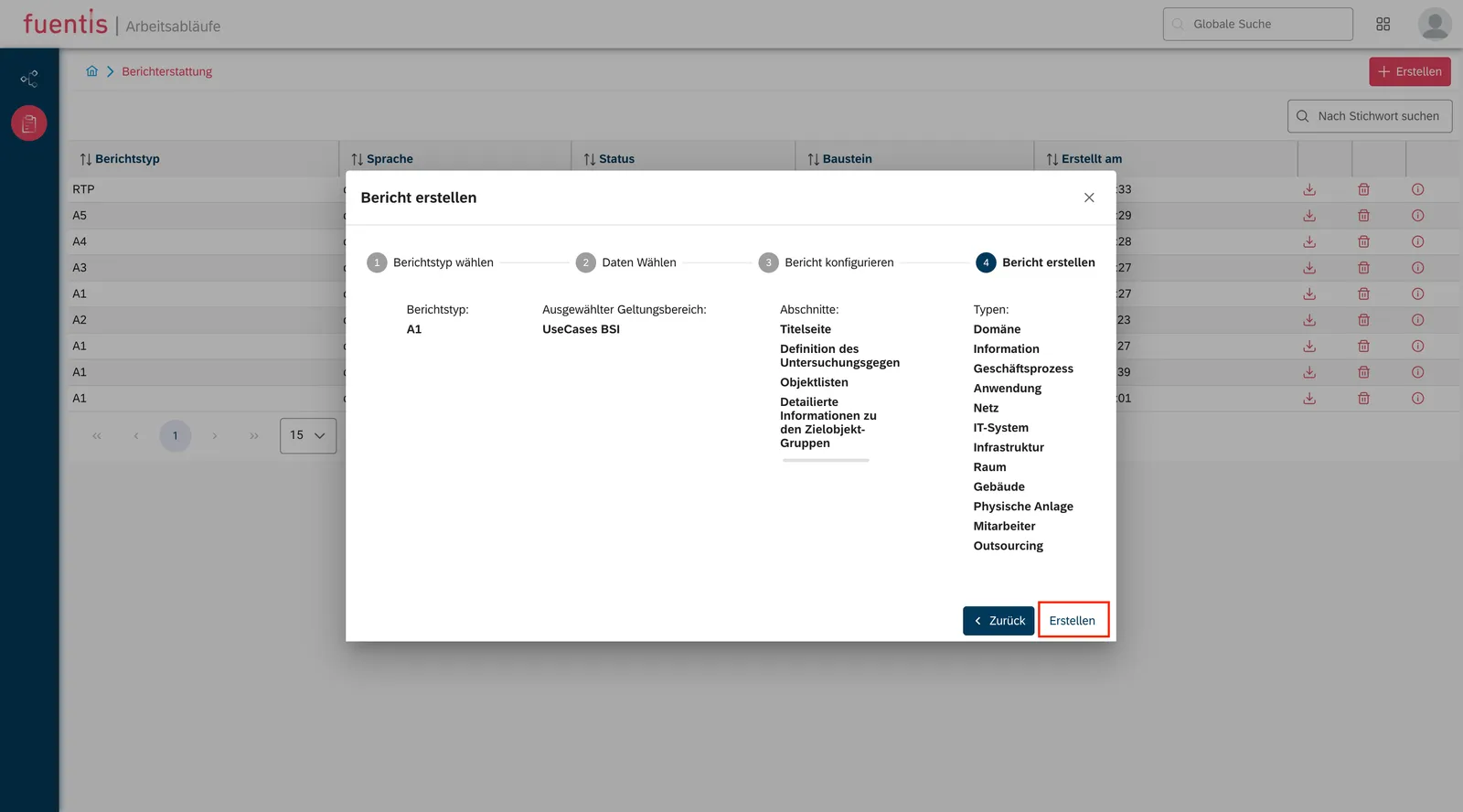
4. Report Preview and Creation
- Review the overview before final generation
- Creation is automated in a few seconds
- The report is generated as a PDF file
Report Management
Section titled “Report Management”Download and Distribution
- Reports are stored centrally in the report overview
- Download via the download icon
- PDF format enables easy sharing and archiving
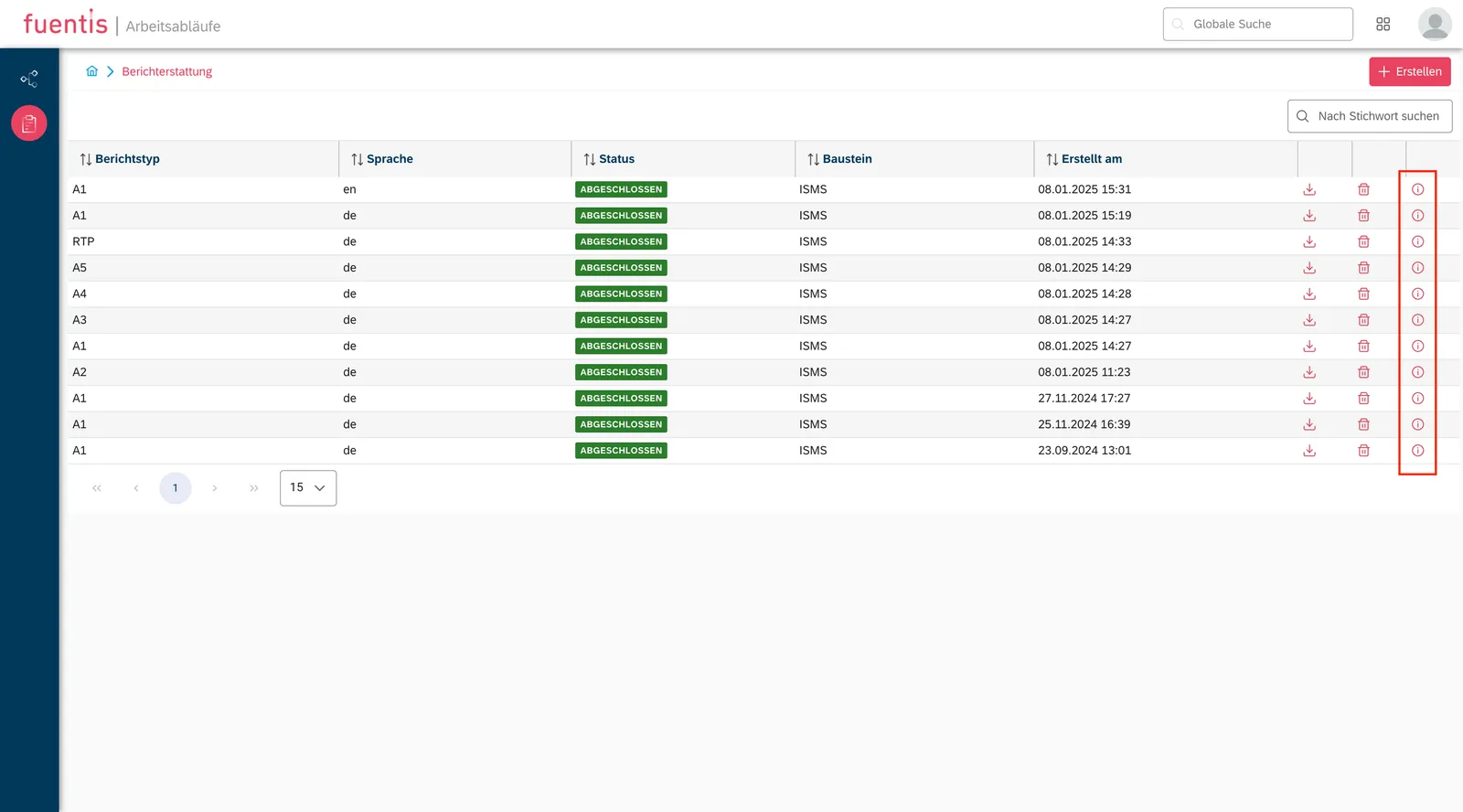
View Report Details
- Metadata such as creation date and author
- Used configuration parameters
- Version information for audit purposes
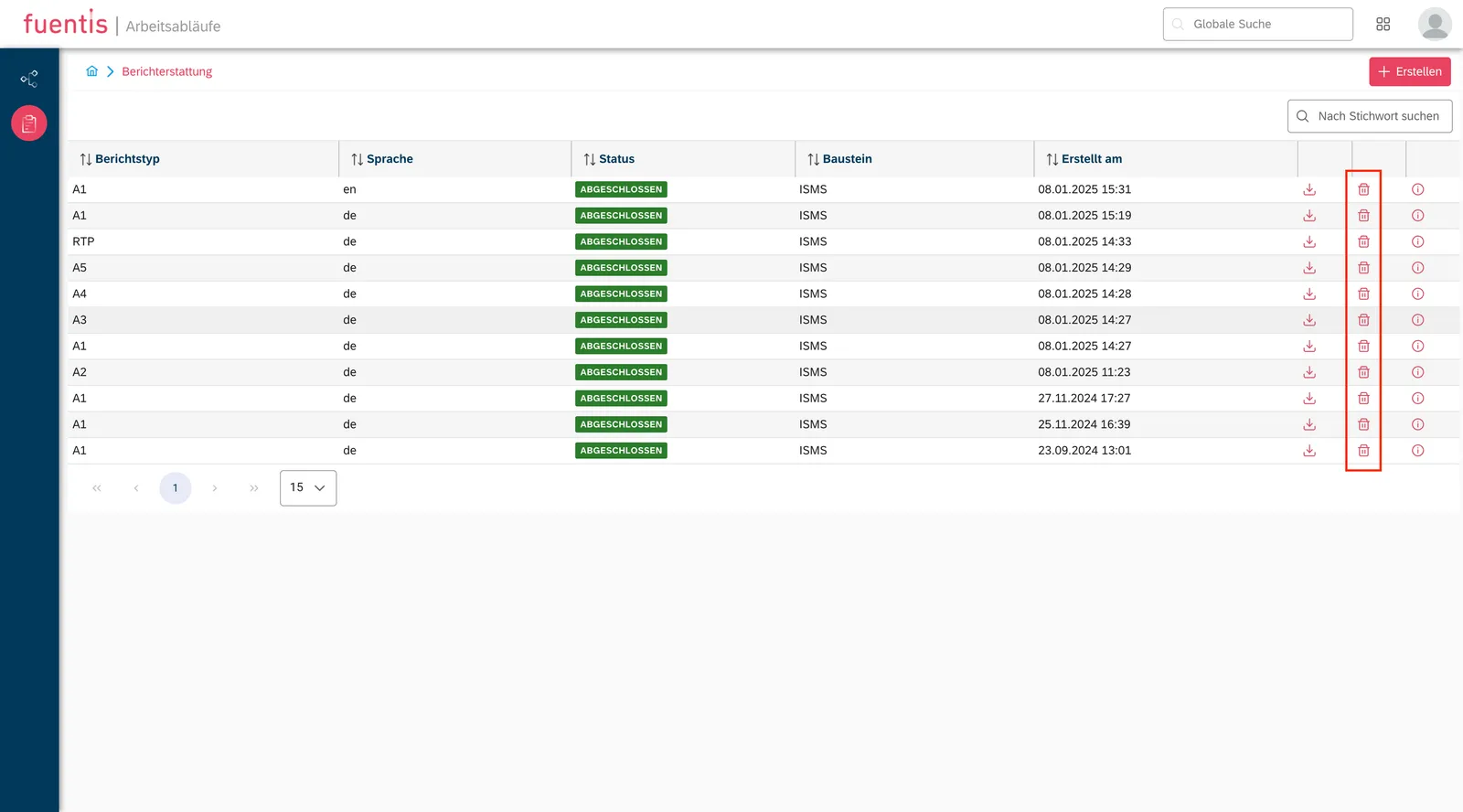
Delete Reports
- Removal via the delete icon
- Consideration of retention periods according to compliance requirements
Practical Tip: Create regular reports at defined times (e.g., quarterly) to document the development of your ISMS in a traceable manner. This facilitates both internal reviews and external audits.
Best Practices for Effective ISMS Reporting
Section titled “Best Practices for Effective ISMS Reporting”Target Group-Oriented Preparation
Section titled “Target Group-Oriented Preparation”For Management:
- Focus on overall status and critical risks
- Executive summary with recommendations for action
- Visualization of trends and KPIs
For Technical Teams:
- Detailed control lists
- Specific technical requirements
- Implementation status of individual controls
For Auditors:
- Complete documentation of all ISMS phases
- Traceable decision-making processes
- Complete audit trails
Continuous Improvement
Section titled “Continuous Improvement”- Regular Report Creation: Establish a fixed reporting cycle
- Comparability: Use consistent report types for time comparisons
- Feedback Integration: Use feedback to optimize the report structure
- Automation: Plan recurring reports for increased efficiency
Practical Tip: Define report templates for different occasions (regular reporting, incident reports, audit preparation) to ensure consistent and efficient reporting processes.
How the fuentis Suite Supports You
Section titled “How the fuentis Suite Supports You”The fuentis Suite offers an integrated solution for ISMS documentation with the reporting module:
Automation and Efficiency:
- Automatic data collection from all ISMS modules
- Report generation in seconds
- Consistent formatting and structure
Compliance Support:
- Predefined report types according to standards
- Audit-compliant documentation
- Complete evidence documentation
Flexibility and Customization:
- Configurable report content
- Scope-based filtering
- Multilingual support (DE/EN)
Integration and Collaboration:
- Seamless integration into the ISMS workflow
- Export functions for external stakeholders
- Central report management
Further Resources
Section titled “Further Resources”Introduction Video
Section titled “Introduction Video”A visual introduction to the reporting module can be found at: https://youtu.be/DTY0I2_Z6Jw
Key Points at a Glance
Section titled “Key Points at a Glance”-
Structured Documentation: The six report types (A1-A6) systematically map all ISMS phases and ensure complete documentation according to ISO 27001 and IT-Grundschutz.
-
Flexible Report Configuration: Through the selection of scope, target object types, and content options, reports can be prepared in a target group-oriented manner.
-
Efficient Report Creation: Automated generation in seconds and the PDF format enable quick creation and easy distribution.
-
Compliance Support: The predefined report types directly meet the documentation requirements of relevant standards and facilitate audits.
-
Continuous Improvement: Regular report creation creates transparency about ISMS development and supports data-based management decisions.