
Account-Management and Authentication
The secure management of user accounts and authentication are central pillars of information security in any ISMS. The fuentis Suite leverages Keycloak as its Identity and Access Management (IAM) system in the fuentis design to ensure secure and user-friendly account management. This page explains the key concepts, functions, and best practices for account management. For more information on rights and roles, see the respective module.
Why is this relevant?
Effective account management reduces security risks caused by weak passwords, unauthorized access, and insufficient authentication. It is a key component for meeting ISO 27001 requirements (A.9 Access Control) and BSI IT-Grundschutz (ORP.4 Identity and Access Management).
Core Concepts and Functions
Section titled “Core Concepts and Functions”Account Manager (Keycloak)
Section titled “Account Manager (Keycloak)”The fuentis Suite uses Keycloak as its central identity management system. Each instance has its own Account Manager accessible via a specific URL:
URL Structure:
https://auth.fuentis.com/auth/realms/[INSTANCE-NAME]/account/
Example for the fuentis instance:
https://auth.fuentis.com/auth/realms/fuentis/account/
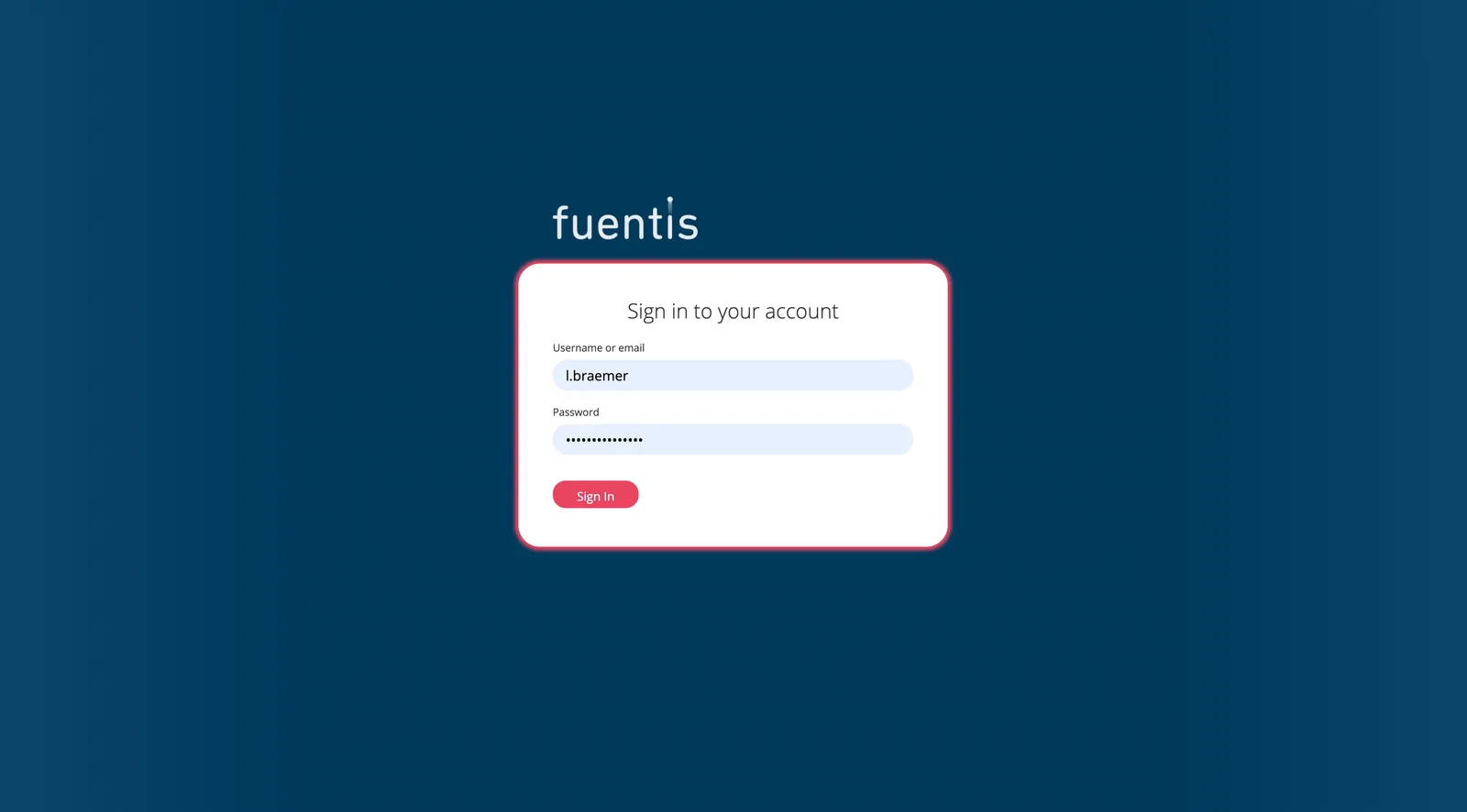
Practical Tip: Bookmark your Account Manager for quick access.
Password Management
Section titled “Password Management”The system enables users to manage their passwords independently:
- Self-service password changes via the Account Manager
- Secure password policies enforced by the system
- Immediate activation of new passwords without admin intervention
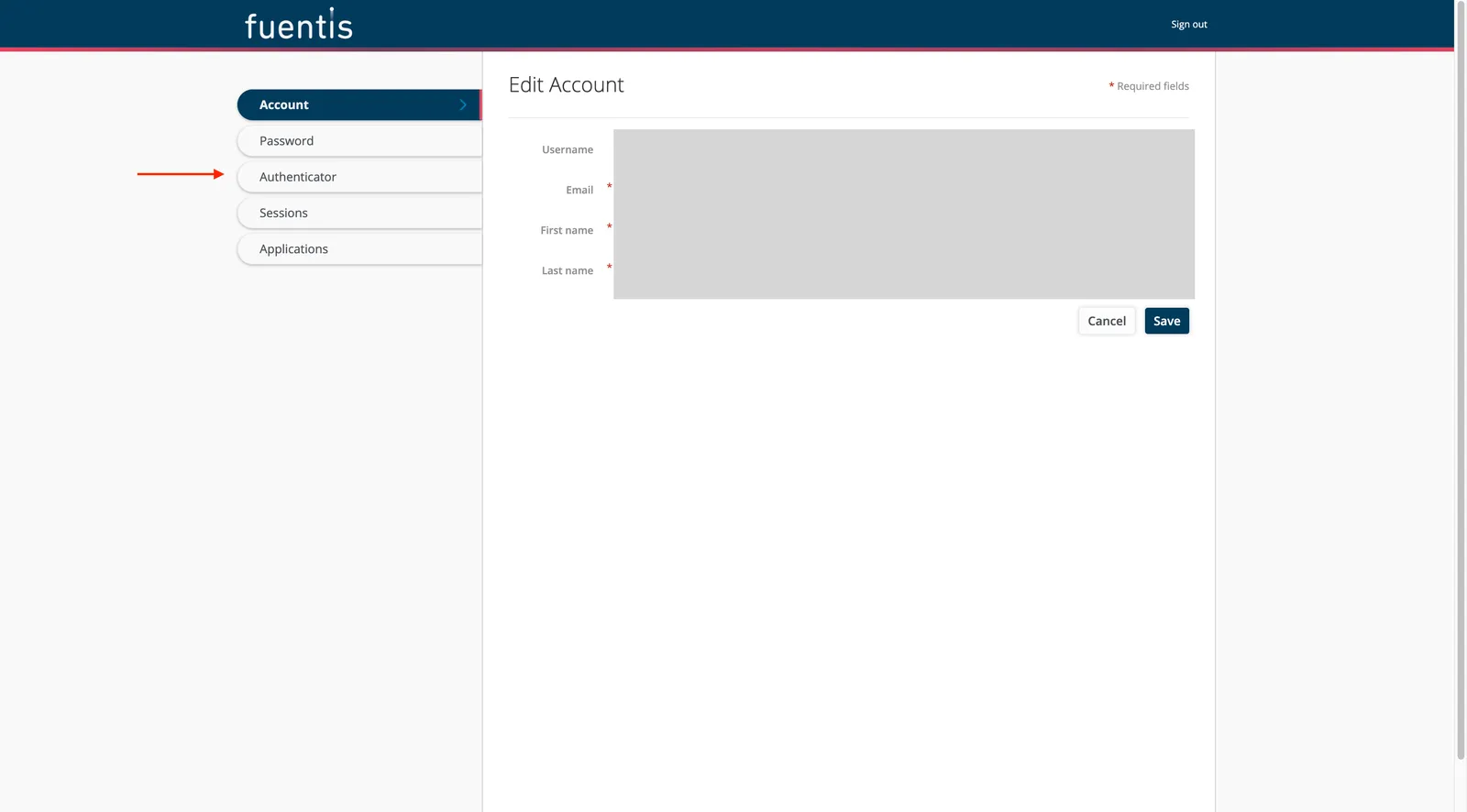
Features:
- Access via the “Passwords” tab in the Account Manager
- Enter new password in two fields for confirmation
- Immediate activation after saving
Two-Factor Authentication (2FA)
Section titled “Two-Factor Authentication (2FA)”The fuentis Suite supports two-factor authentication as an additional security layer:
- TOTP-based authentication (Time-based One-Time Password)
- Step-by-step setup via the “Authenticator” tab
- Support for common apps such as Google Authenticator and Microsoft Authenticator
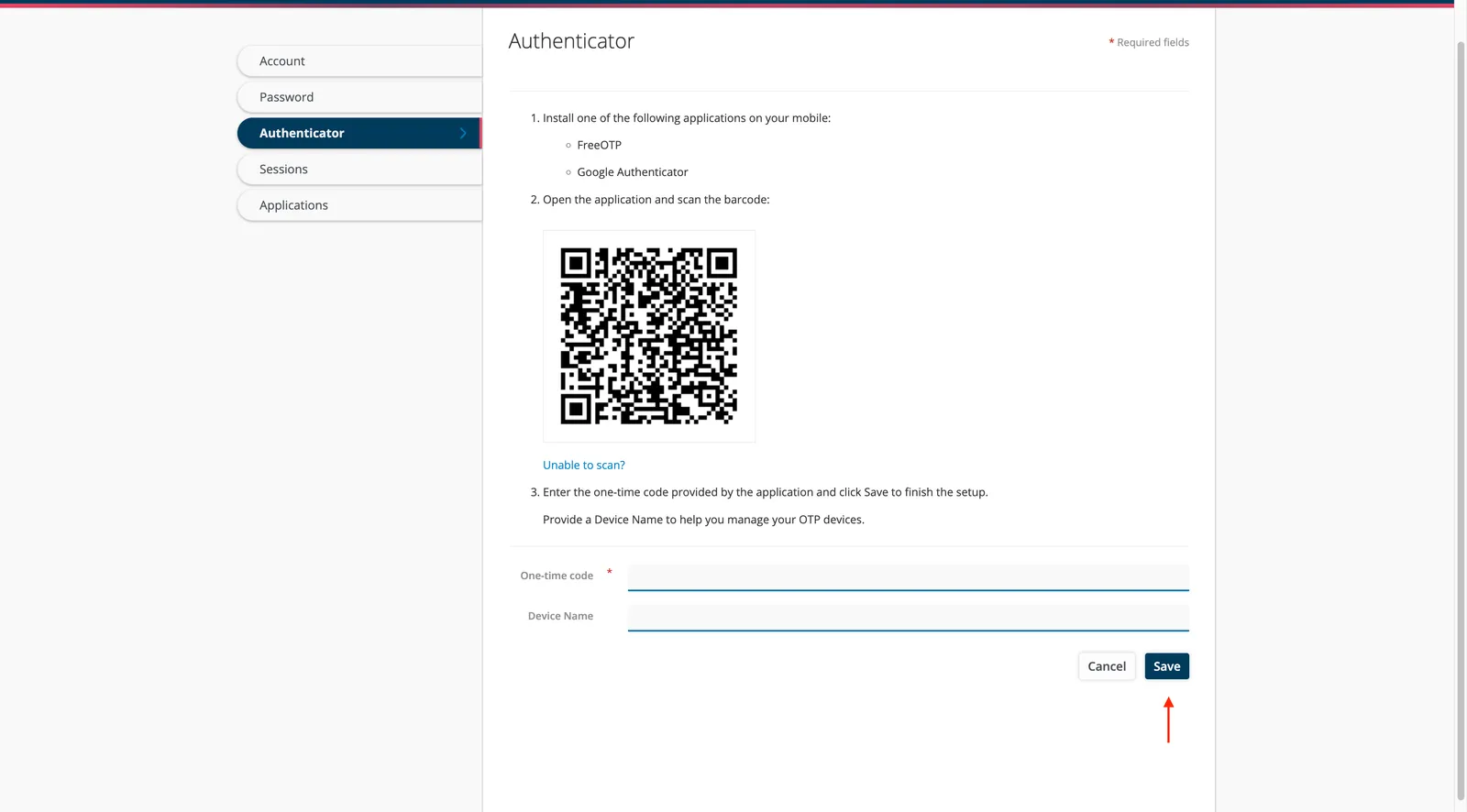
Setup process:
- Log into the Account Manager with your current credentials
- Navigate to the “Authenticator” tab
- Follow the guided setup instructions
- Scan the QR code or enter the key manually
- Confirm by entering a generated code
Implementation Aids and Best Practices
Section titled “Implementation Aids and Best Practices”Password Security
Section titled “Password Security”Recommended password policies:
- Minimum length of 12 characters
- Combination of uppercase, lowercase, numbers, and special characters
- No use of personal information
- Regular changes when compromise is suspected
Organizational measures:
- Train employees in secure password practices
- Establish policies for handling passwords
- Recommend the use of password managers
Practical Tip: Start enabling 2FA for privileged accounts (admins, auditors) and then roll it out to all users.
How the fuentis Suite Supports You
Section titled “How the fuentis Suite Supports You”The fuentis Suite offers integrated solutions for account management:
Technical integration:
- Seamless SSO (Single Sign-On)
- Automated user provisioning
- Central user management via Keycloak
- API-based integration with existing systems
Compliance support:
- Preconfigured security policies
- Audit logs for compliance evidence
- Role-based access control (RBAC)
- Automatic logging of security events
User-friendliness:
- Self-service portal for password management
- Intuitive fuentis design user interface
- Mobile support for 2FA apps
- Multilingual interface (German/English)
Note: If you would like to synchronize with your directory service, please contact us. We will help you set it up!
Glossary:
- 2FA/MFA: Two-/Multi-Factor Authentication
- TOTP: Time-based One-Time Password
- SSO: Single Sign-On
- IAM: Identity and Access Management
- RBAC: Role-Based Access Control
- Keycloak: Open-source identity and access management solution
Key Takeaways at a Glance
Section titled “Key Takeaways at a Glance”- Centralized management: The fuentis Suite uses Keycloak for unified account management via instance-specific URLs.
- Self-service features: Users can change passwords and set up 2FA independently, without admin intervention.
- Compliance-ready: The system meets ISO 27001 and BSI IT-Grundschutz requirements for identity and access management.
- Security by design: Integrated security features such as 2FA, secure password policies, and audit logging.
- User-friendliness: Intuitive fuentis design interface with multilingual support and mobile compatibility.