
Task Management
Task management is a central support module in the fuentis Suite that enables the structured administration and tracking of all ISMS-related tasks. It forms the backbone of efficient team collaboration and ensures that every step required to implement and maintain an Information Security Management System (ISMS) is transparently documented and completed on time.
Why is structured task management important?
Section titled “Why is structured task management important?”- Compliance requirements: An ISMS demands verifiable processes and their continuous improvement
- Transparency: All stakeholders can view the status of measures and responsibilities at any time
- Risk minimization: Critical security tasks are prioritized and completed on schedule — no more tasks falling through the cracks
- Audit readiness: Complete documentation of all activities carried out for internal and external audits
Core Concepts and Features
Section titled “Core Concepts and Features”Task overview and navigation
Section titled “Task overview and navigation”The module provides three central views for task management:
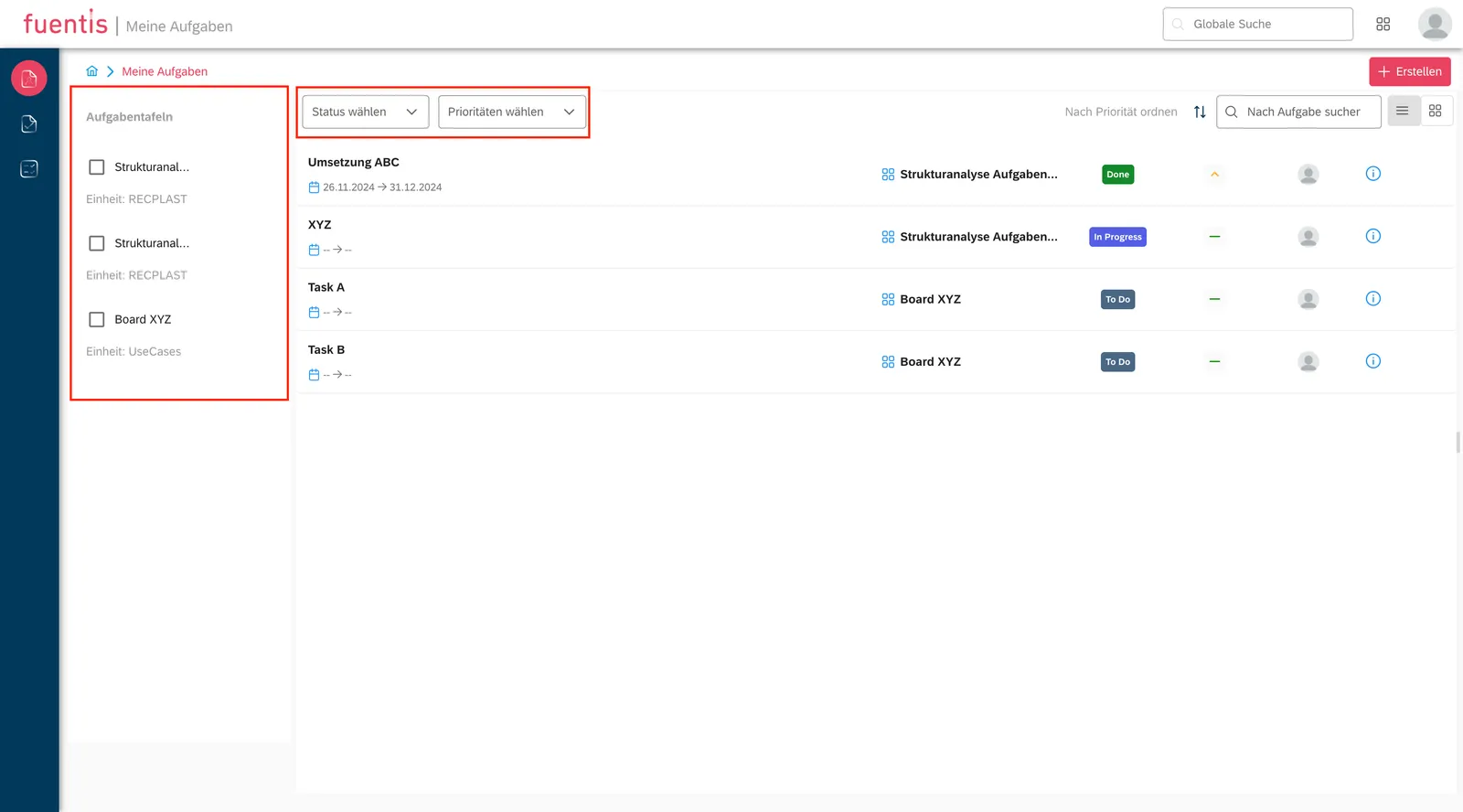
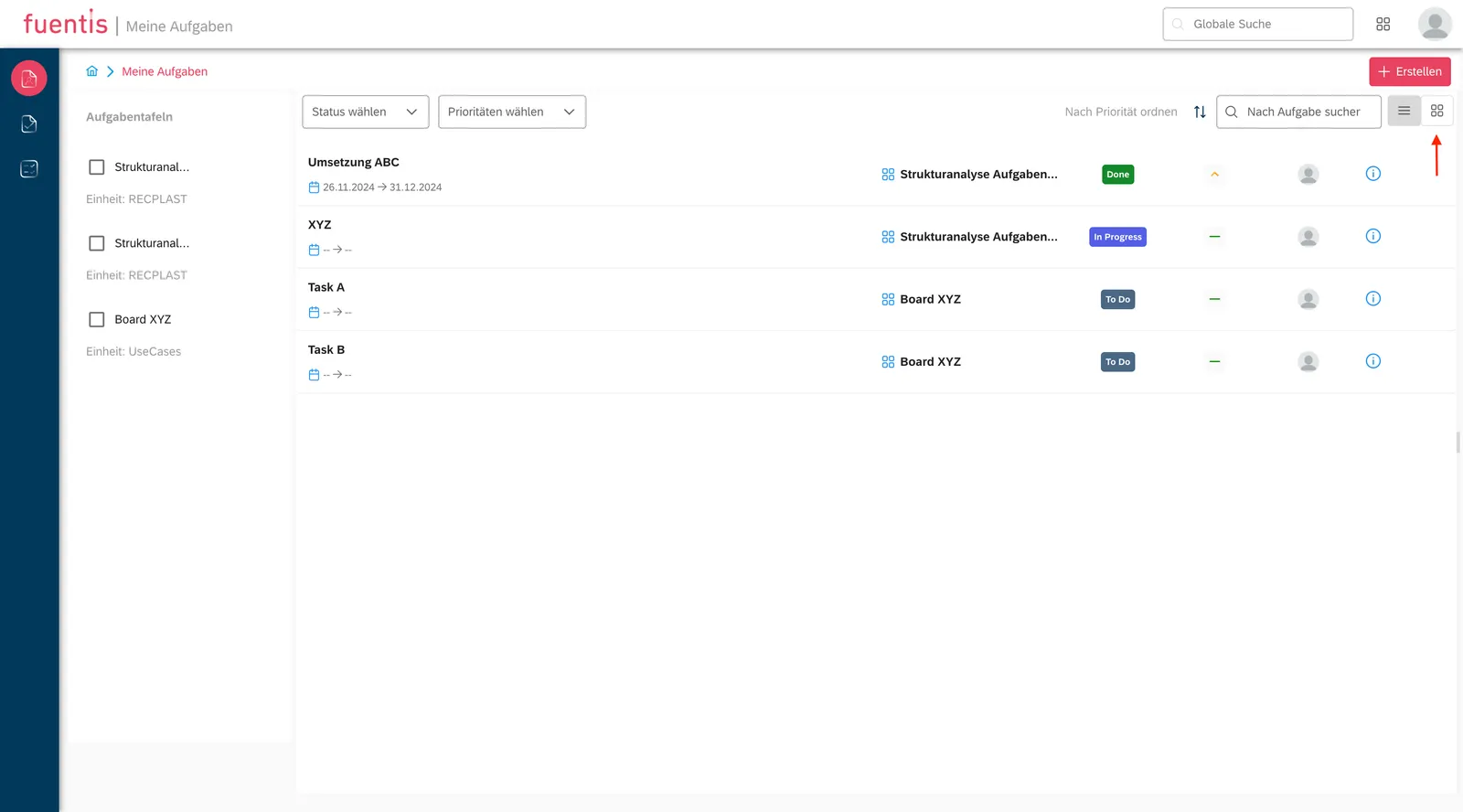
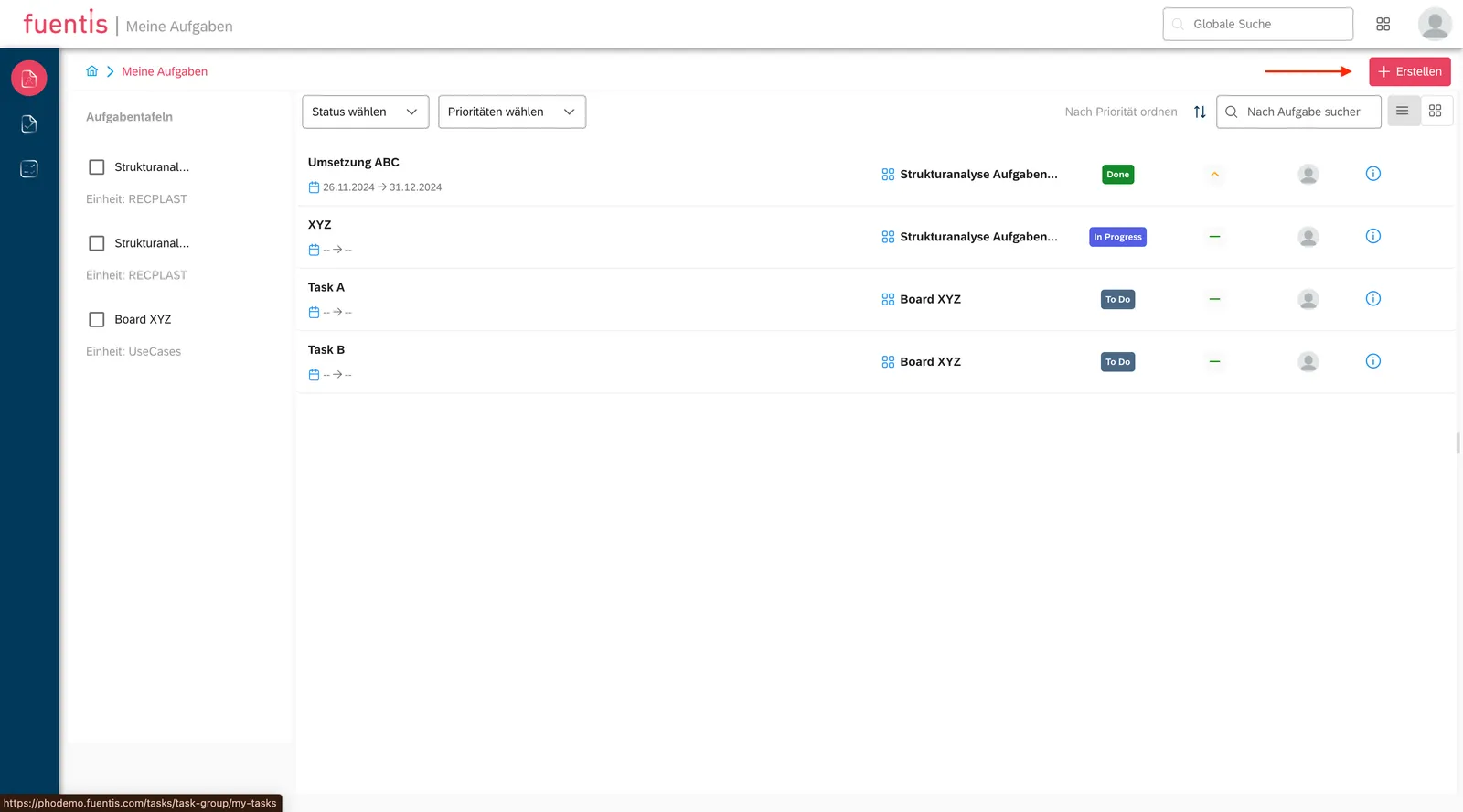
1. My Tasks
Section titled “1. My Tasks”- Personal workspace with all tasks assigned to the current user
- Filtering options by status (Open, In Progress, Completed), priority, and task board
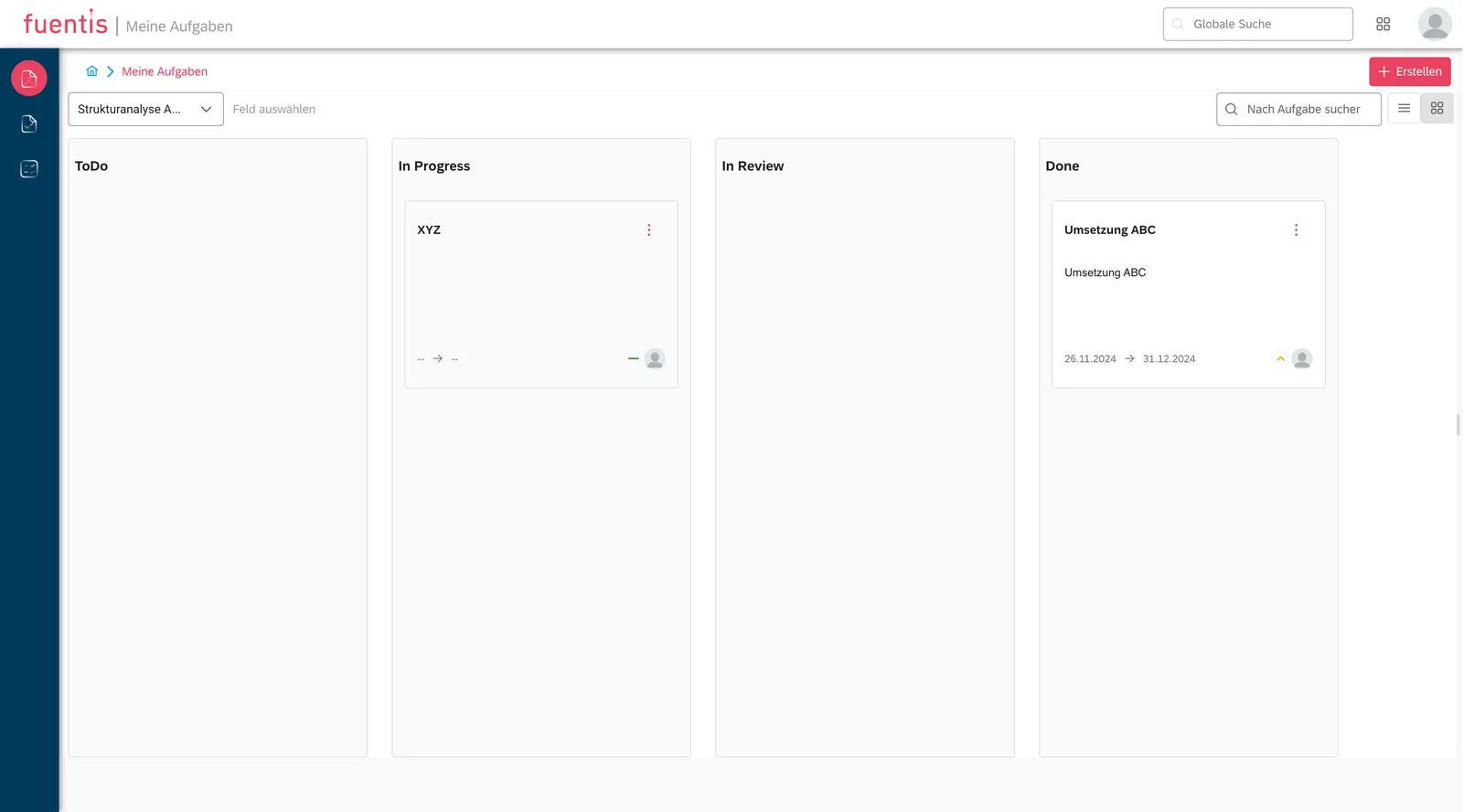
- View modes:
- List view for detailed oversight
- Kanban board for visual task management with drag-and-drop functionality
2. All Tasks
Section titled “2. All Tasks”- Comprehensive overview of all tasks in the system
- Same filtering and sorting functions as in “My Tasks”
- Ideal for project leads and ISMS officers for overall coordination
3. Task Boards
Section titled “3. Task Boards”- Thematic grouping of tasks by ISMS phases or projects
- Assignment to specific workflows and organizational units
- Automatic notifications when new tasks are added to the board
Task creation and management
Section titled “Task creation and management”Creating tasks — two ways
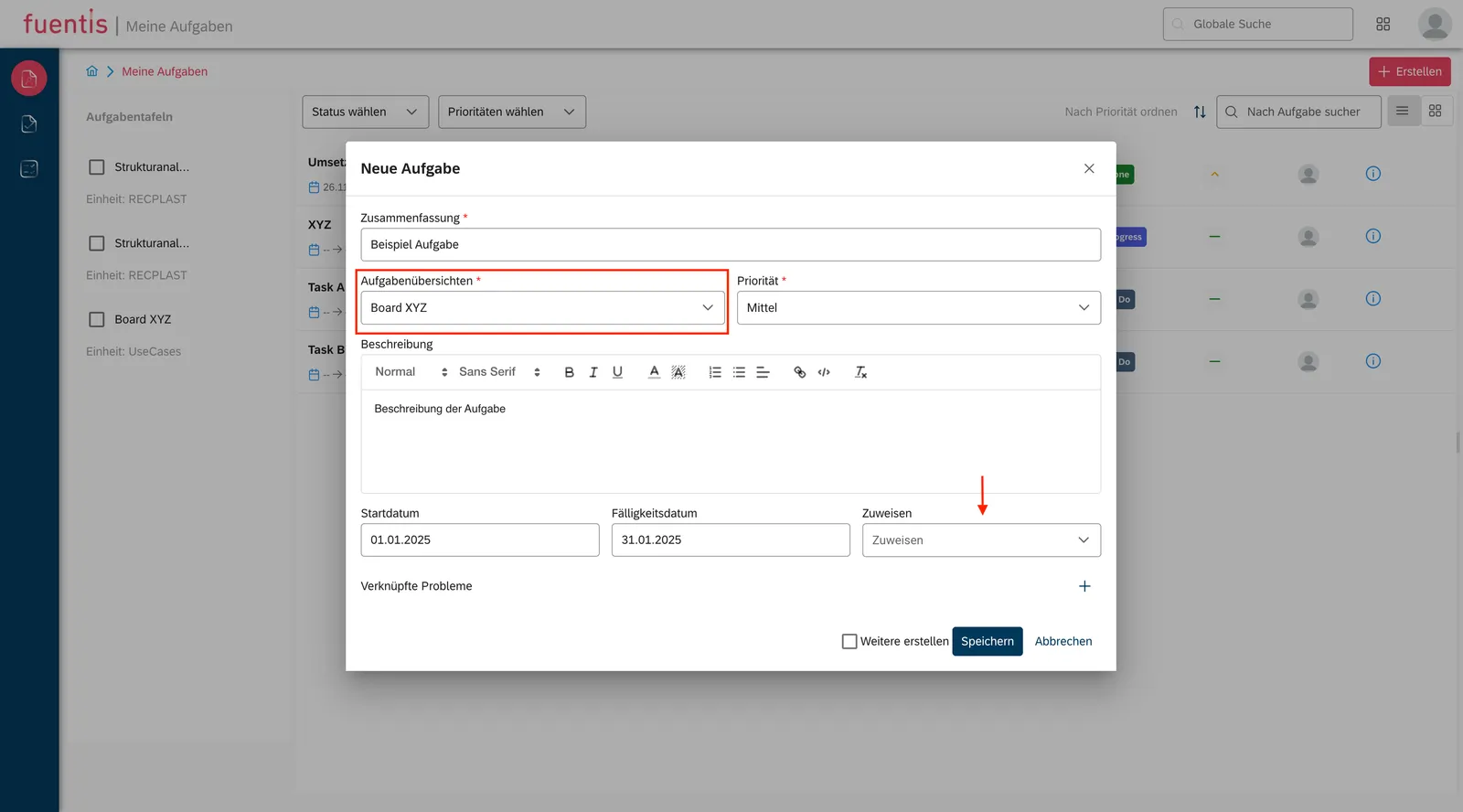
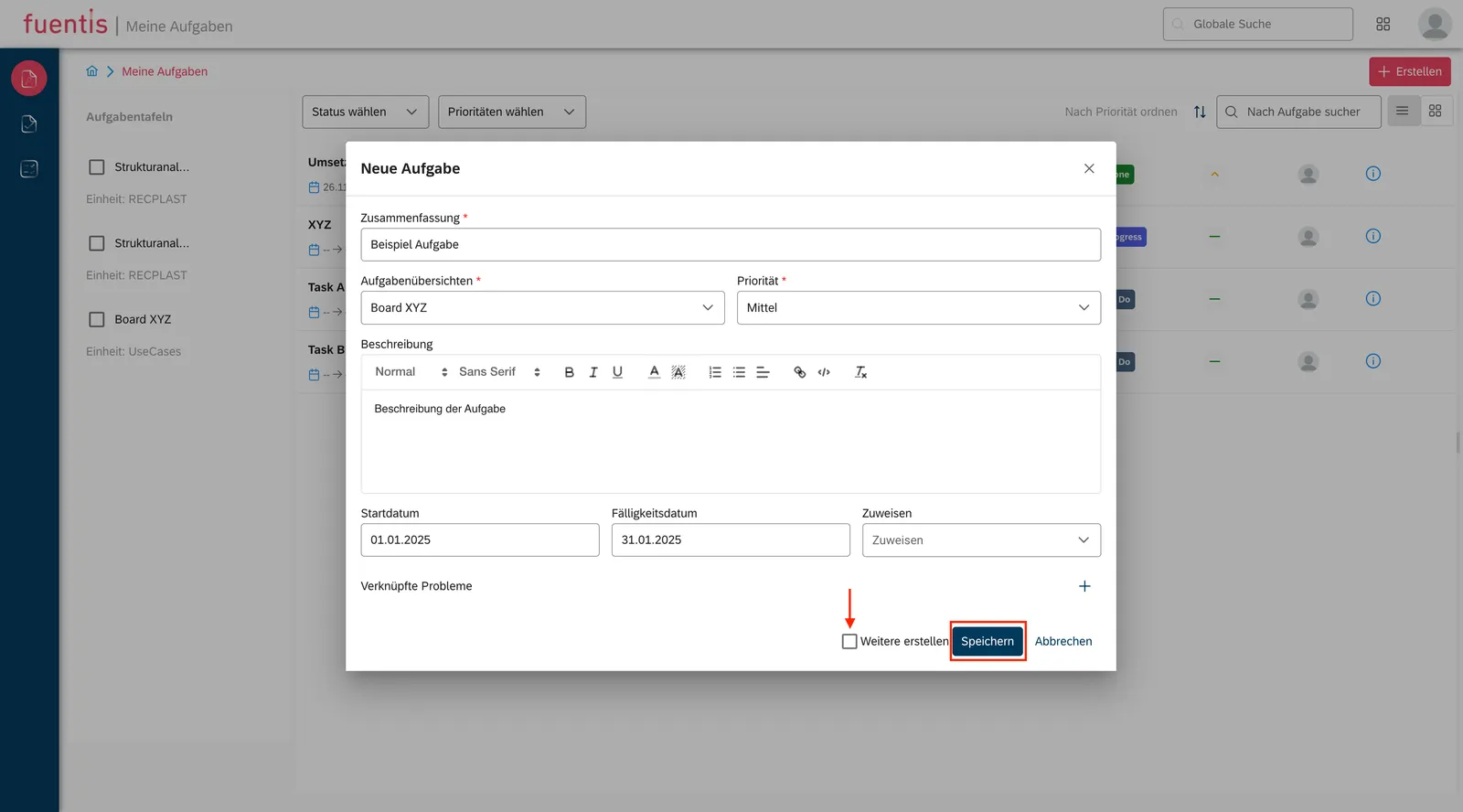
Section titled “Creating tasks — two ways”1. Direct creation in the Task Module:
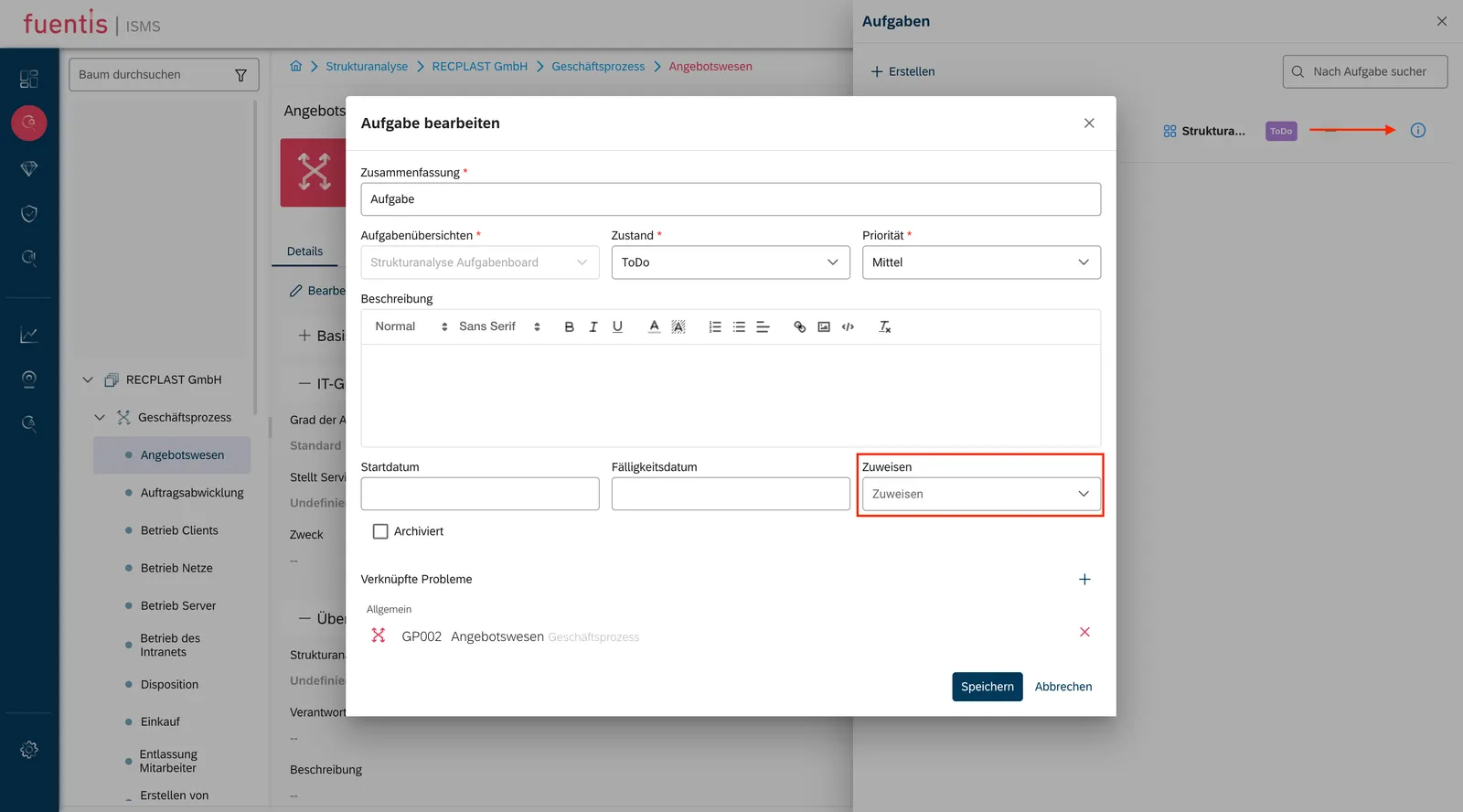
- Click the “Create” button to open the input dialog
- Mandatory fields: Title, Description, Assignee (responsible person)
- Optional fields: Task board, Priority, Start/End date
- “Create more” checkbox for series creation
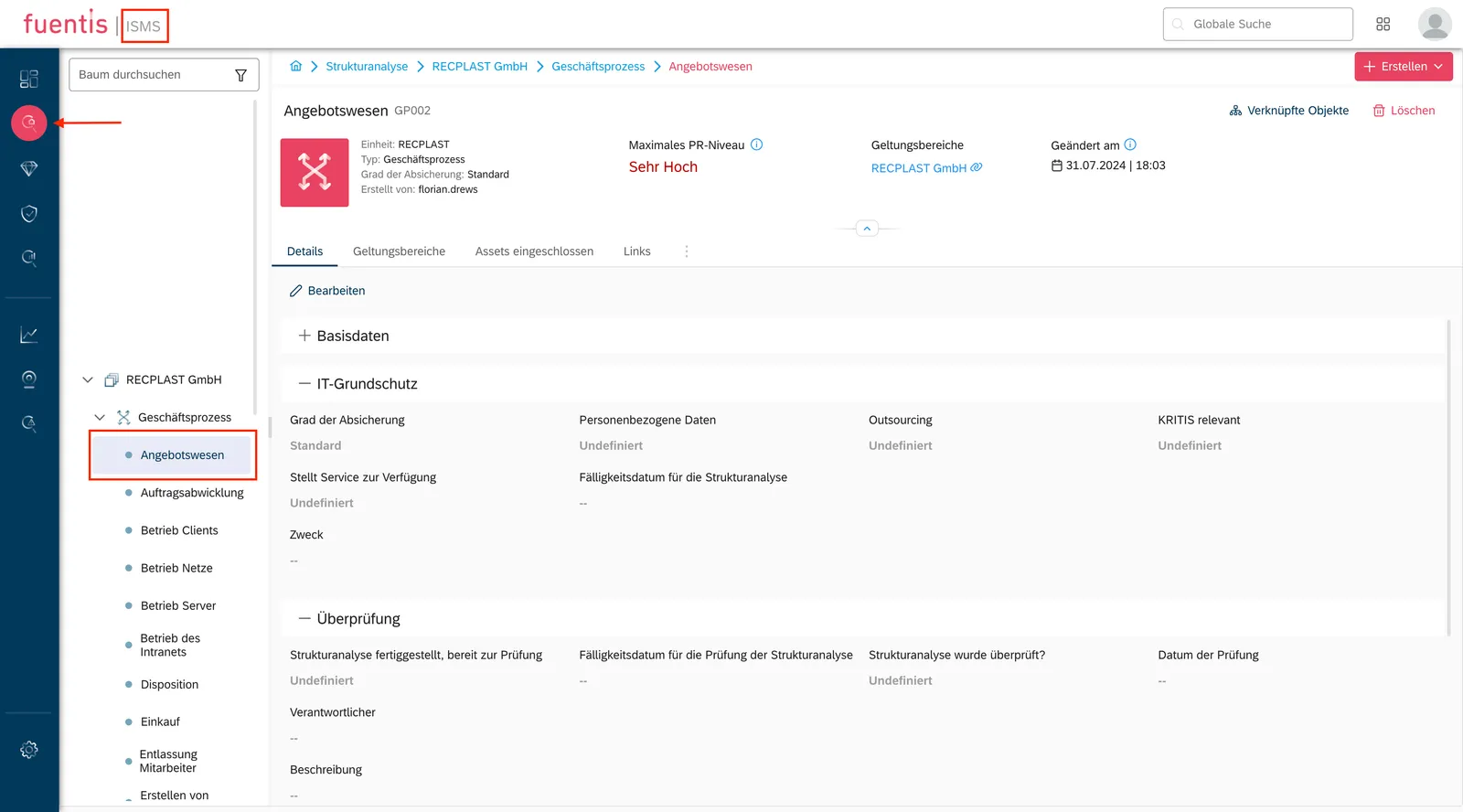
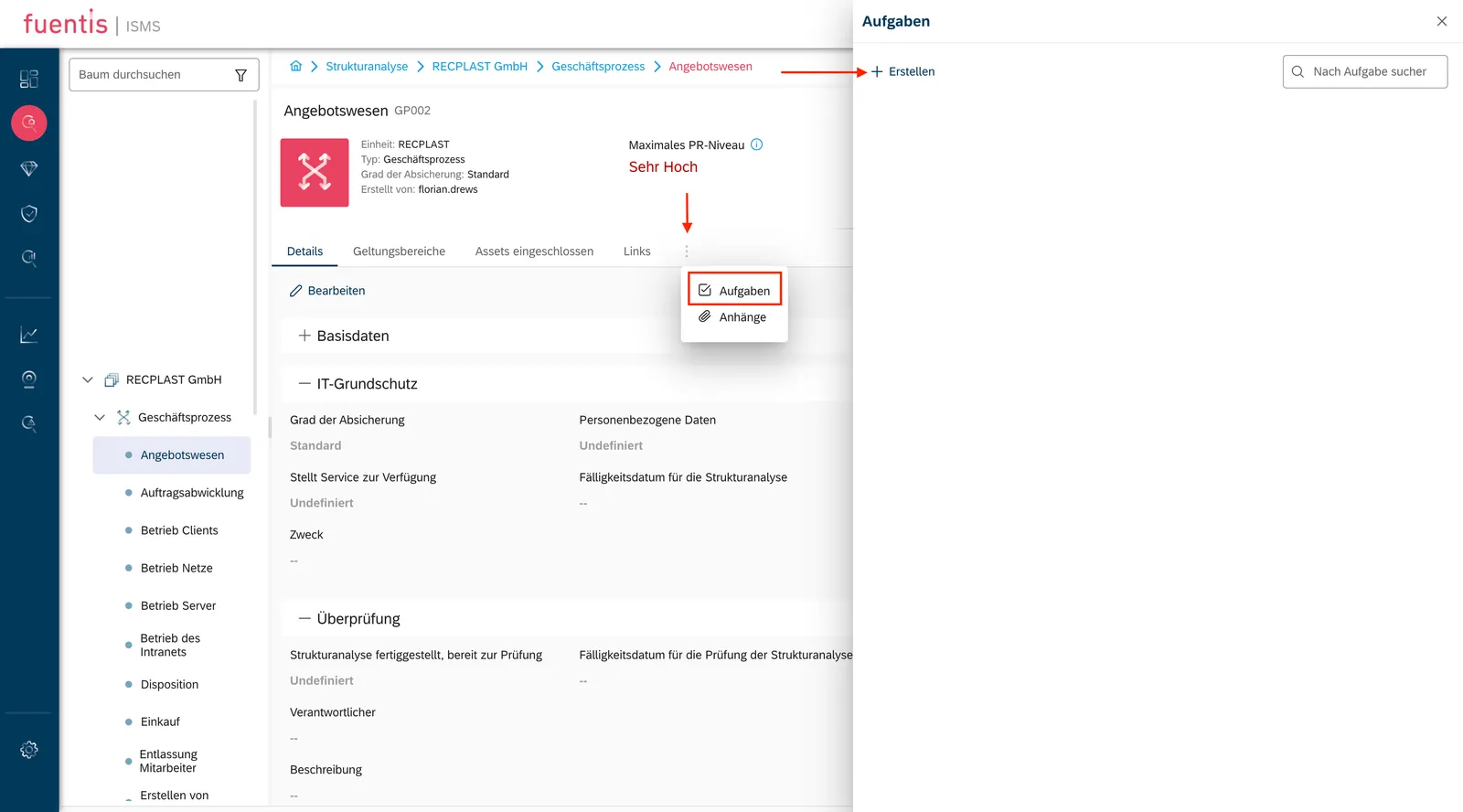
2. Context-based creation from ISMS phases:
- While working in Structural Analysis, Protection Needs Assessment, Modeling, or Risk Analysis
- Via the three-dot menu → “Tasks” → “Create”
- The task is automatically linked to the current context
- Especially useful when specialist input is missing or additional contributions are needed
Pro Tip: When creating a task from a security object, the context (e.g., affected target object) is automatically stored in the task. This saves time and prevents information loss.
Editing tasks
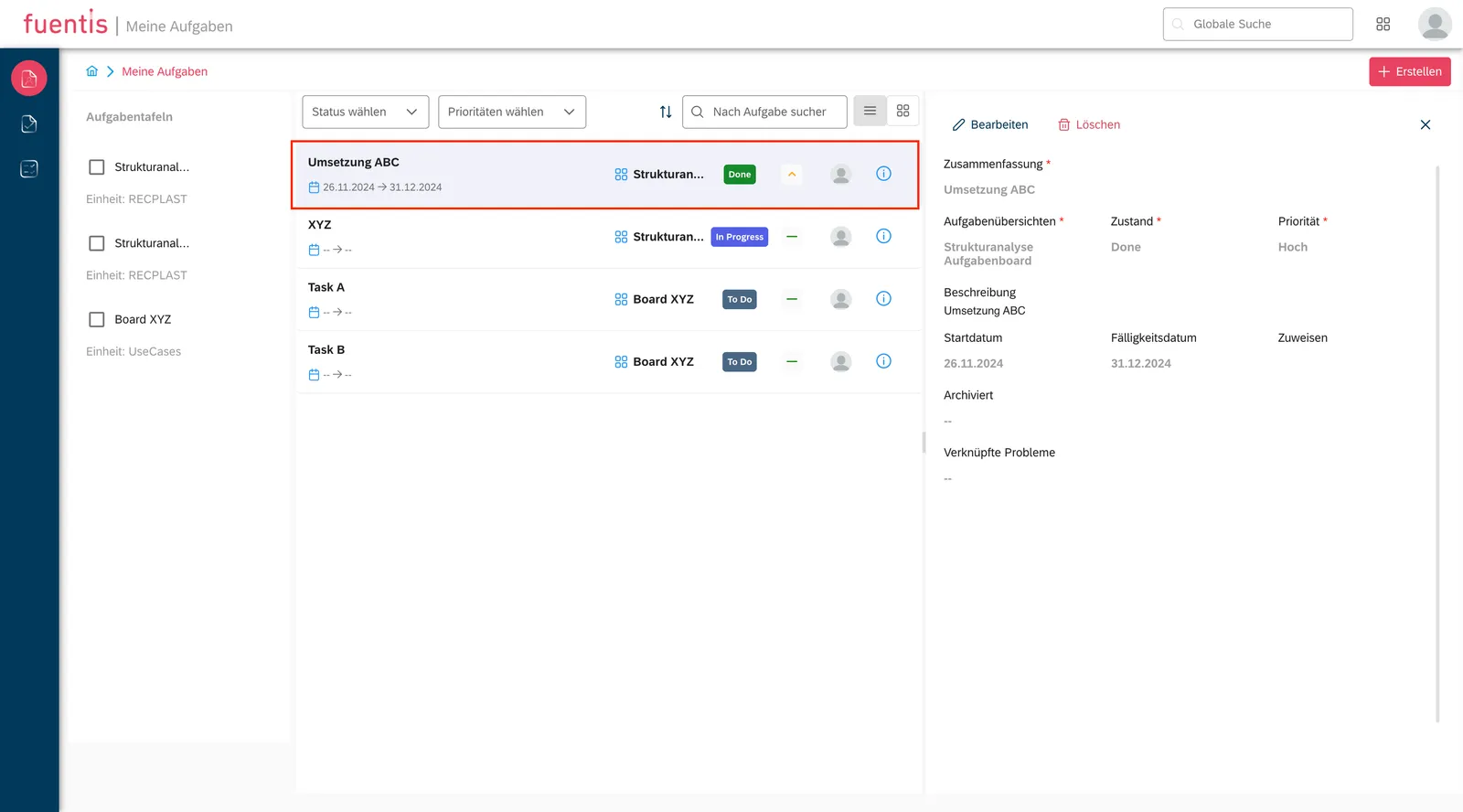
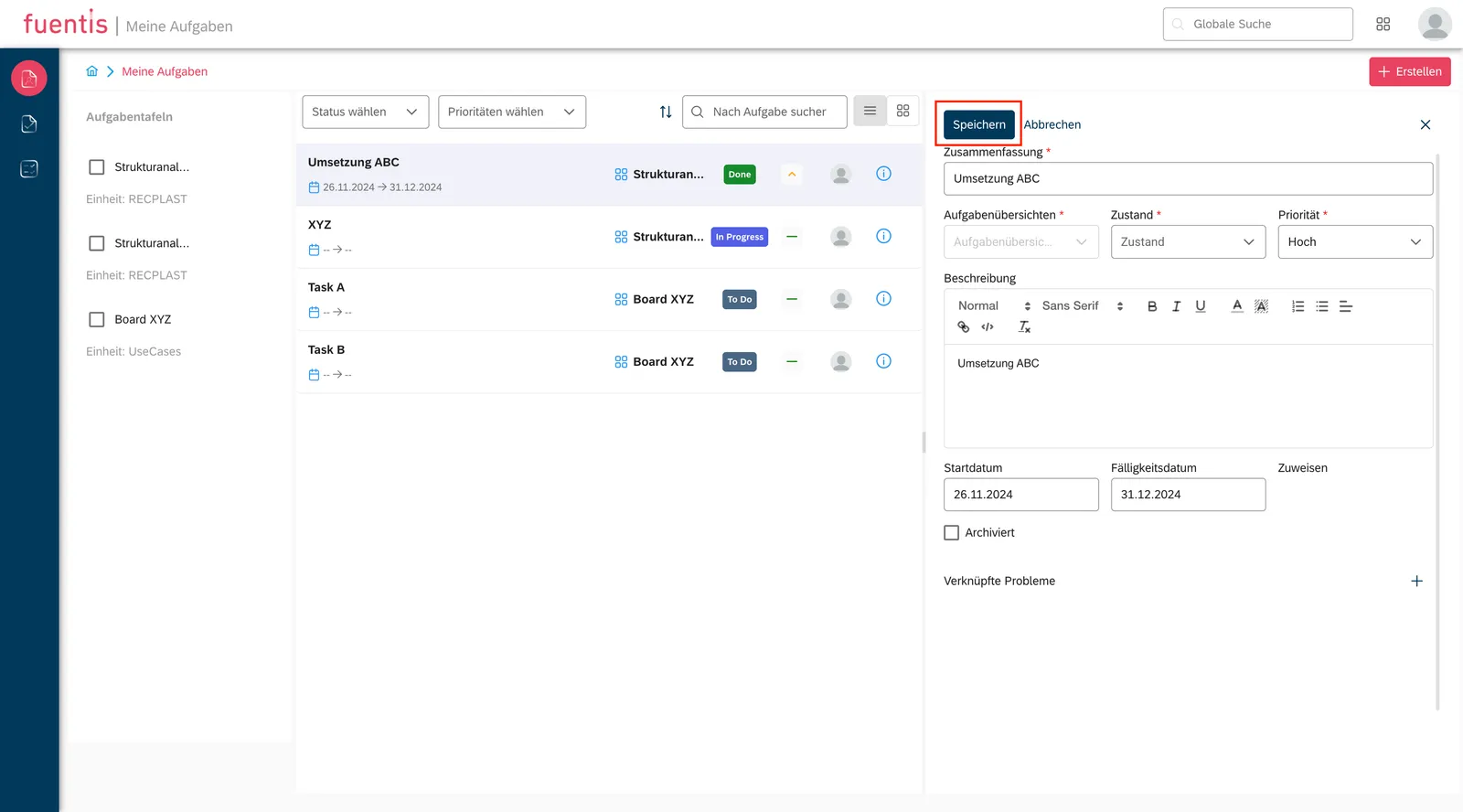
Section titled “Editing tasks”- Click a task to open the detail view
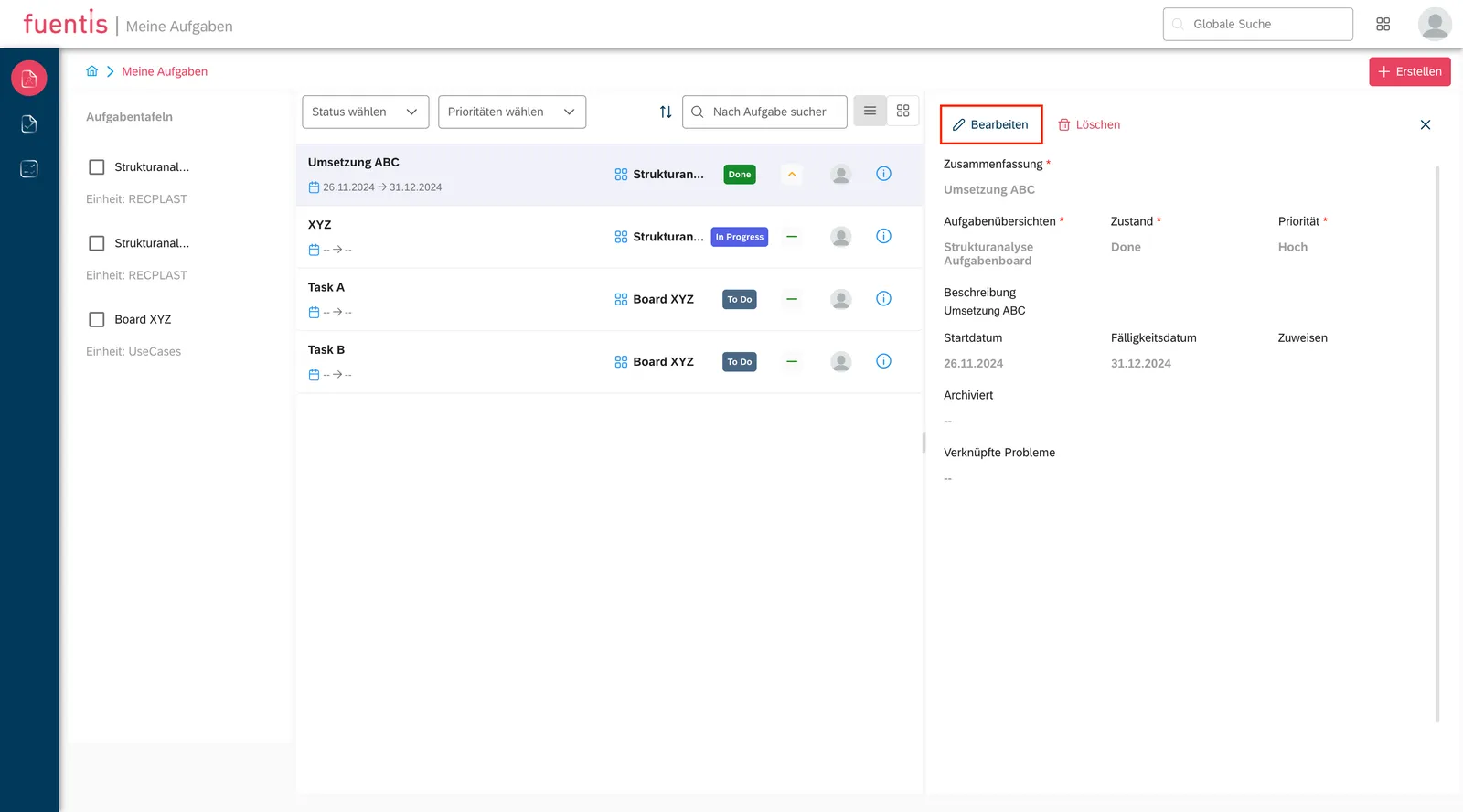
- The “Edit” button activates edit mode
- All fields can be adjusted afterward
- The change history is logged automatically
Deleting tasks
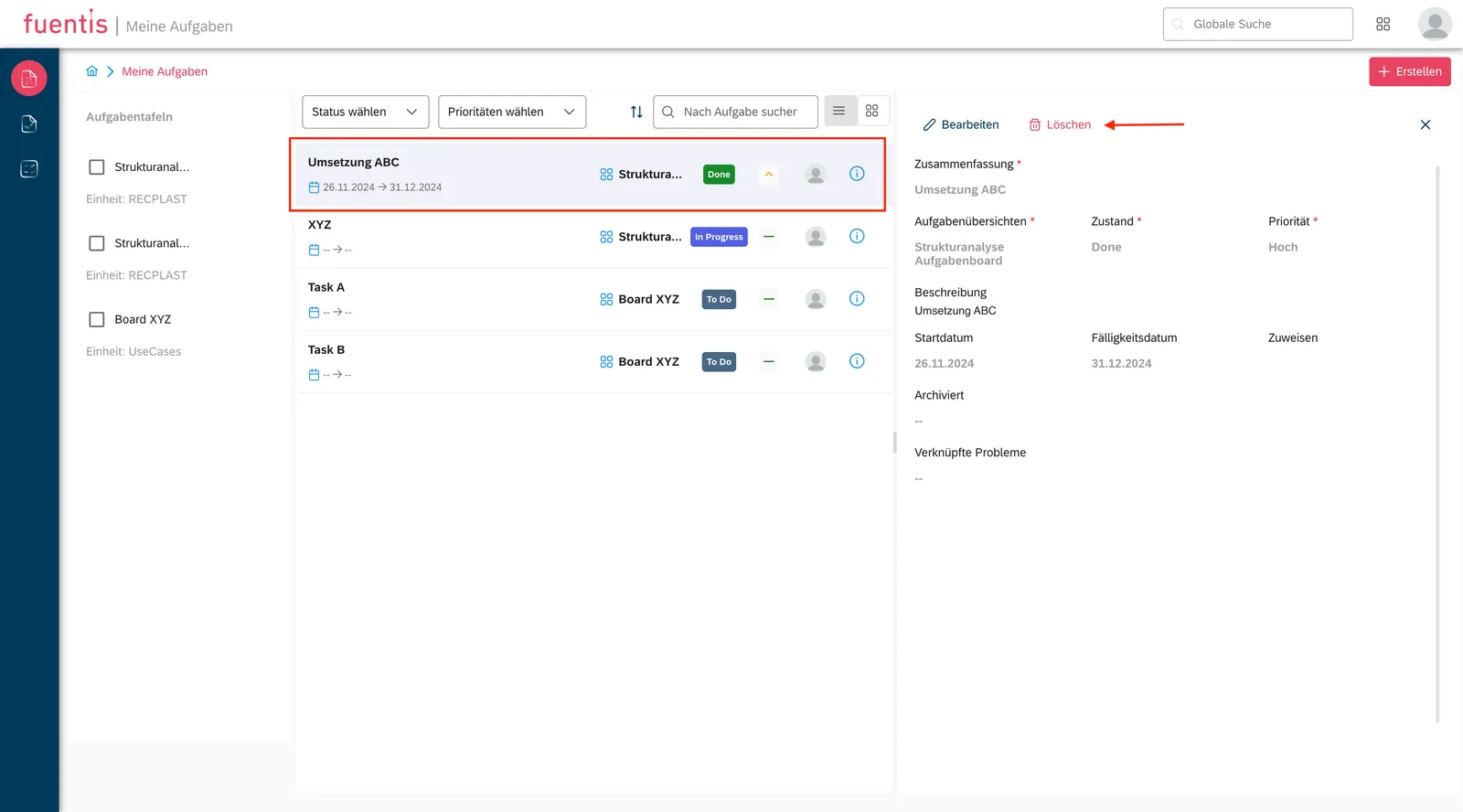
Section titled “Deleting tasks”- In the detail view via the “Delete” button
- Only possible for authorized users
- Deleted tasks are permanently removed
Task Boards — Structured organization
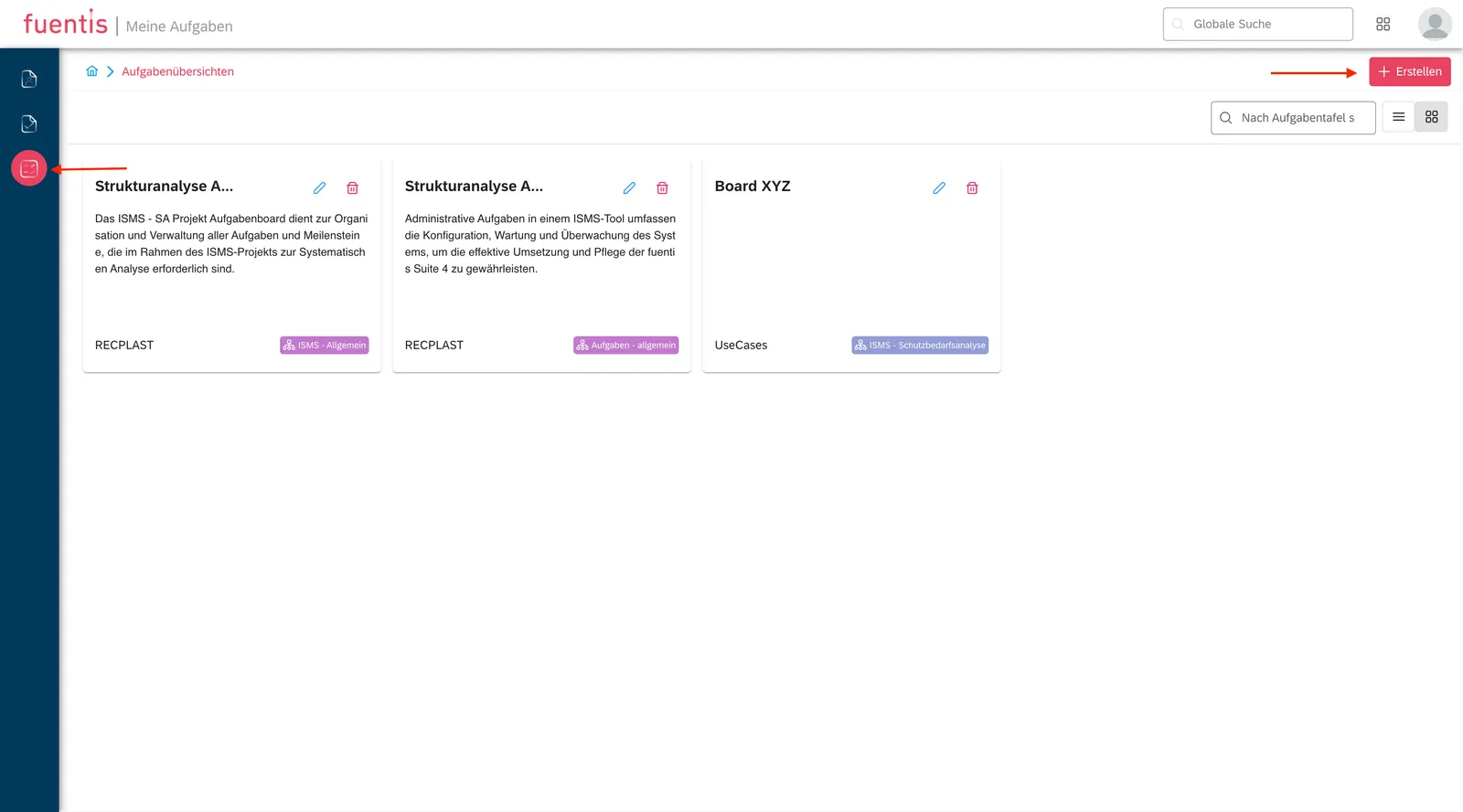
Section titled “Task Boards — Structured organization”Creating task boards
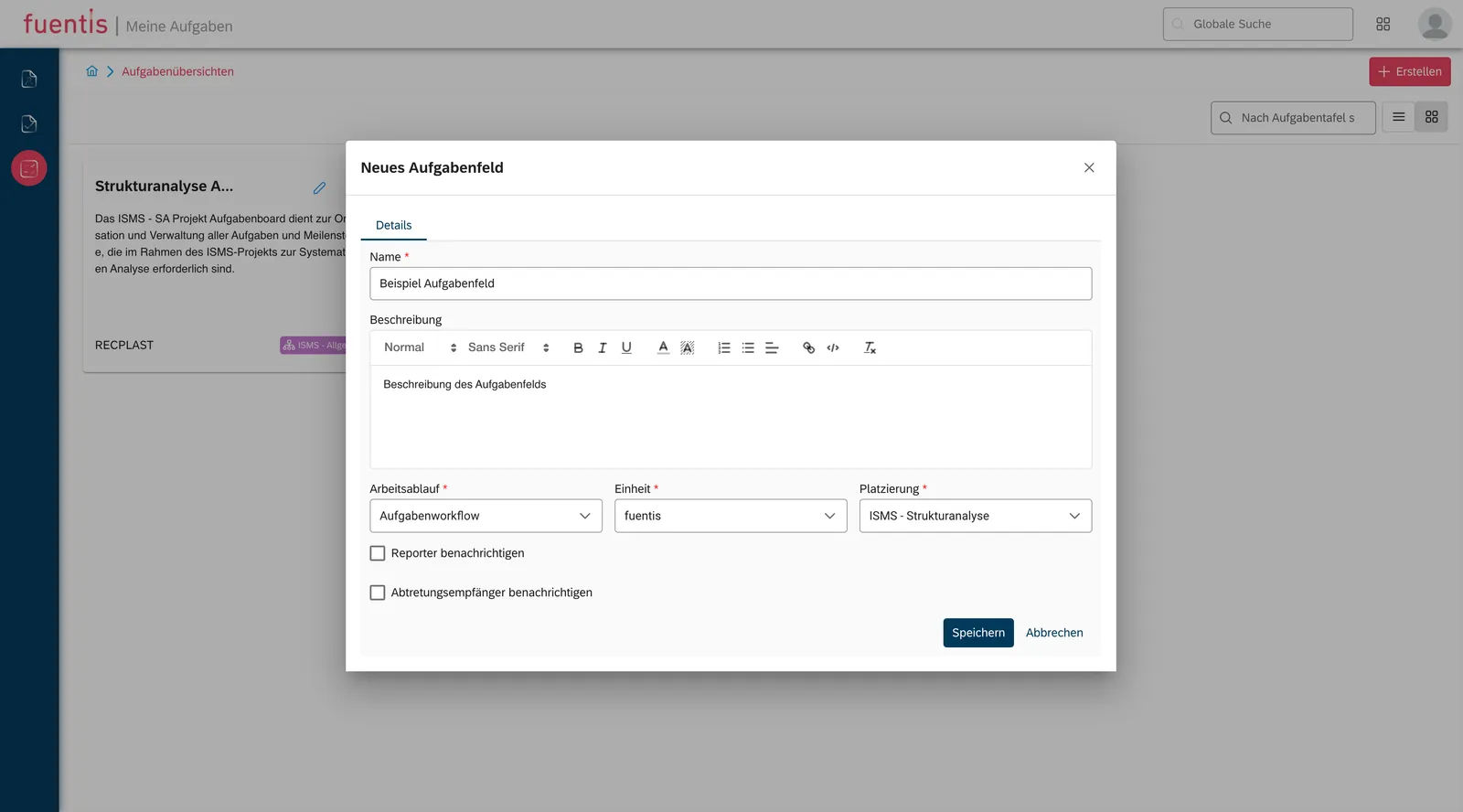
Section titled “Creating task boards”Mandatory information:
- Name: Unique name of the task board
- Description: Purpose and scope of the board
- Workflow: Link to a defined process
- Unit: Associated organizational unit
- Placement: ISMS phase (Structural Analysis, Protection Needs Assessment, etc.)
Optional settings:
- “Notify reporter”: Automatically notify the creator when new tasks are added
Managing task boards
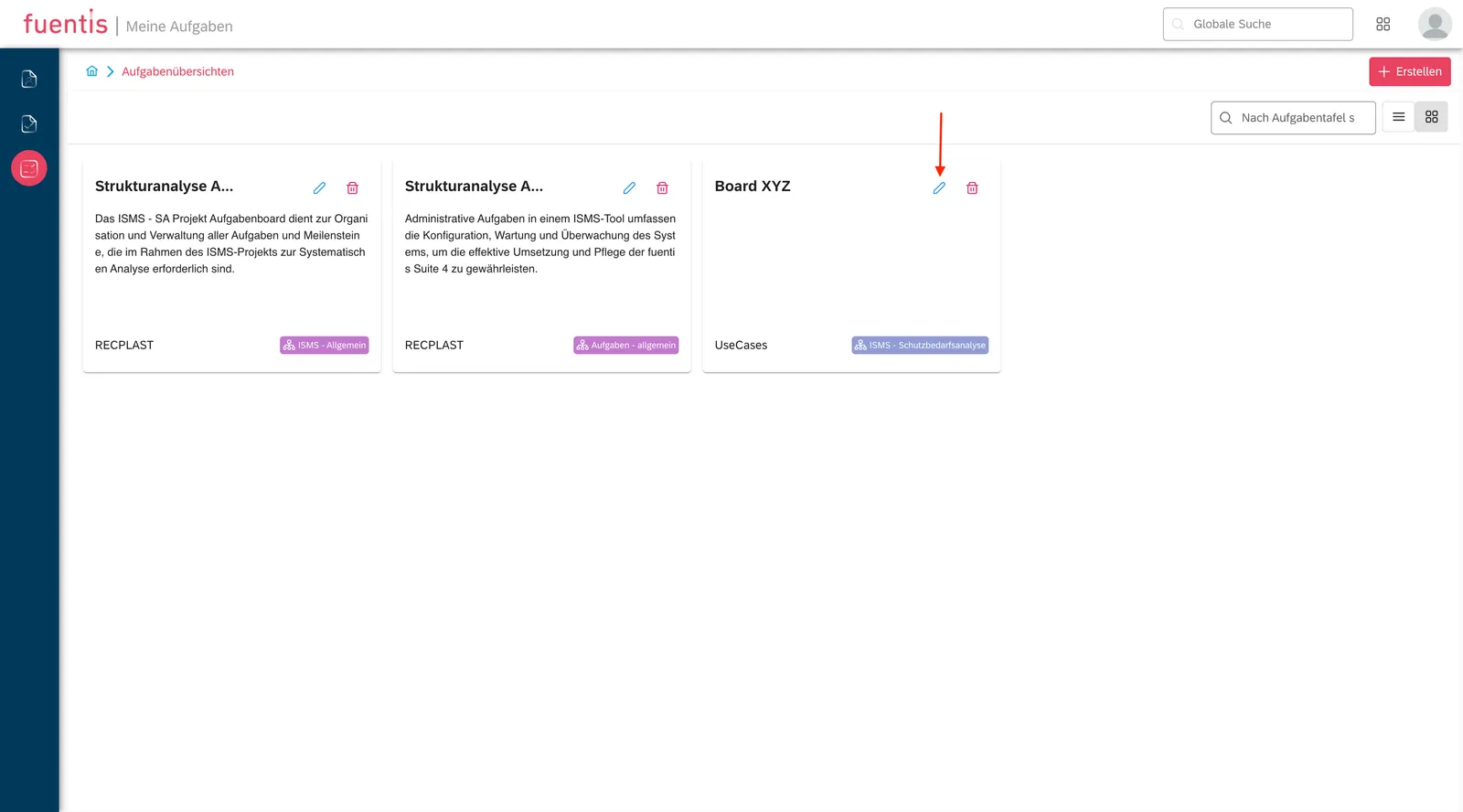
Section titled “Managing task boards”- Edit: Adjust all parameters via the edit icon
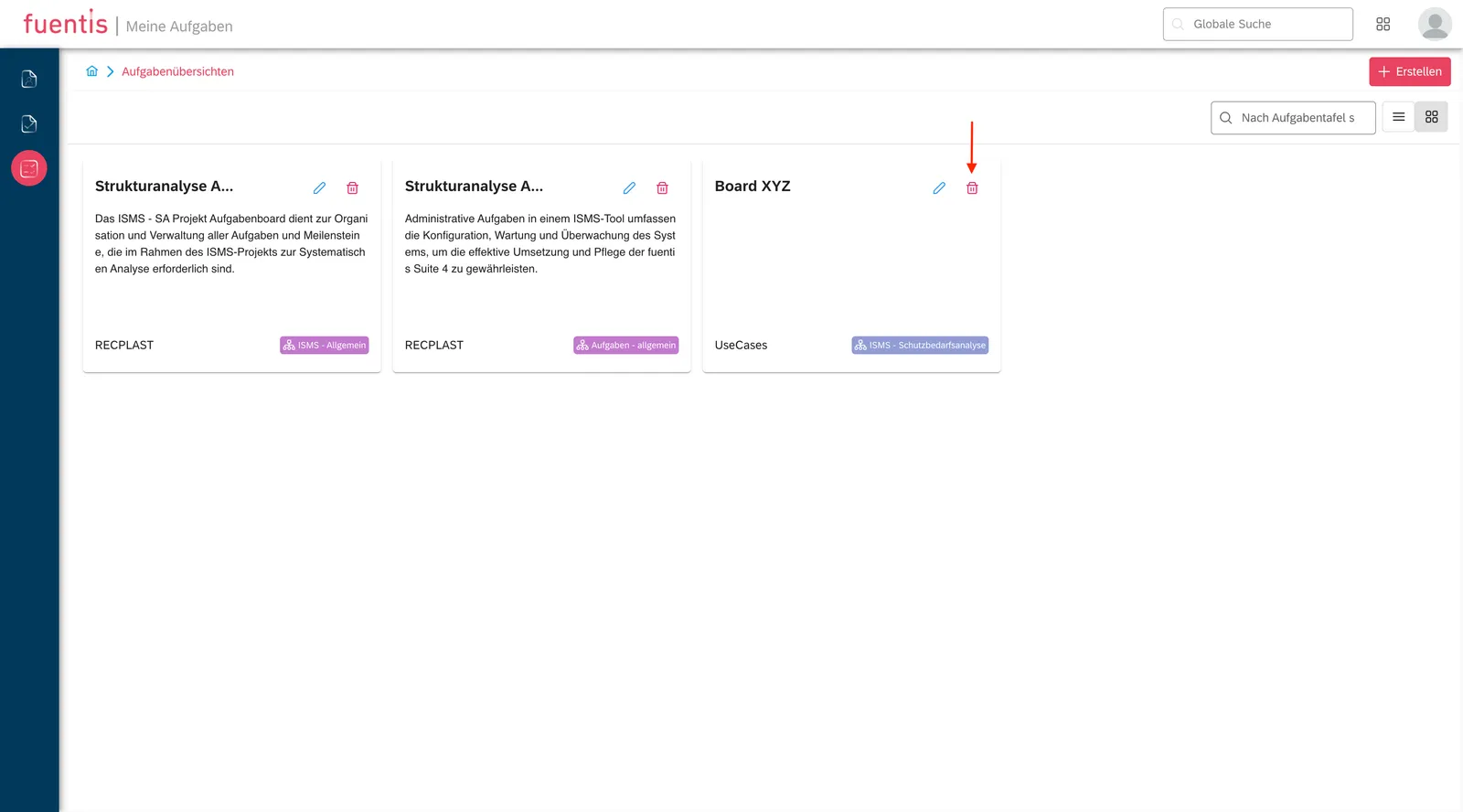
- Delete: Remove via the delete icon (note: tasks assigned to the board must be reassigned first)
Implementation Guidance and Best Practices
Section titled “Implementation Guidance and Best Practices”Integration into the ISMS process
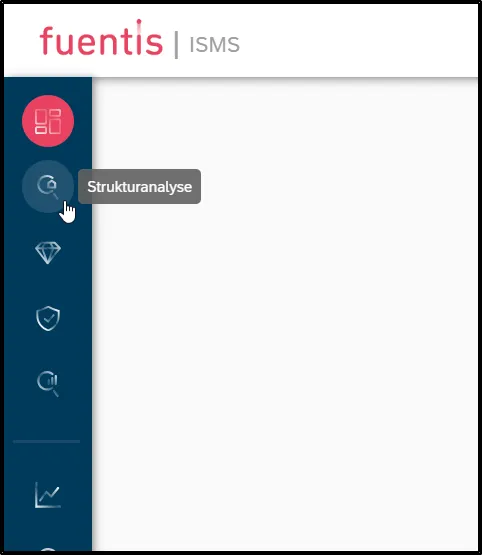
Section titled “Integration into the ISMS process”1. Structural Analysis phase:
- Task board “Inventory” for asset collection
- Assign to specialist departments for detailed information
- Set deadlines for complete inventory
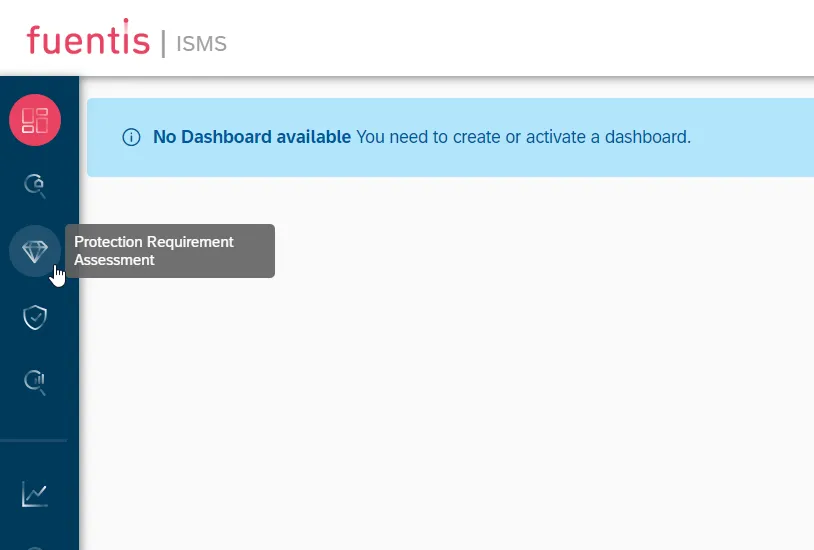
2. Protection Needs Assessment:
- Separate task boards per security objective (Confidentiality, Integrity, Availability)
- Prioritize by asset criticality
- Escalation levels for missed deadlines
3. Risk Analysis:
- Tasks for identified risks with risk rating as priority
- Link to the measures catalog
- Regular review tasks for risk monitoring
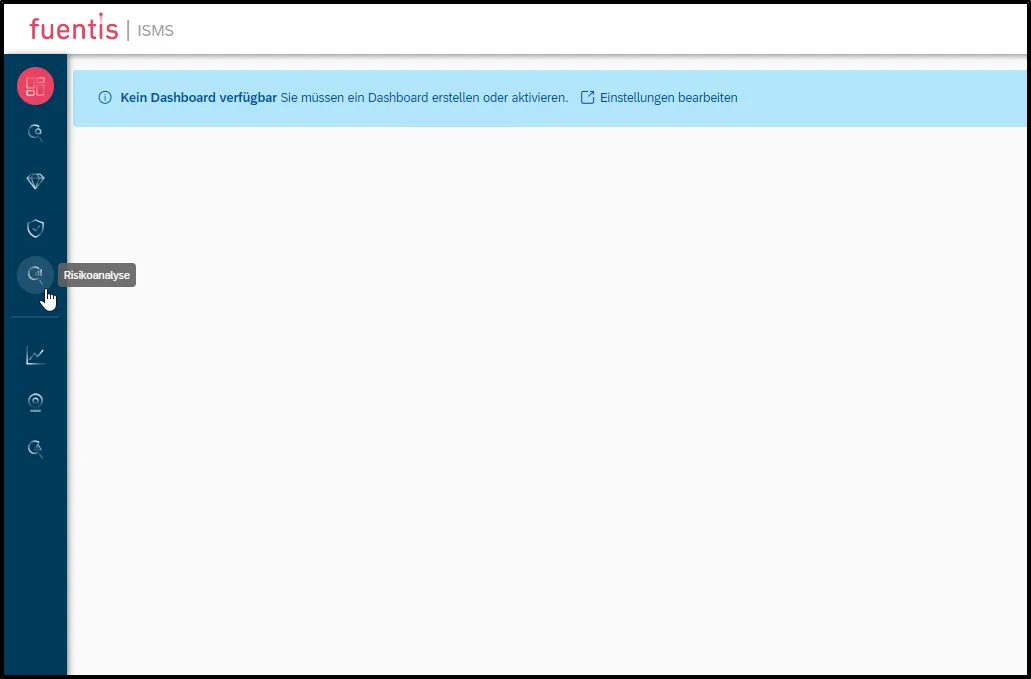
Workflow integration
Section titled “Workflow integration”Pro Tip: Always link task boards to a defined workflow from the Workflow Module. This ensures standardized procedures and makes traceability easier.
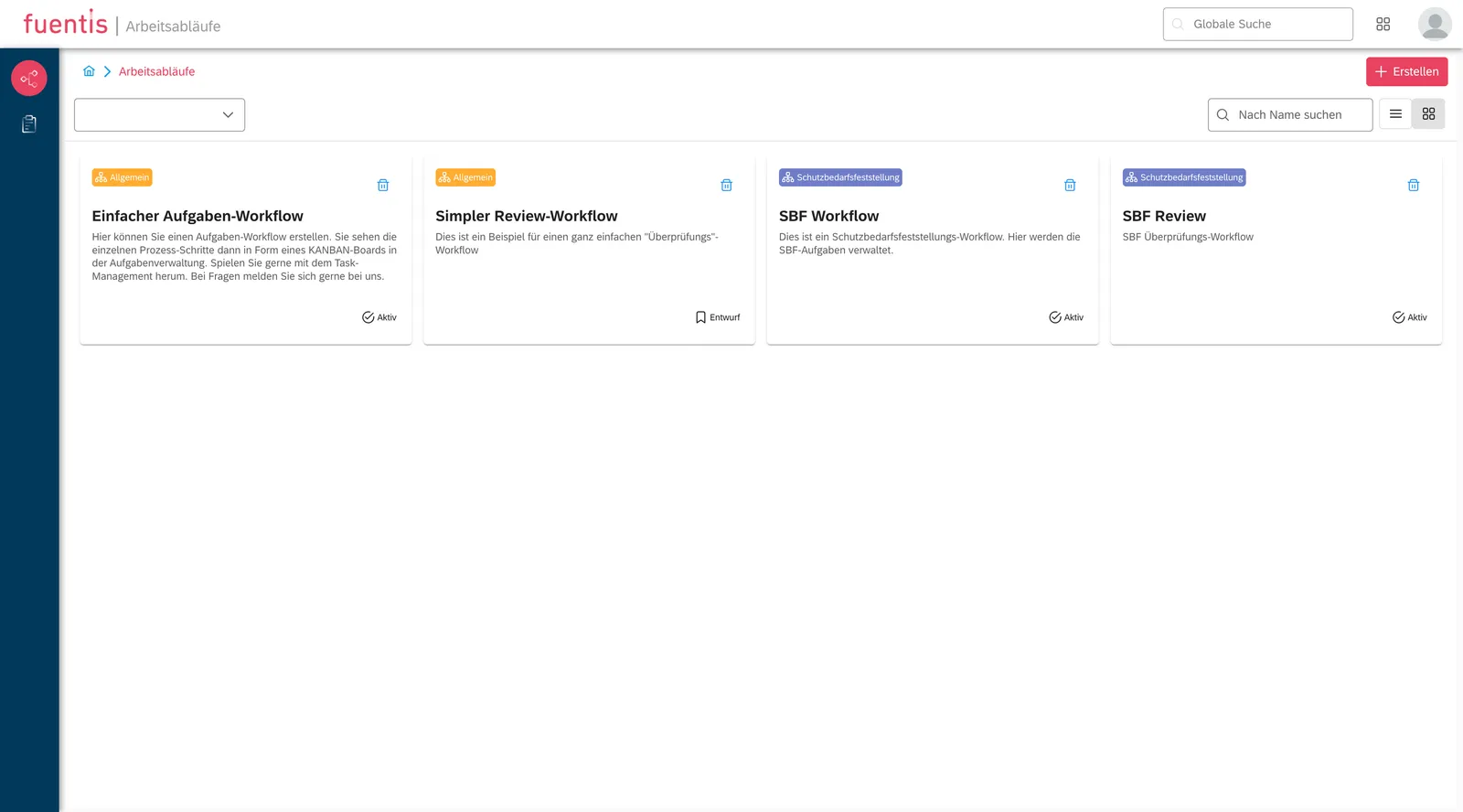
Recommended workflow stages:
- New: Task created but not yet started
- In Progress: Active work is underway
- Review: Quality assurance / four-eyes principle
- Completed: Task successfully finished
- Blocked: Waiting for external factors
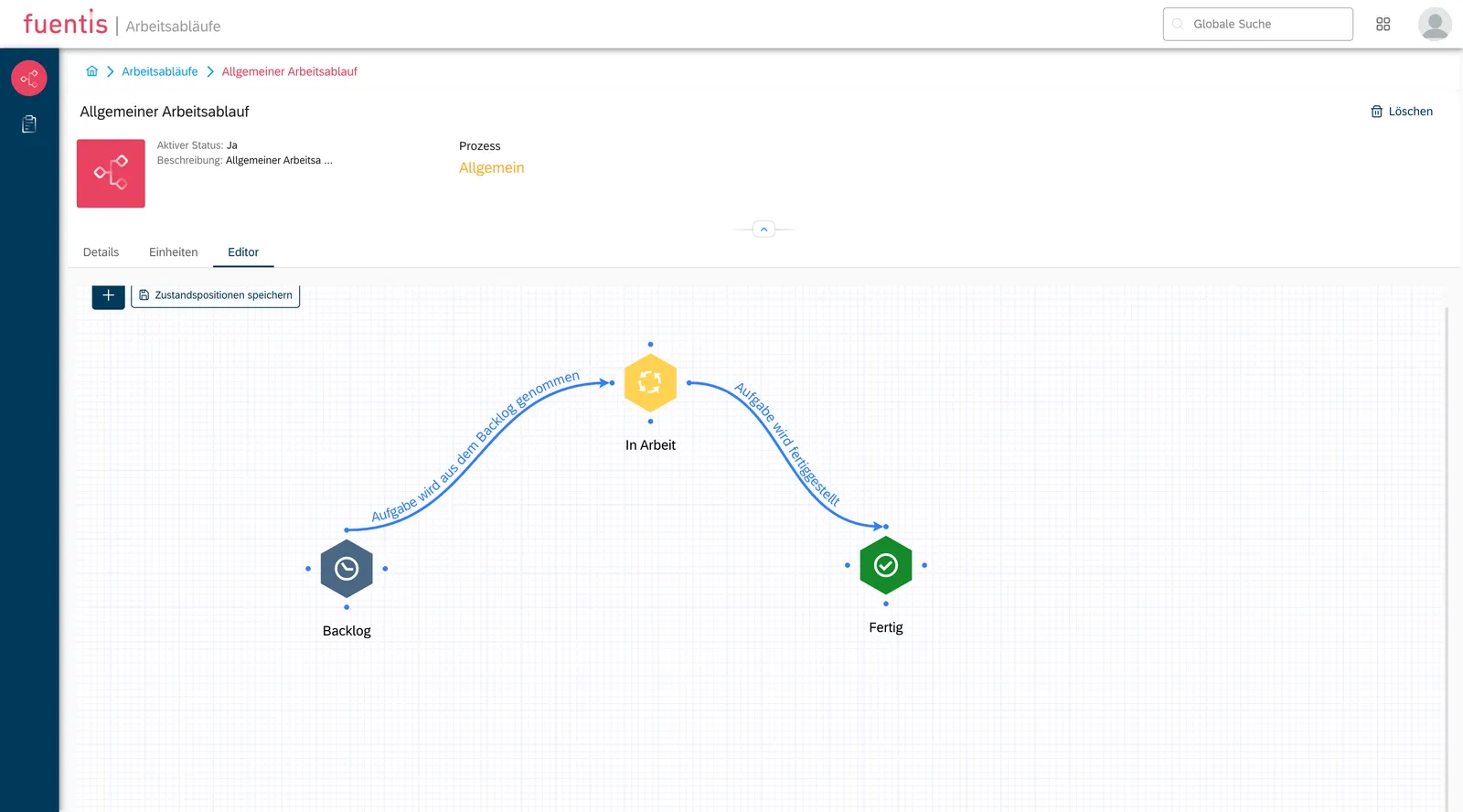
Using the Kanban board effectively
Section titled “Using the Kanban board effectively”Advantages of the Kanban view:
- Visual representation of work progress
- Rapid identification of bottlenecks
- Easy prioritization via drag-and-drop
- WIP limits (Work in Progress) to maintain focus
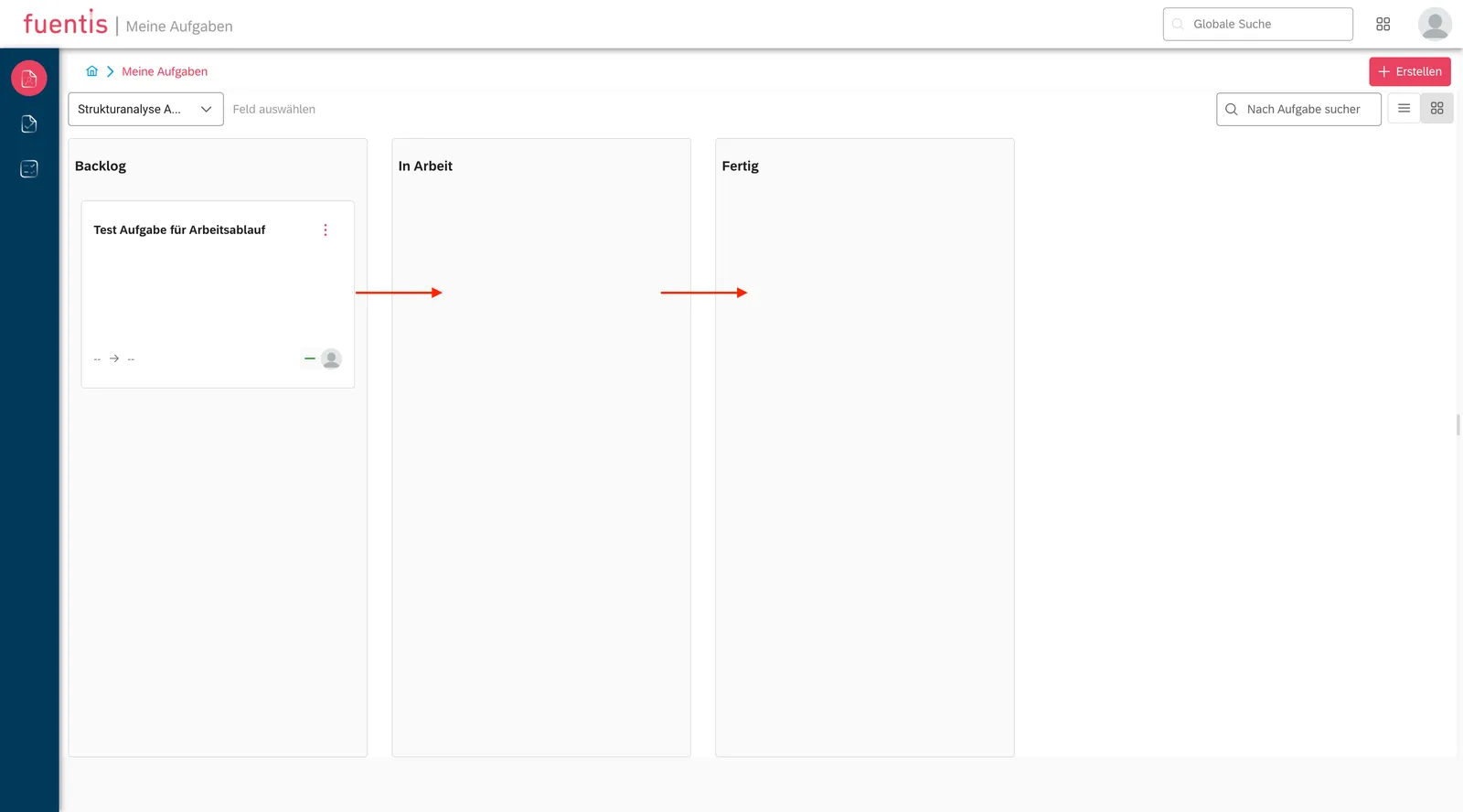
Recommended column configuration:
- Backlog → To Do → In Progress → Testing → Done
- Maximum of 5–7 columns for clarity
- Color-coding by priority or task type
How the fuentis Suite supports you
Section titled “How the fuentis Suite supports you”Through its integrated task management module, the fuentis Suite delivers the following benefits:
Seamless integration
Section titled “Seamless integration”- Context-based task creation directly from all ISMS phases
- Automatic linking to affected assets, risks, or measures
- End-to-end documentation for audit trails and compliance evidence
Collaboration features
Section titled “Collaboration features”- Multi-user capability with role-based access control
- Real-time updates for changes
- Comment function for asynchronous communication
Further Information
Section titled “Further Information”Training videos and tutorials
Section titled “Training videos and tutorials”Key takeaways at a glance
Section titled “Key takeaways at a glance”- Centralized management: The Task Management module provides complete oversight and control of all ISMS-relevant tasks in one place.
- Context-based integration: Tasks can be created directly from ISMS phases, automatically linking them to assets, risks, and measures.
- Flexible visualization: Switch between list and Kanban views to monitor detailed information or workflow status as needed.
- Structured organization: Task boards enable thematic grouping and improve clarity in complex ISMS projects.
- Compliance-ready: End-to-end documentation of all activities ensures continuous audit readiness and meets ISO 27001 requirements.