

Asset Management
The Asset Management module in the fuentis Suite is the central platform for the systematic recording, management, and documentation of all information-relevant assets in your company. From IT systems and software licenses to sensitive databases and business processes – here you maintain full visibility over your corporate resources, which you protect through your efforts in ISMS, BCMS, and DSMC.
Note: Asset Management is not required for using the ISMS. The BCMS module builds directly on assets. There are no target object groups in this module. You start here with the most important business processes.
Why is structured Asset Management critical?
Section titled “Why is structured Asset Management critical?”In ISO 27001 and BSI IT-Grundschutz, a complete asset inventory forms the foundation for:
- Risk analyses and their evaluation
- Compliance evidence for audits
- Business Continuity Management (BCM)
- Incident response and emergency management
- Informed security decisions based on up-to-date data
Note: In Asset Management, data can often be imported from IT service management products and other databases. Feel free to contact us for consulting.
The Four Pillars of Asset Management
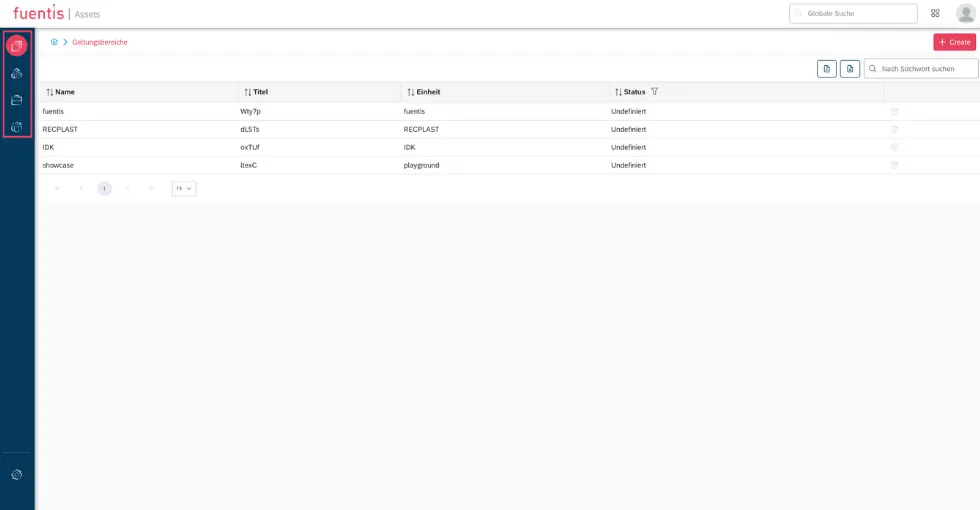
Section titled “The Four Pillars of Asset Management”The module structures your corporate assets into four main areas: 1. Scopes, 2. Assets, 3. Business Processes, 4. Organizational Structure.
1. Scopes – Defining Domains
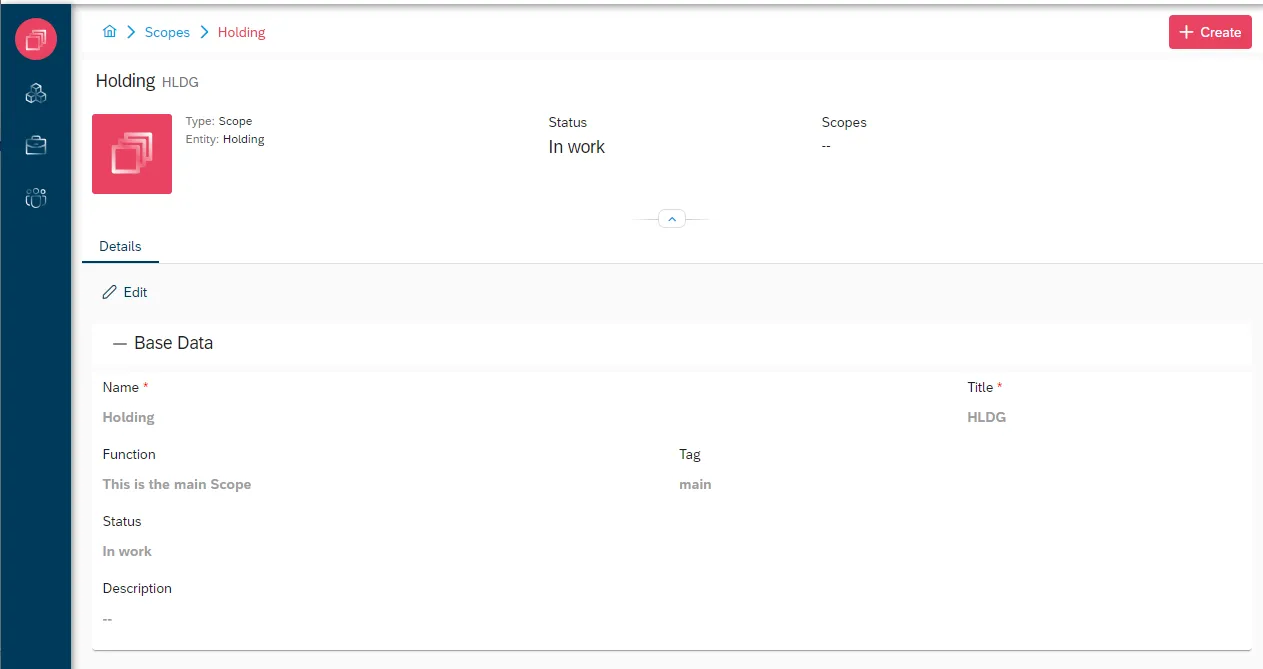
Section titled “1. Scopes – Defining Domains”Purpose: Organize assets into logical management units (domains = scopes)
- Every asset belongs to at least one scope
- Scopes enable mapping of organizational structures, projects, or locations
- Integration with ISMS/BCMS modules for seamless compliance

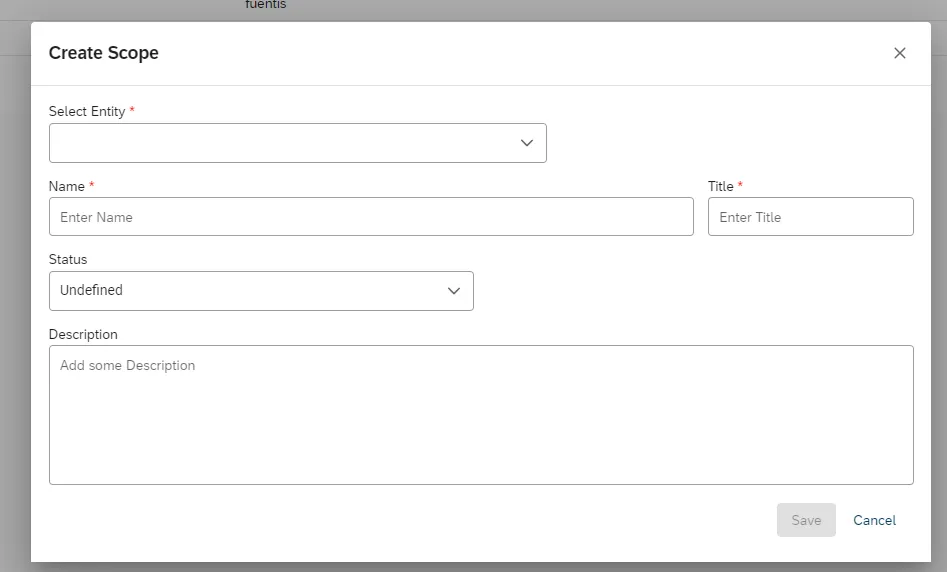
Permissions model:
ASSM_ACCESS_SCOPES– Global access rights- Granular rights: Permissions can be set down to individual assets
Practical tip: Scopes are structured similarly to those in the ISMS module. Permissions can be mirrored here. Typically, you should start with the ISMS, since assets tend to change more frequently.
Example: A sales MacBook Pro 14” M3 2024 is replaced – the asset group (target object group) “Sales notebooks” remains.
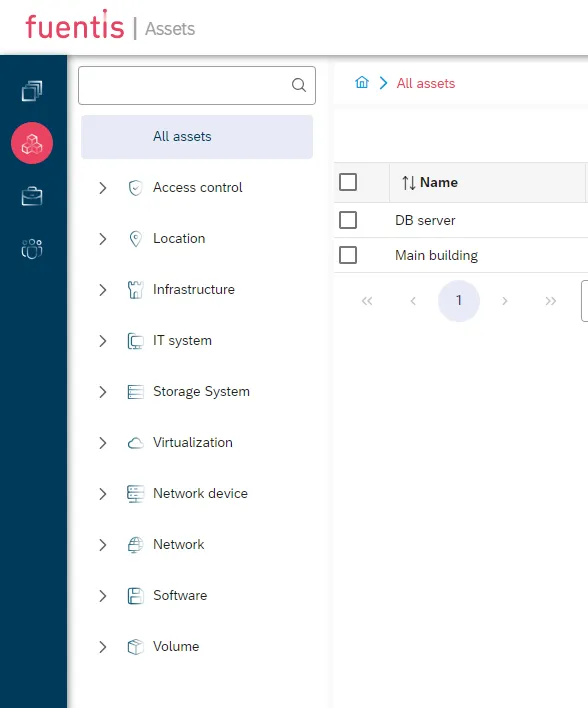
2. Assets – The Core of Asset Management
Section titled “2. Assets – The Core of Asset Management”Scope: Documentation of all information-relevant assets
- IT systems (servers, clients, network components)
- Software and licenses
- Databases and information systems
- Physical assets (buildings, rooms, security technology)
Structure:
- Hierarchical organization into asset groups and types
- Standard base attributes across all asset types
- Type-specific attributes depending on category
- Visual asset tree for intuitive navigation
3. Business Processes – Mapping Your Process Landscape
Section titled “3. Business Processes – Mapping Your Process Landscape”Focus: Documentation of critical business processes and information flows
- Recording process dependencies
- Identifying critical information
- Linking to supporting assets
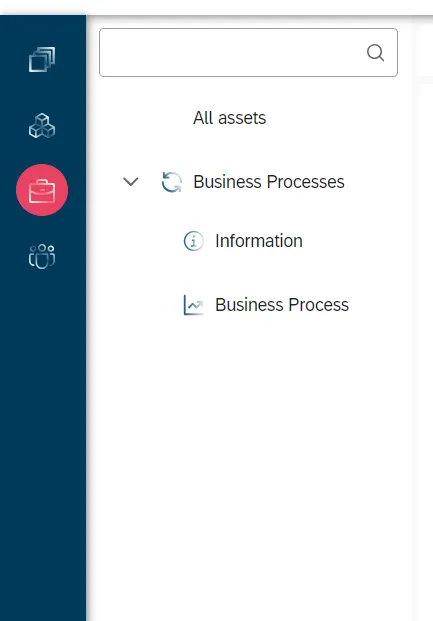
Permission: ASSM_ACCESS_BUSINESS_PROCESSES
4. Organizational Structure – Clarifying Responsibilities
Section titled “4. Organizational Structure – Clarifying Responsibilities”Content: Mapping organizational units
- Departments and teams
- Roles and responsibilities
- Contact information for emergency management
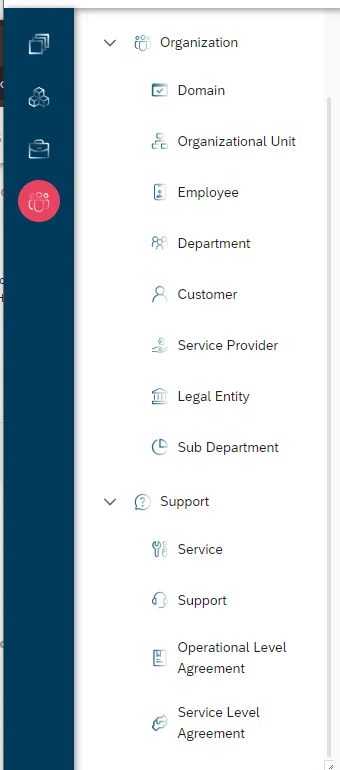
Permission: ASSM_ACCESS_ORGANIZATION
Asset Management in Detail
Section titled “Asset Management in Detail”Asset Recording and Maintenance
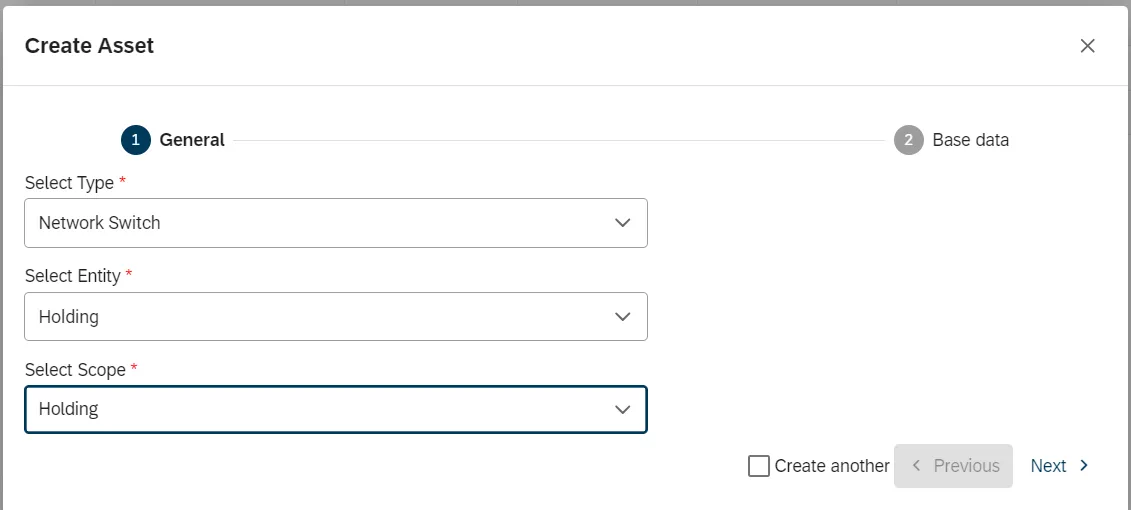
Section titled “Asset Recording and Maintenance”Creation process (wizard-based):
- Type selection: Determines available attributes and relations
- Entity assignment: Only entities with create permission are displayed
- Scope assignment: At least one scope is mandatory
- Base data input: Name and title (must be unique)
- Detail attributes: Type-specific technical and organizational data
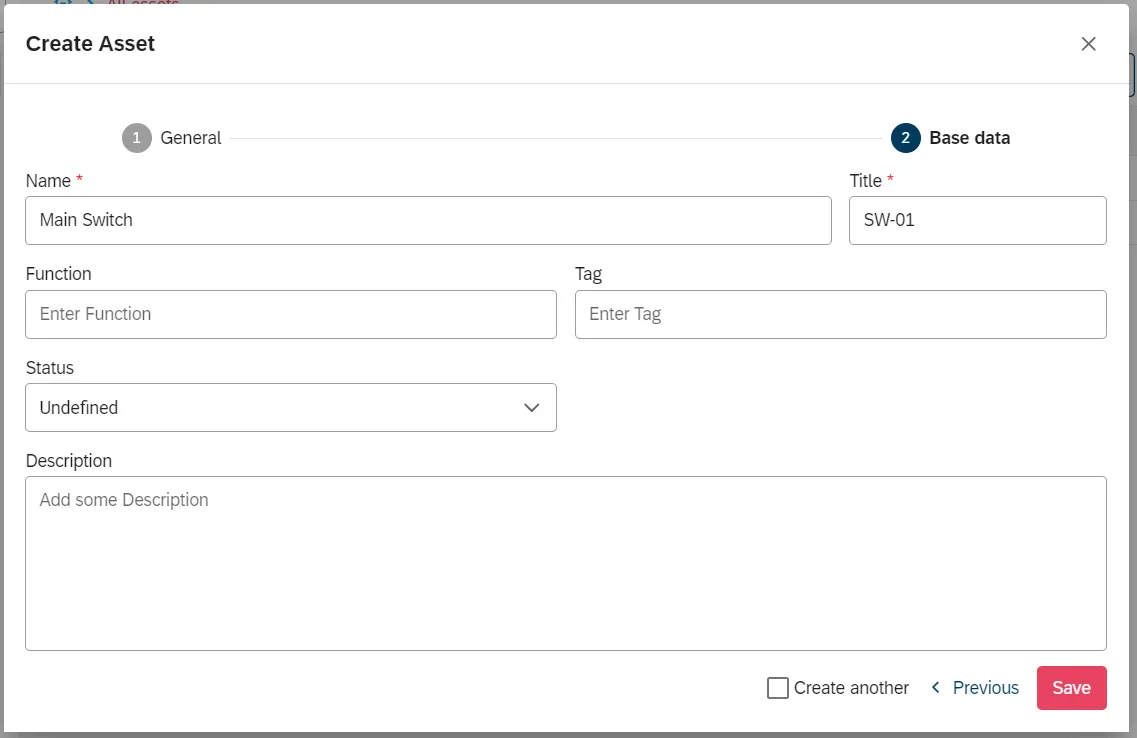
Batch operations:
- “Create another” checkbox for serial creation
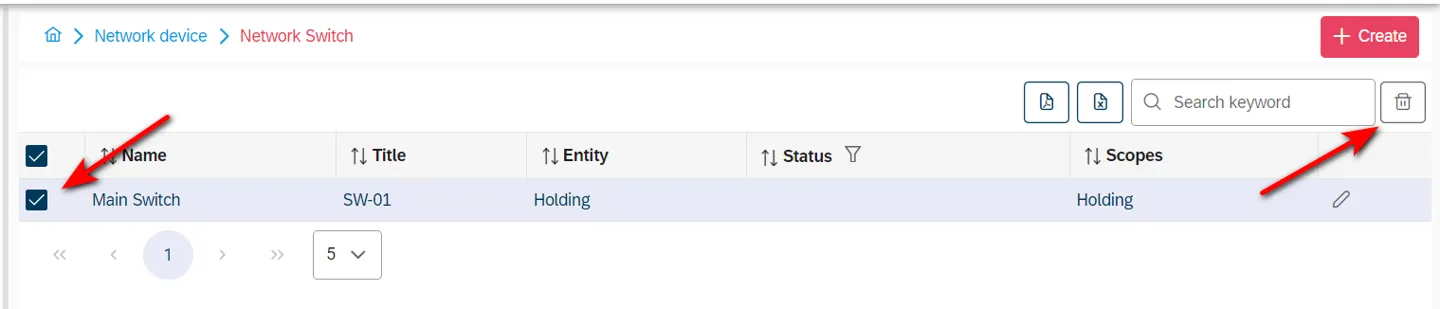
- Multi-select for deletion
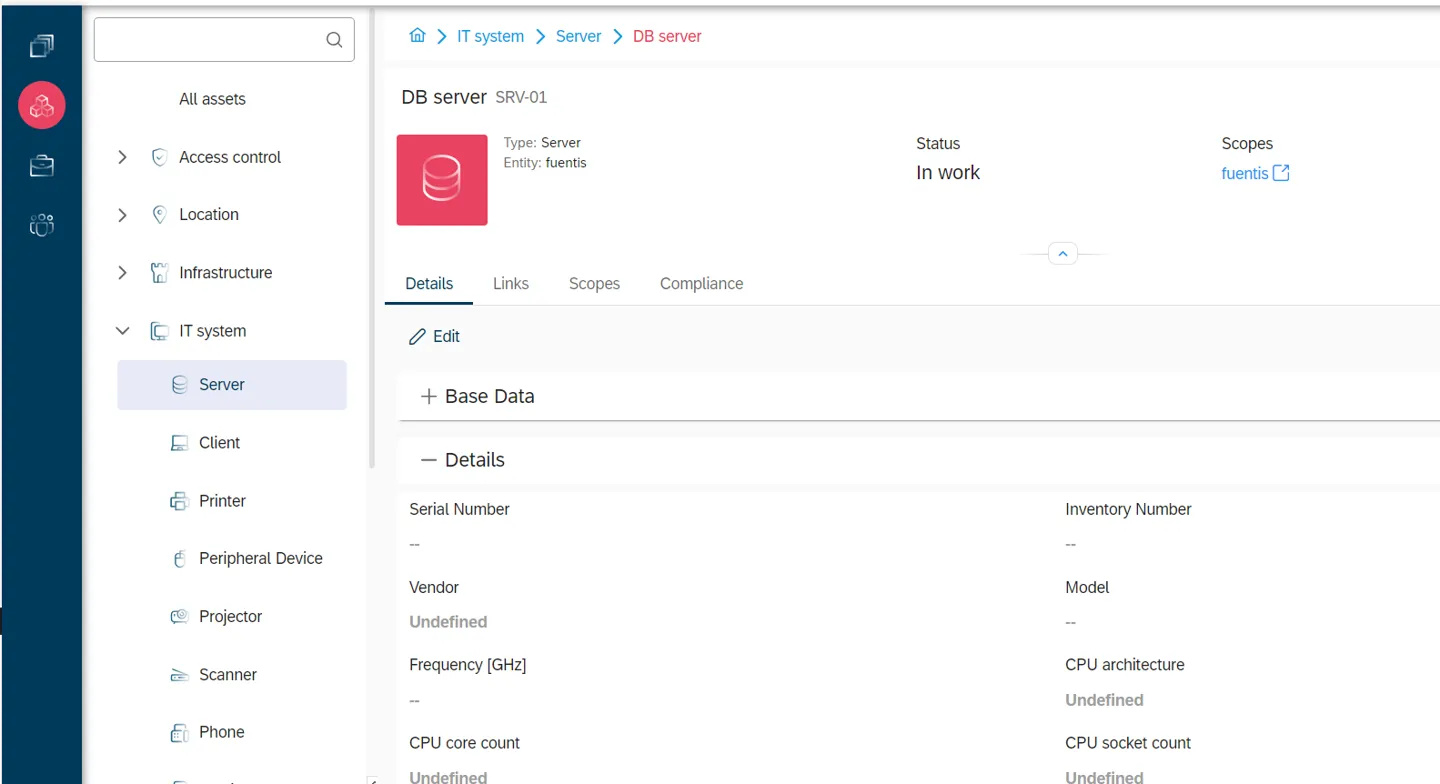
- Detailed view of assets
- Attribute editing per asset
Relationship Management – Linking Assets
Section titled “Relationship Management – Linking Assets”Assets are linked through two mechanisms:
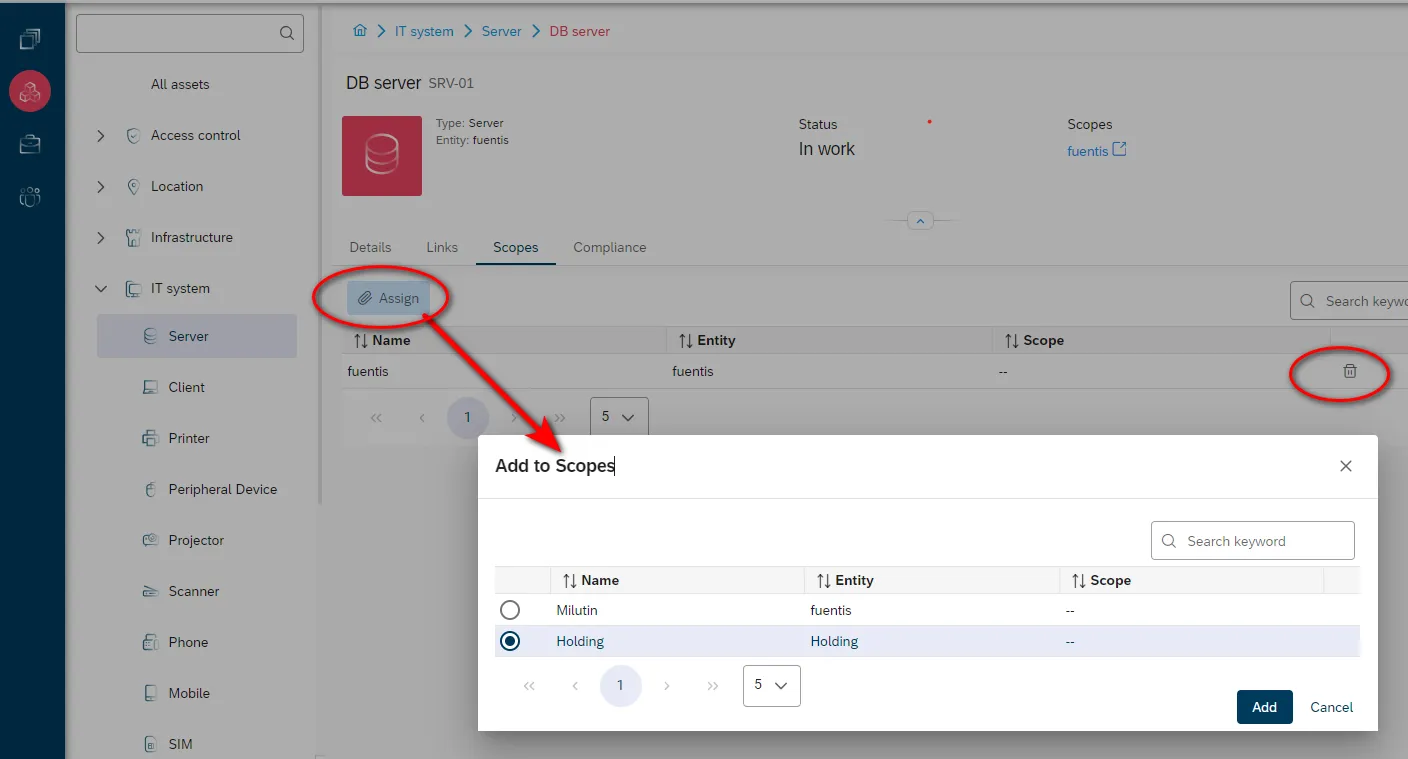
1. Scope assignments (tab “Scopes”):
- Multi-scope capability: One asset can belong to multiple domains
- At least one scope must always remain assigned
- Required: Edit permission for scope + read for asset
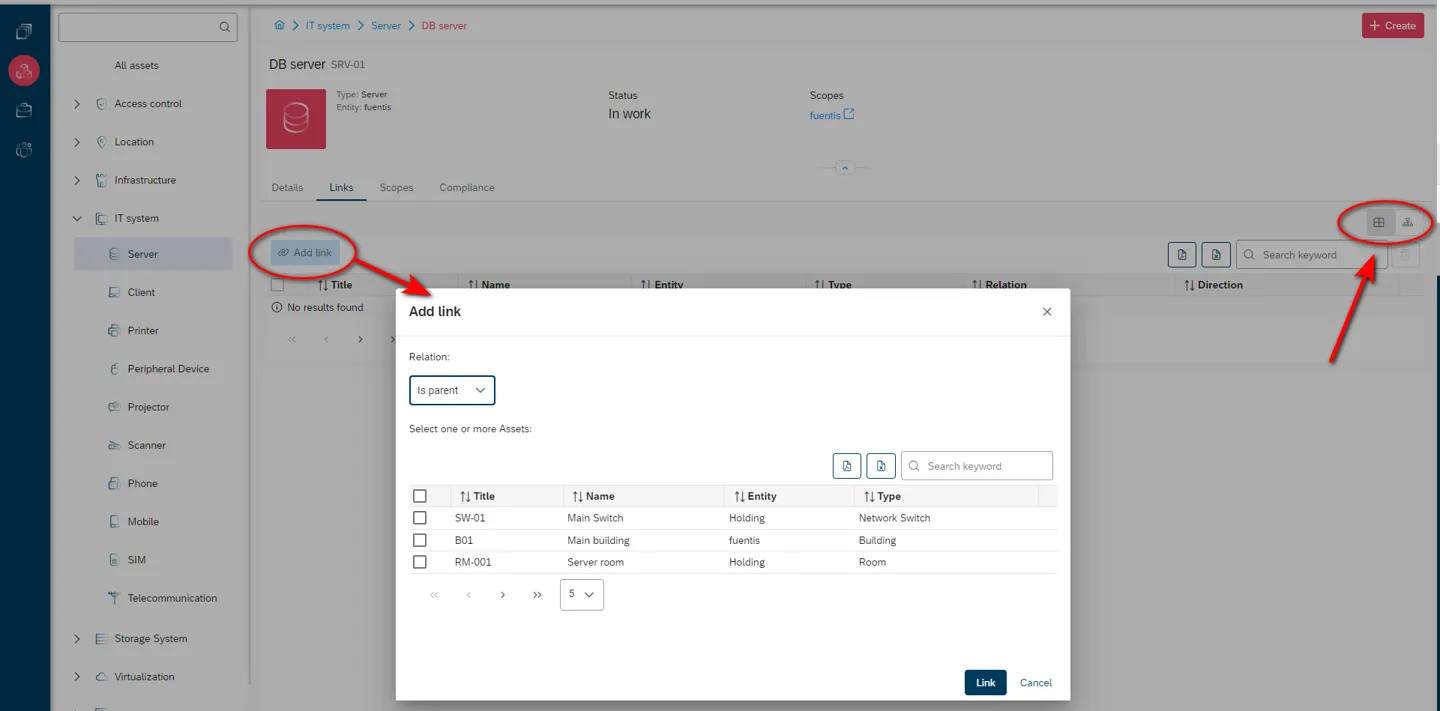
2. Asset links (tab “Links”):
General relation types:
- Hierarchical: “is parent to” / “is child of”
- Universally applicable across all asset types
- Multiple link types possible
Specific relation types:
- Spatial: “Contains” / “Is in” (for buildings/rooms)
- Technical: Dependencies between IT components
- Organizational: Responsibilities and ownership
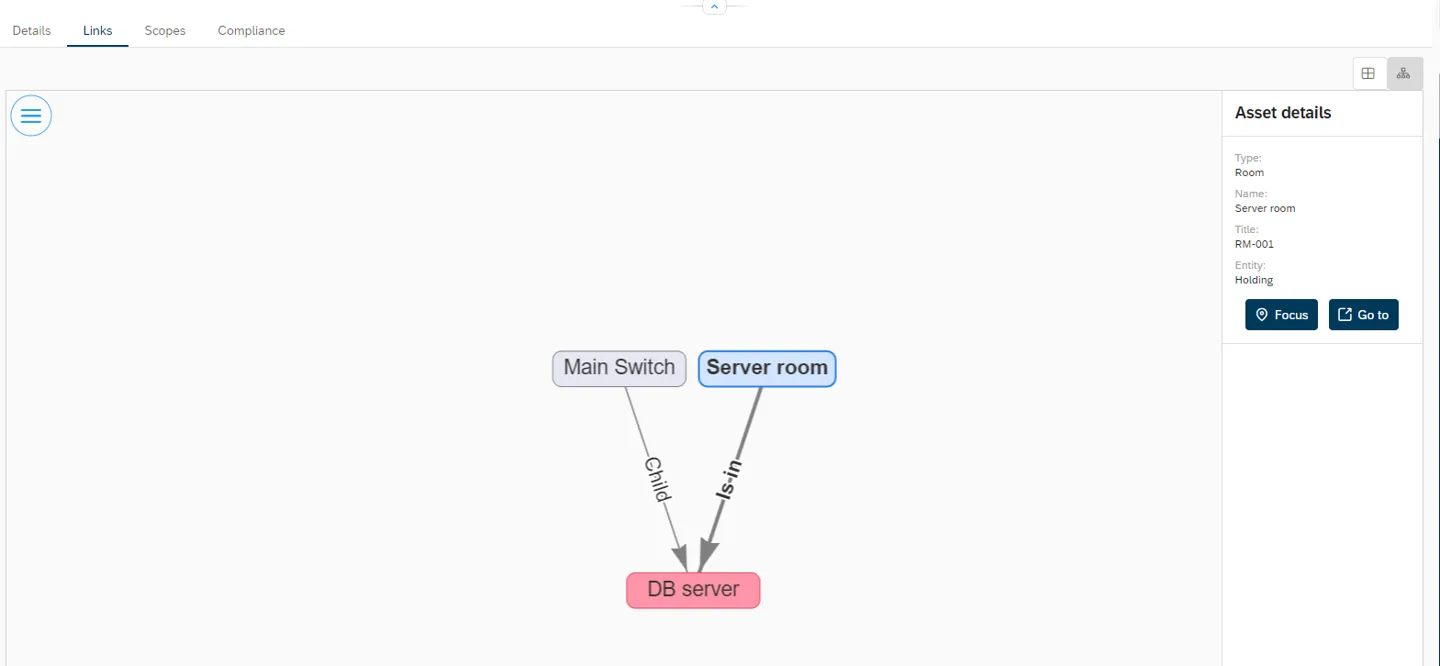
Visualization:
- Table view: Clear list display
- Graph view: Interactive hierarchy visualization
- Asset boxes with direct info
- Directed arrows show relation type and direction
- Focus function: Recenter on selected asset
- Go-to function: Jump directly to detail view
Best Practices for Implementation
Section titled “Best Practices for Implementation”Structuring and Organization
Section titled “Structuring and Organization”Building an asset hierarchy:
- Start with critical assets (crown jewels)
- Use consistent naming conventions
- Apply clear asset categories
- Establish ownership early
Scope design:
- Align with organizational structure or locations
- Separate scopes for projects or temporary structures
- Use overlaps purposefully for matrix organizations
Integration with ISMS/BCMS
Section titled “Integration with ISMS/BCMS”Leverage synergies:
- Assets as the basis for risk analysis
- Link with protection needs assessments
- Input for Business Impact Analyses (BIA)
- Foundation for contingency planning
Use the Task Manager:
- Schedule regular asset reviews
- Automate inventory cycles
- Update responsibilities on a schedule
Permissions Management
Section titled “Permissions Management”Role-based approach:
Global roles (module access):- ASSM_ACCESS_SCOPES- ASSM_ACCESS_ASSETS- ASSM_ACCESS_ORGANIZATION- ASSM_ACCESS_BUSINESS_PROCESSES
Granular rights (per asset type and entity):- [AssetType] - Read- [AssetType] - Create- [AssetType] - Edit- [AssetType] - Delete
Ensuring Data Quality
Section titled “Ensuring Data Quality”Validation and maintenance:
- Enforce unique identifiers (name/title)
- Define required fields sensibly
- Perform regular consistency checks
- Identify orphaned links
Support from the fuentis Suite
Section titled “Support from the fuentis Suite”The fuentis Suite offers extensive support for efficient Asset Management:
Automation
Section titled “Automation”- Wizard-guided processes for error-free data entry
- Batch operations for mass changes
- Import interfaces for existing data
Note: We provide several interfaces to other CMDB and inventory tools. Contact us – we’ve always found a solution.
Visualization
Section titled “Visualization”- Interactive graph views for dependency analysis
- Hierarchy browser for structured navigation
- Dashboard integration for management reporting
Further Resources
Section titled “Further Resources”Key Takeaways at a Glance
Section titled “Key Takeaways at a Glance”✓ Holistic approach: Asset Management forms the basis for ISMS, BCMS, and risk management – a well-maintained asset inventory is key to effective information security
✓ Four-pillar principle: Structured management across scopes, assets, business processes, and organization ensures full transparency of corporate assets
✓ Relationships matter: Linking assets to each other and to scopes builds understanding of dependencies and simplifies impact analysis
✓ Compliance by design: The fuentis Suite supports ISO 27001 and BSI IT-Grundschutz-compliant asset management through predefined structures and workflows