
Scope Definition (Scoping)
Scope Definition (Scoping) – Overview
Section titled “Scope Definition (Scoping) – Overview”Scope definition (Scoping) is a central module of the ISMS management system. It defines and manages security scopes for Information Security Management Systems (ISMS) and Data Protection Management Systems (DPMS).
Purpose:
- Defining the boundaries and scope of security concepts
- Documenting security responsibilities and roles
- Managing different scopes per organizational unit
- Classifying protection requirements according to defined categories
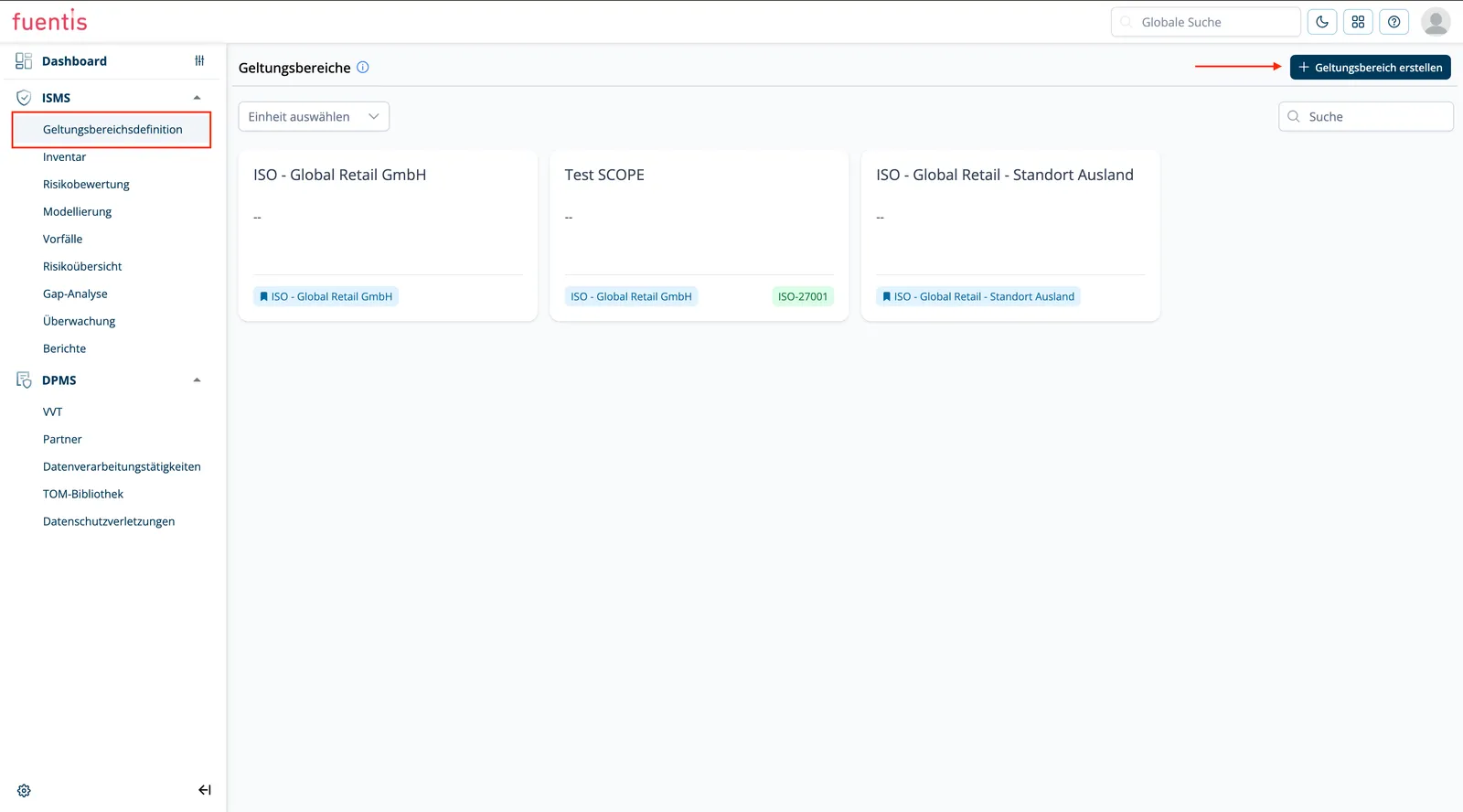
Navigation: ISMS → Scope Definition
This page covers creating and maintaining scopes. What follows afterwards is on separate pages:
- Structural analysis: recording and linking target object groups
- Protection requirements assessment: assessing the criticality of target objects
Main functions
Section titled “Main functions”Scopes overview
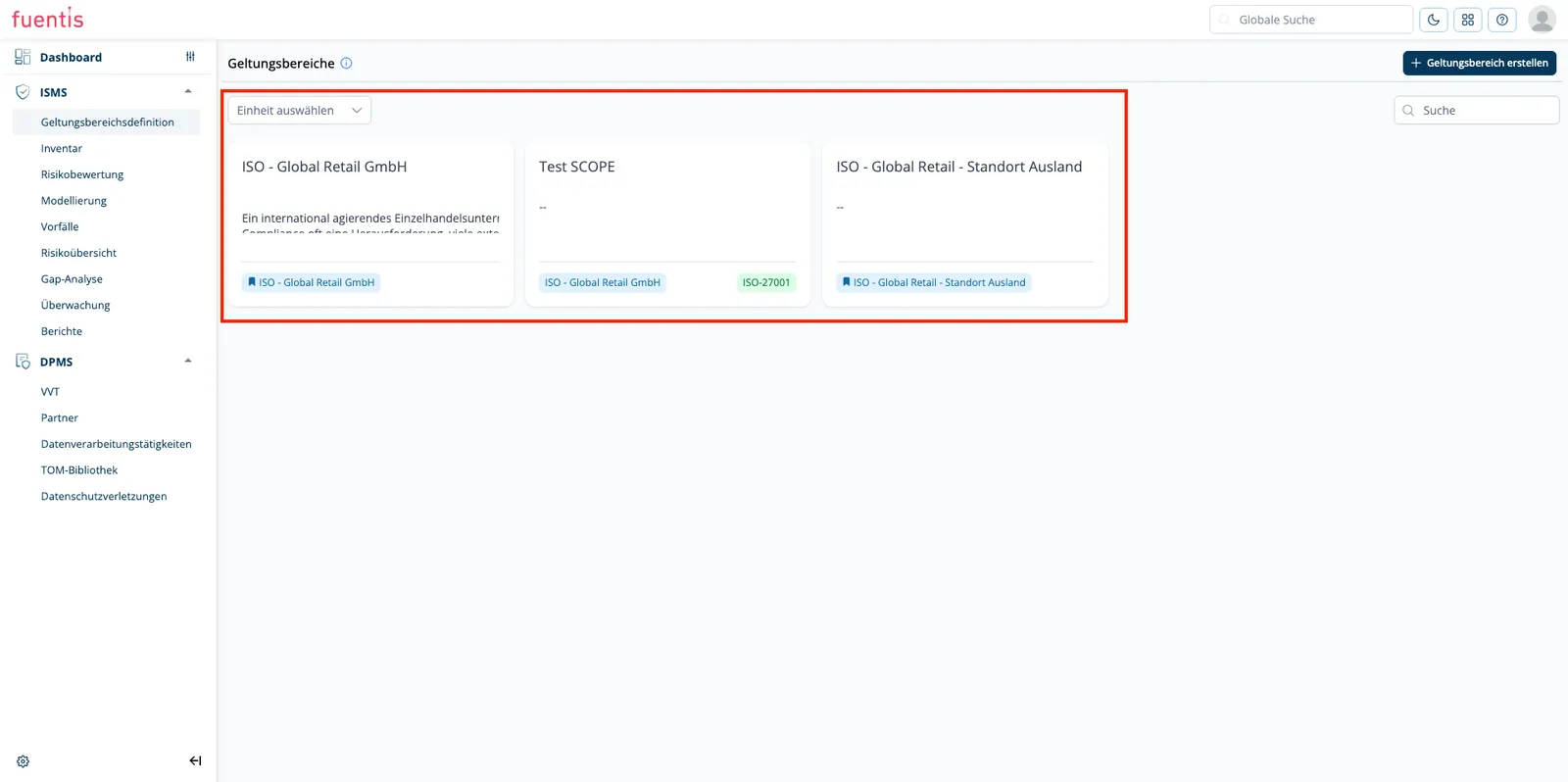
Section titled “Scopes overview”The overview page shows all defined scopes in a card view:
Card Elements: Each scope is displayed as a card with:
- Scope title
- Security concept description
- Associated organizational unit
- Certification standard (e.g., ISO-27001)
Filtering: Scopes can be filtered by organizational unit
Search Function: Quick search for scopes via search bar
2.2 Create Scope
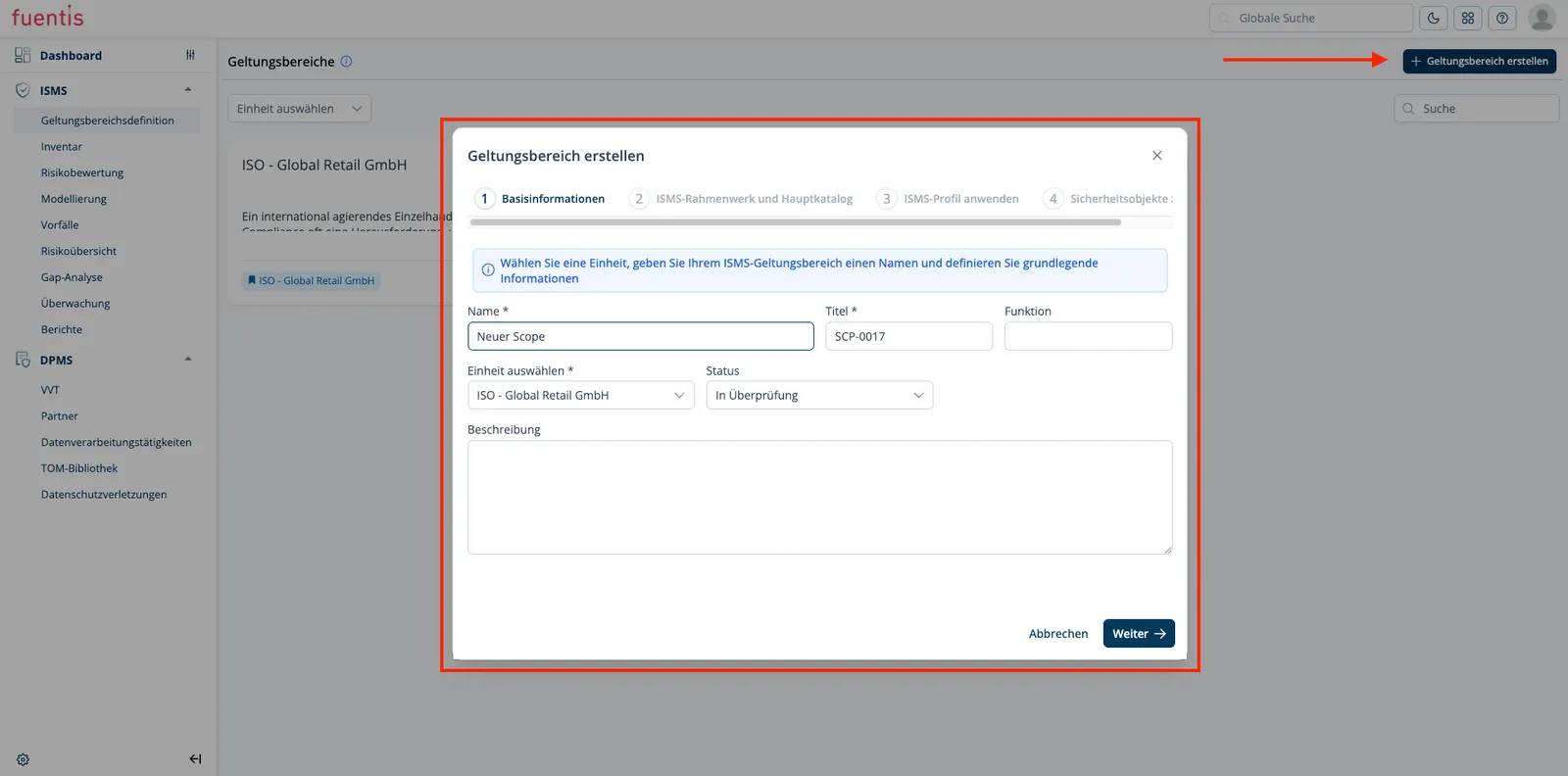
Section titled “2.2 Create Scope”New scopes are created via the ”+ Create Scope” button.
The creation process runs in 4 steps:
Step 1: Basic Information
- Select unit: Choose the organizational unit
- Name: Unique name for the scope
- Title: Technical identifier (e.g., SCP-0001)
- Function: Define the role of the scope (Superordinate, Subordinate)
- Status: Define the current status (e.g., Draft, Active)
- Description: Detailed documentation of the security concept
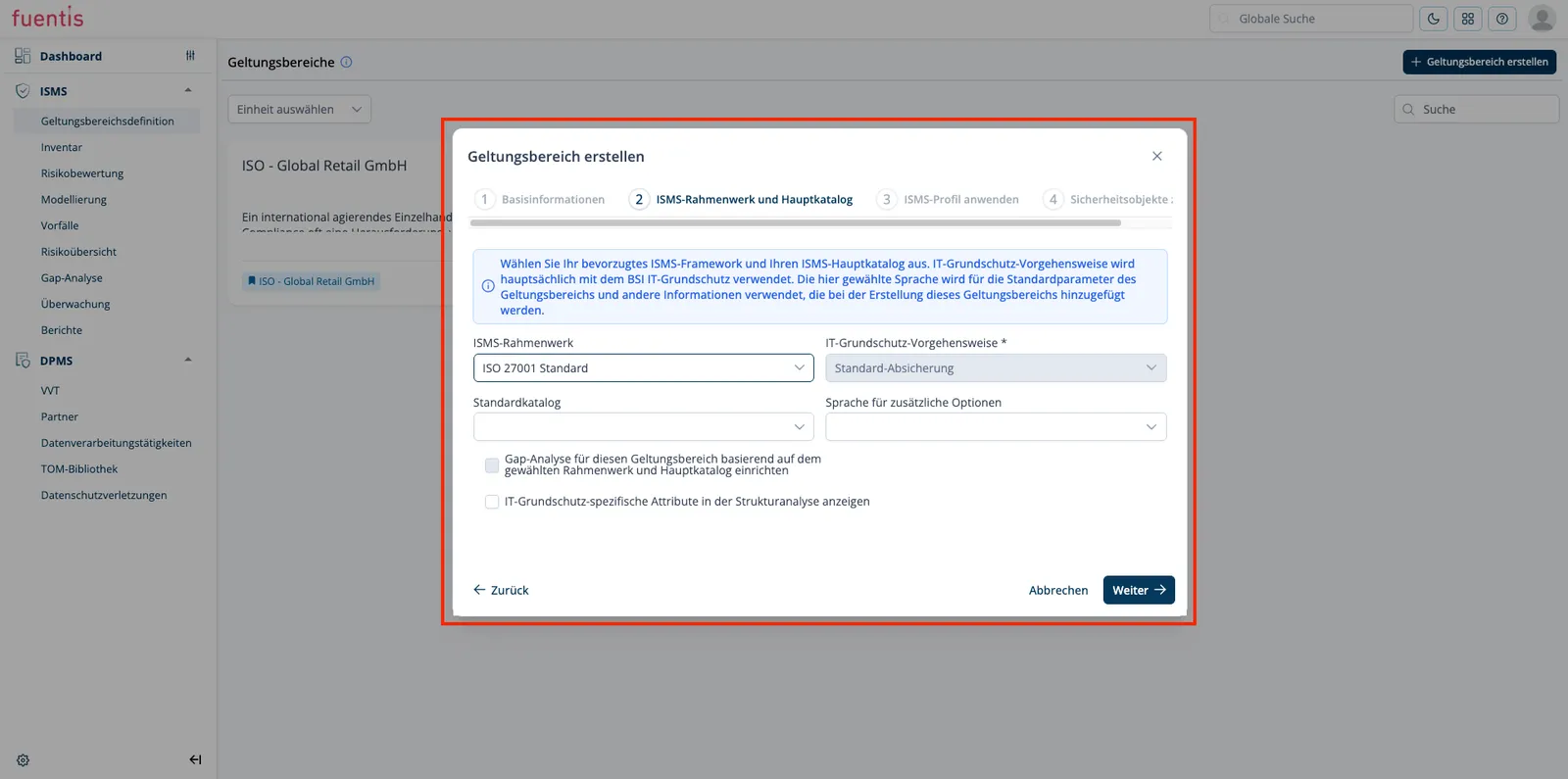
Step 2: ISMS Framework and Main Catalog
- Selection of applicable security standard
- Definition of security catalog for the scope
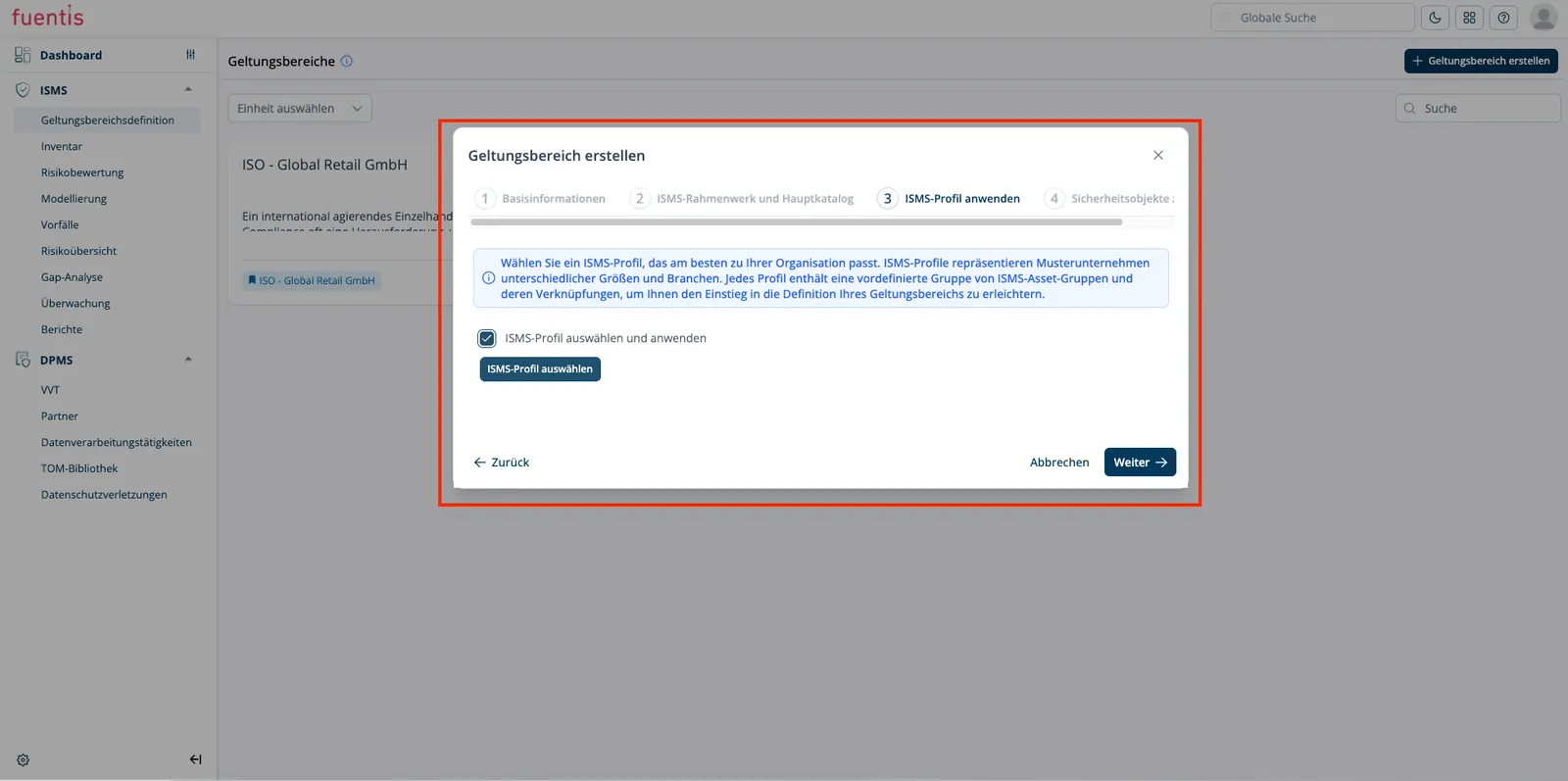
Step 3: Apply ISMS Profile
- Application of predefined security profiles
- Automatic assignment of security requirements
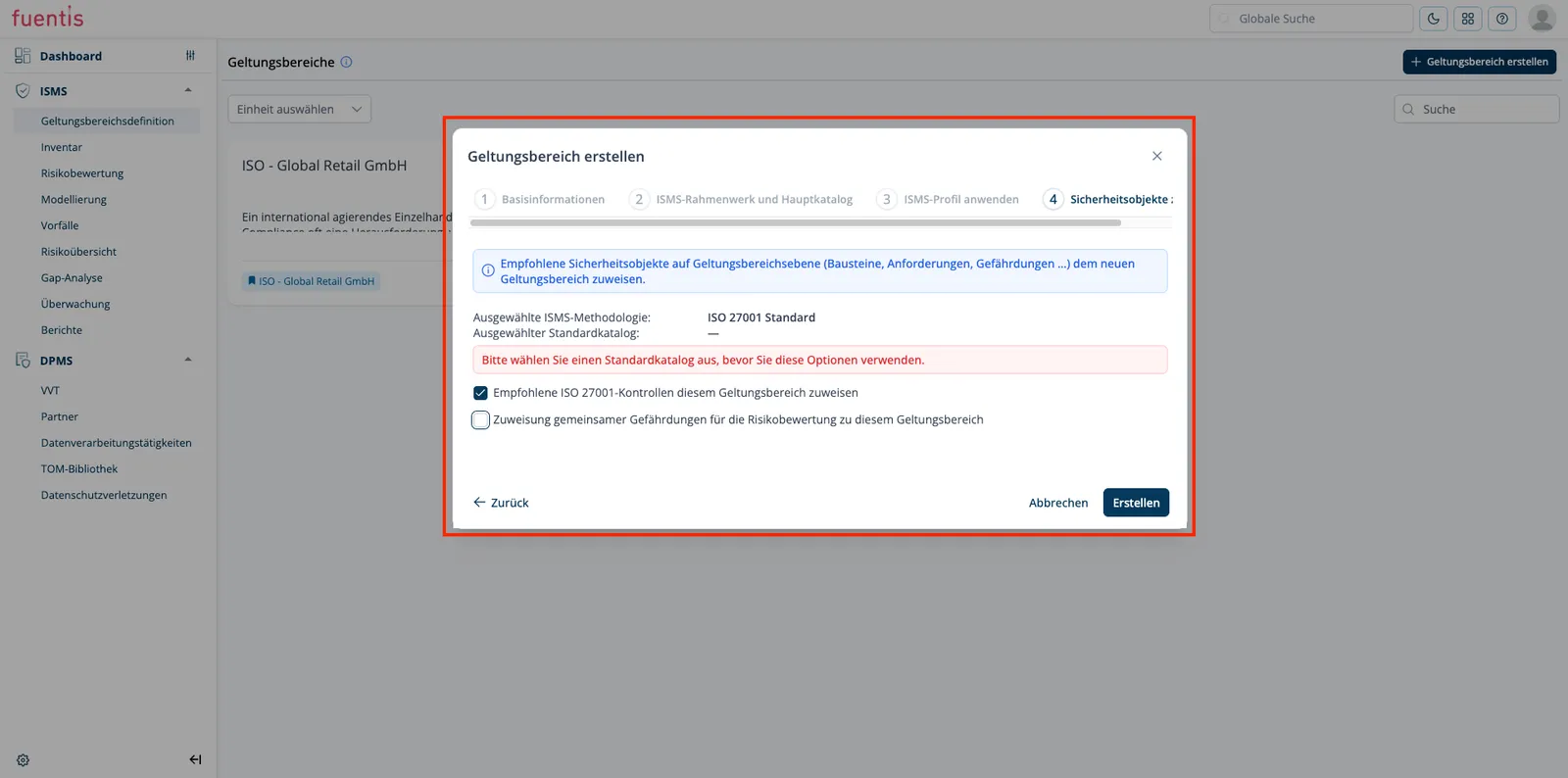
Step 4: Assign Security Objects
- Assignment of systems, processes, and assets
- Definition of objects to be protected within the scope
Detail view of a scope
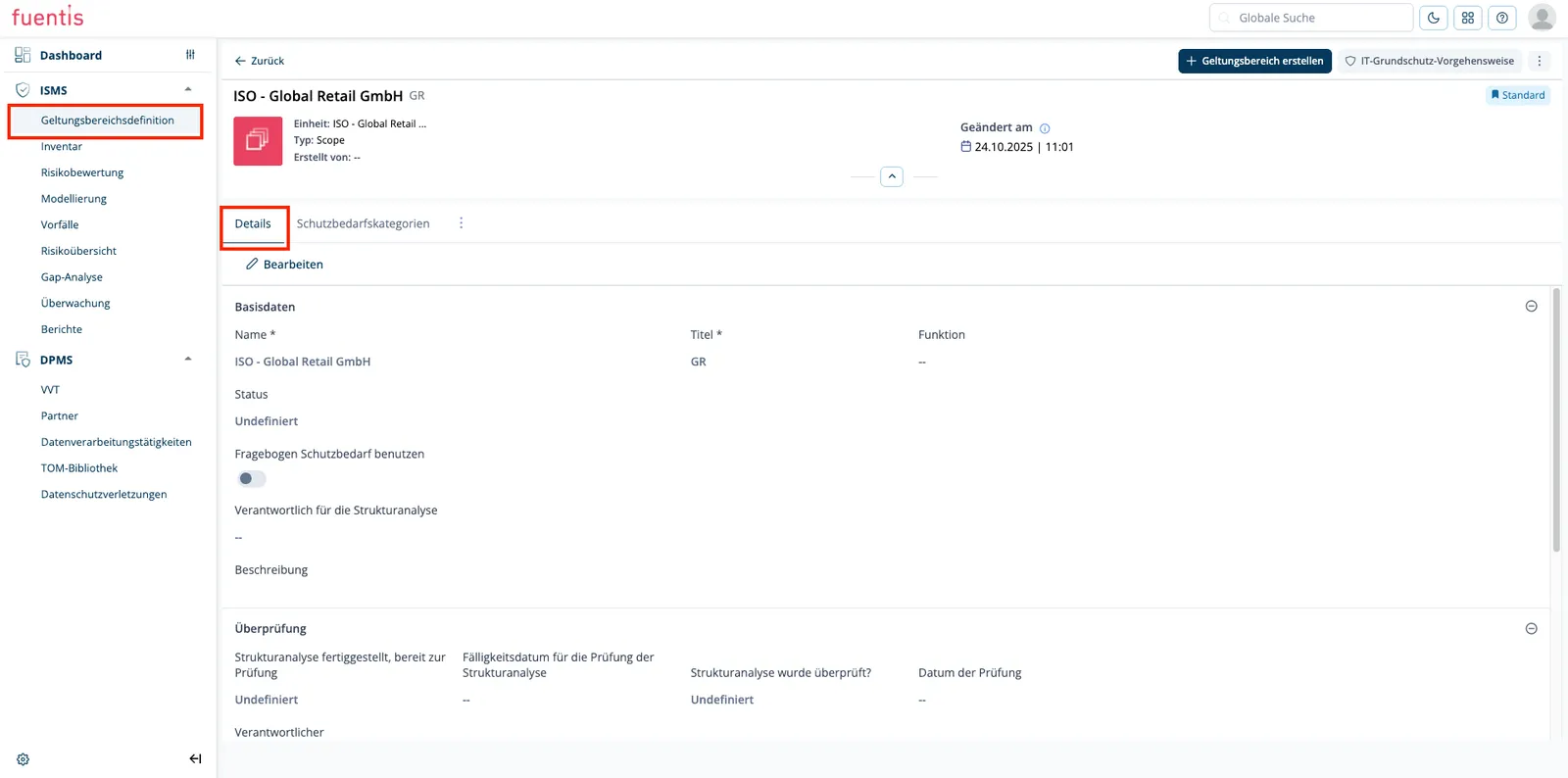
Section titled “Detail view of a scope”After selecting a scope, the detailed view opens with the following information:
Details tab
Section titled “Details tab”Basic Information:
- Name and title
- Associated organizational unit
- Type (e.g., Scope)
- Creation date and user
- Validity status (Standard/Current)
Base Data:
- Complete input fields for editing
- Responsibility information
- Options for using protection requirements questionnaires
Review Management:
- Structural analysis review status
- Due dates for reviews
- Responsible person for approval
Release Management:
- Release status of structural analysis
- Due date for releases
- Responsible person and release date
Protection requirement categories tab
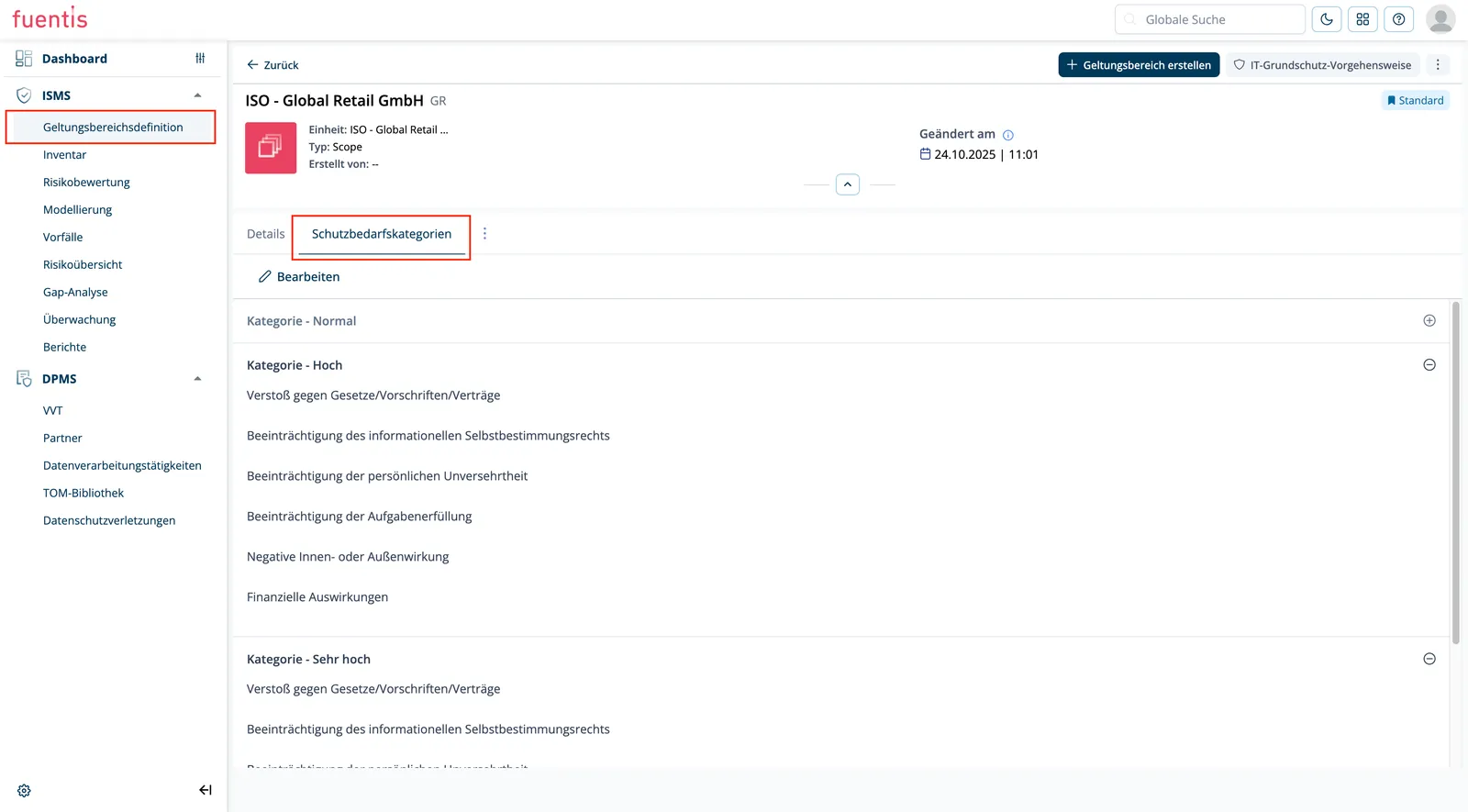
Section titled “Protection requirement categories tab”This tab shows the protection requirement classifications defined for the scope:
Categories by Protection Requirements:
- Category - Normal: Standard security requirements
- Category - High: Increased security requirements with the following aspects:
- Violation of laws/regulations/contracts
- Impairment of informational self-determination
- Impairment of personal integrity
- Impairment of task fulfillment
- Negative internal or external impact
- Financial impacts
- Category - Very High: Critical security requirements (with the same aspects as “High”)
Function: This categorization enables risk-based assignment of security measures.
Important concepts
Section titled “Important concepts”Scope hierarchy
Section titled “Scope hierarchy”- Superordinate Scopes: Define general, company-wide security policies
- Subordinate Scopes: Specific security concepts for individual business areas or services
Security concepts
Section titled “Security concepts”A scope is defined by a security concept that:
- Establishes the boundaries of responsibility and authority
- Documents security requirements and measures
- Correlates with a recognized standard (e.g., ISO 27001)
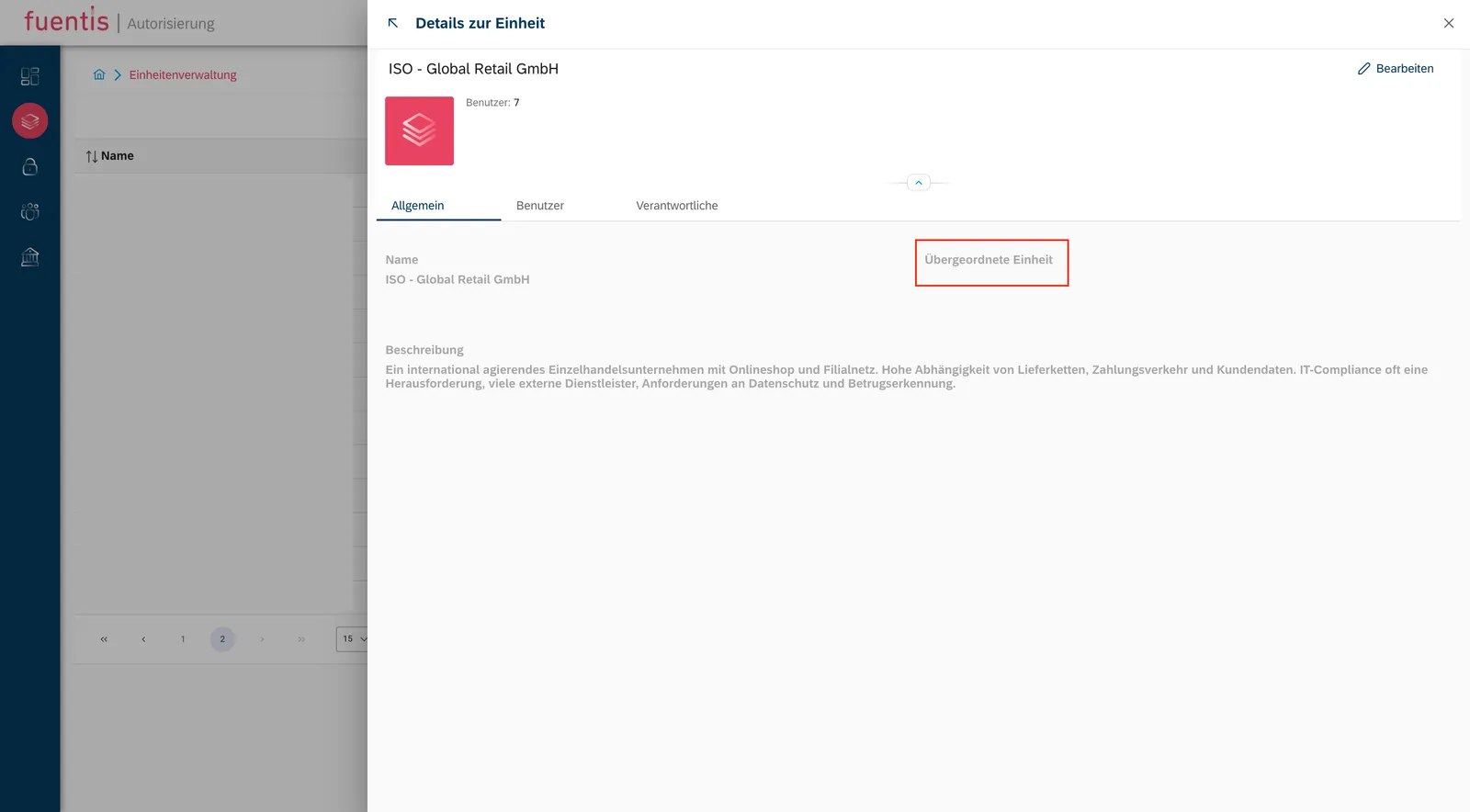
Organizational unit
Section titled “Organizational unit”- Defines the affiliation of the scope
- Can have superordinate and subordinate relationships
- Enable organization-specific security policies
Best practices
Section titled “Best practices”- Clear demarcation: Ensure that scopes are clearly distinguishable from each other
- Documentation: Use meaningful descriptions for each scope
- Regular review: Update scopes regularly according to organizational changes
- Hierarchical structure: Use the hierarchy to manage complex security landscapes
- Protection requirement classification: Use protection requirement categories to prioritize security measures
Navigation and operation
Section titled “Navigation and operation”| Element | Function |
|---|---|
| Global Search | Quick search for scopes or other elements |
| Select Unit | Filtering by organizational unit |
| Search Bar | Real-time filtering of displayed scopes |
| Edit Button | Opens edit mode for details |
| Back Button | Return to overview page |
| Tabs | Navigation between different information areas |
Editing a scope
Section titled “Editing a scope”- Pick the scope from the overview
- Click Edit
- Change the fields you need
- Save