

From security incident to data breach
You do not create a data breach in the DPMS yourself. It always originates from an incident in the incident management system and moves into the DPMS once it has been classified accordingly.
A data leak is first of all a security incident like any other and is handled as such: reported, triaged, technically remediated. The data protection assessment comes on top, not instead.
The path in seven steps
Section titled “The path in seven steps”1. Record the report
Section titled “1. Record the report”In the incident management system via Create incident report. Recorded are the reporting person, email, unit, department, problem summary, problem type, problem description and optionally any measures already taken.
Pitfall: The first field is the reporting person, who reported the incident, not who is entering it into the system. If you are recording someone else’s report, enter that person here, not yourself.
Reporting is designed as a company-wide channel. Even people who do not use the application should be able to report an incident: via the reporting portal, whose link sits in the question mark menu at the top right. The report then enters the system for triage.
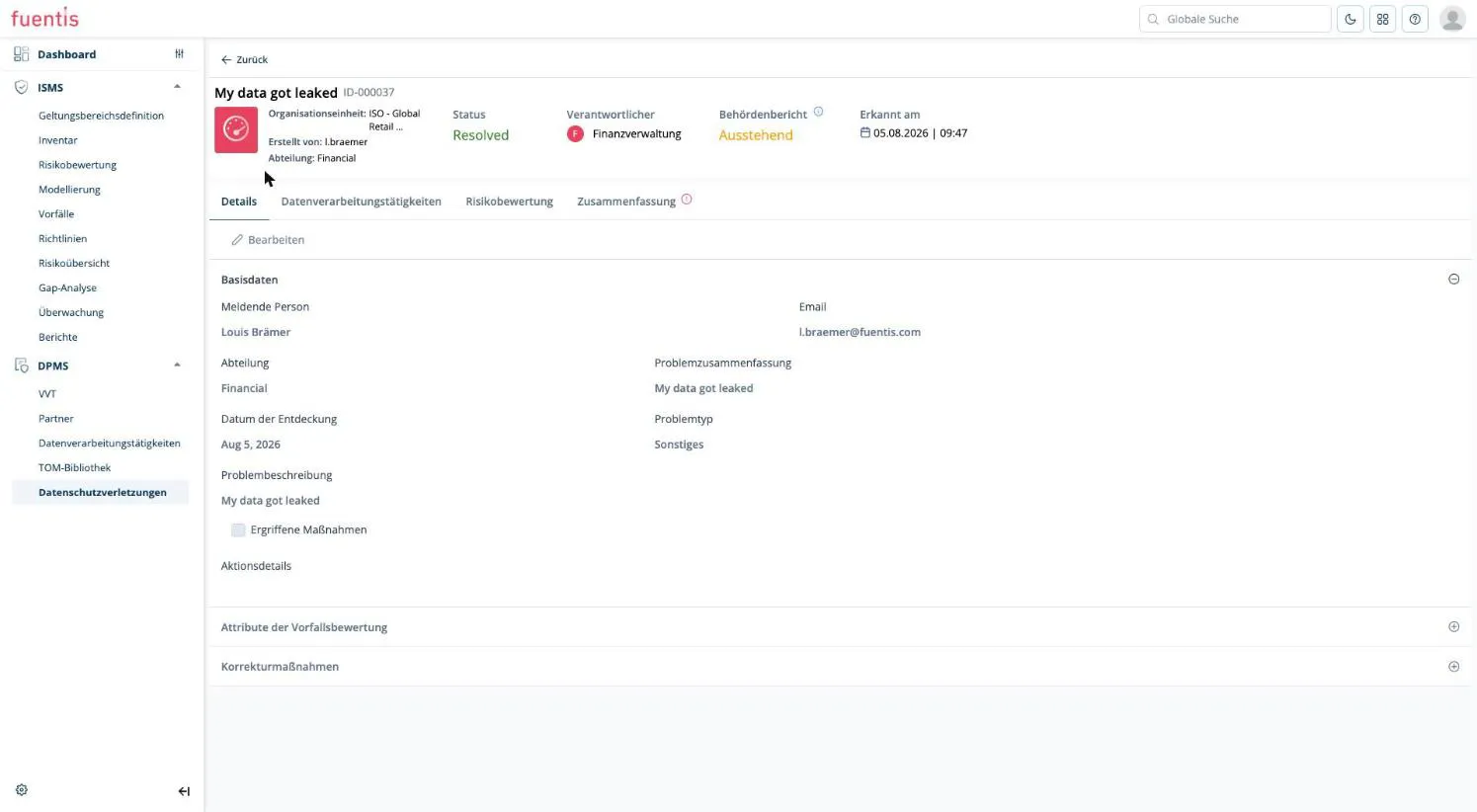
The details carried over from the report stay visible in the DPMS but are read-only here. They are maintained in the incident itself.
2. Triage
Section titled “2. Triage”A responsible person reviews the incoming report and decides whether it is a genuine incident or a false report. Only on acceptance does the report leave triage.
3. Handover to incident management
Section titled “3. Handover to incident management”After acceptance the entry is no longer a draft report but an incident in incident management, and appears in the incident list.
4. Incident assessment: classification as a data breach
Section titled “4. Incident assessment: classification as a data breach”In the incident assessment tab the data from the initial report is carried over and extended with the actual analysis. The decisive field is the incident type: only once it is set to data breach does the incident become visible to the DPMS at all.
5. Assignment by the data protection officer
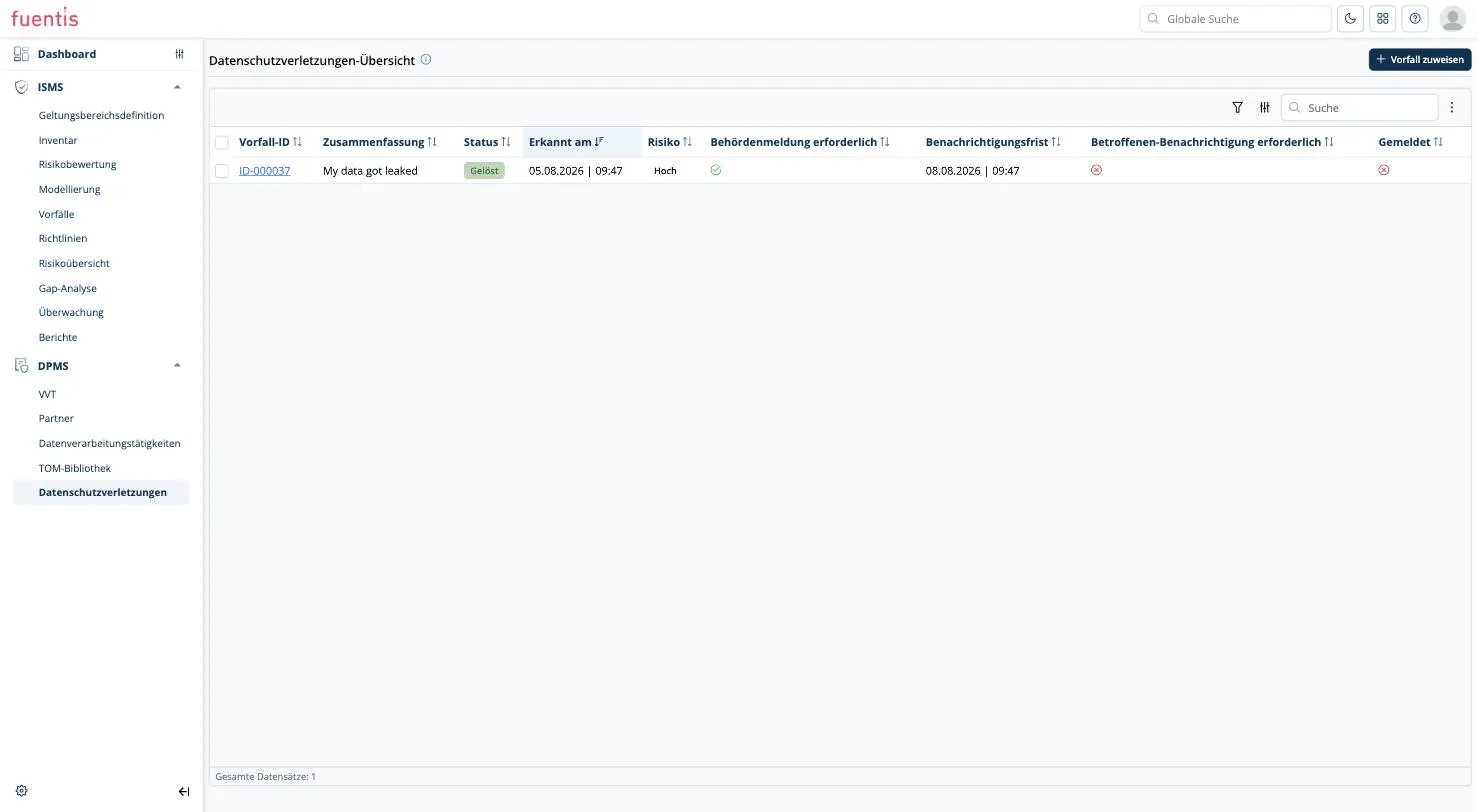
Section titled “5. Assignment by the data protection officer”The incident now appears under DPMS → Data breaches, but is initially unassigned. The data protection officer picks it up via the Assign incident button and additionally assigns it to one or more processing activities.
This assignment links the incident to the processing activity. Only then does it become visible which documented processing activity is actually affected.
6. Risk assessment
Section titled “6. Risk assessment”In the risk assessment tab you enter likelihood and impact, which produce the risk value. Added to that are the assessment date, an assessment comment, the description of the likely consequences and the description of measures to mitigate the impact on data subjects.
The assessment is manual and deliberately lean: the judgement the notification duty needs, not the full risk analysis of the ISMS.
7. Summary and notification
Section titled “7. Summary and notification”The summary tab is the data protection officer’s actual workspace.
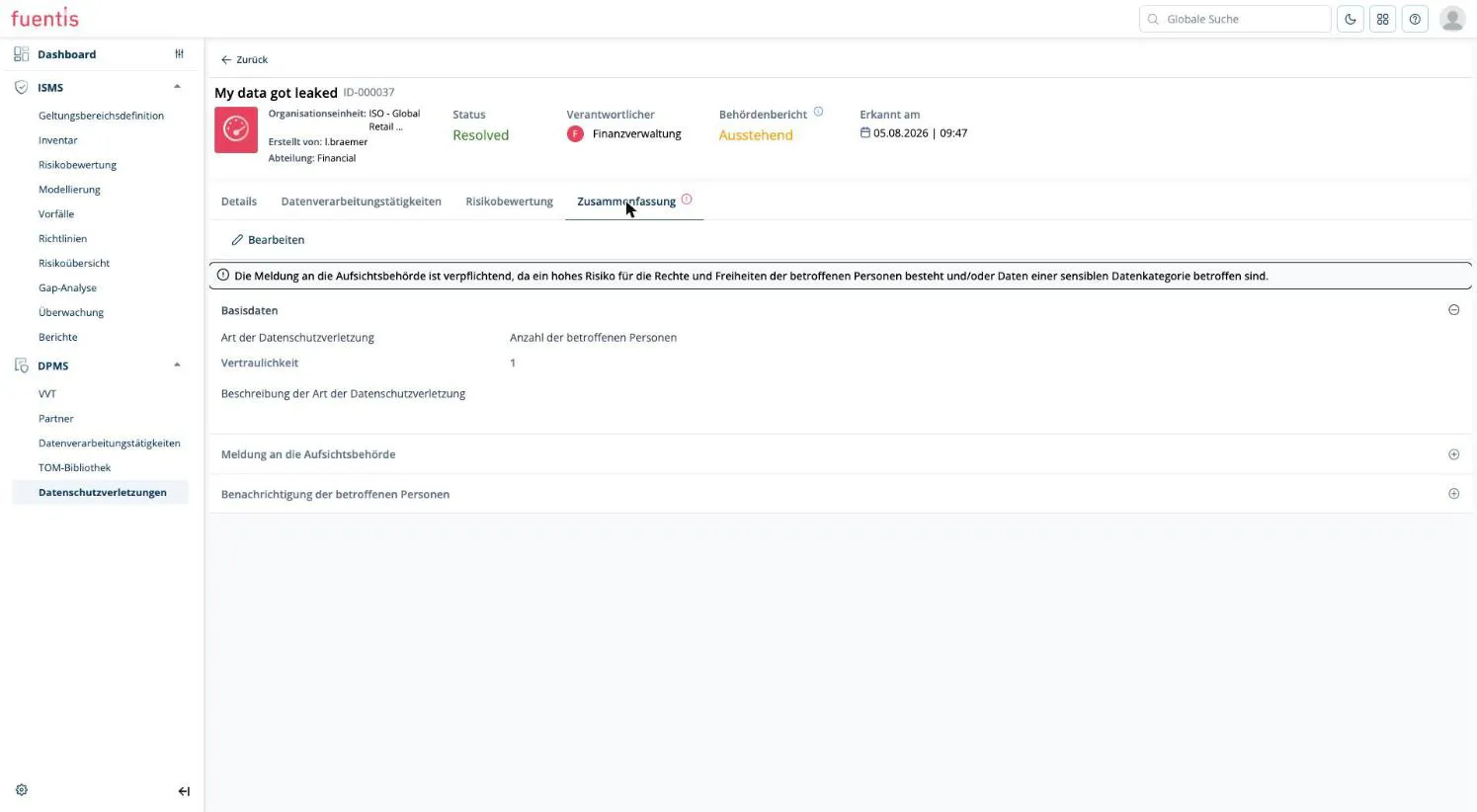
Basic data:
- Type of data breach: e.g. confidentiality
- Number of affected data subjects: the number of potentially affected people. If all employees are affected, that is the headcount, not the number of confirmed cases.
- Description of the type of data breach
Notification of the supervisory authority:
- Authority notification required
- Notified to the supervisory authority
- Responsible for the authority notification
- Date and time of notification
- Details of the notification: describe in words how the notification was made, e.g. by phone to which office
Notification of affected data subjects: the same structure of required, done, responsible person, date and time and details of the notification.
Notification duty and deadline
Section titled “Notification duty and deadline”If the risk value is high or sensitive data categories are affected, the system displays this notice at the top of the summary tab:
Notification of the supervisory authority is mandatory because there is a high risk to the rights and freedoms of the data subjects and/or data of a sensitive data category is affected.
The notification deadline is calculated automatically: 72 hours from the timestamp in Detected on. Both values sit side by side in the overview list, so the remaining time is visible at a glance.
The record header also shows the authority report status, which stays on Pending until notification. The overall incident status does not follow along automatically. You set that separately via the status change.
Who does what
Section titled “Who does what”| Role | Responsibility |
|---|---|
| Reporting person | Reports the incident, needs no access to the application |
| Triage | Decides whether a report is a genuine incident |
| Incident manager | Technical analysis, containment and remediation; coordinates with IT and administration |
| Data protection officer | Assignment to the processing activity, risk assessment, scope of affected data, notification of the supervisory authority and of data subjects |
Mitigation is technical and belongs to the incident manager, the notification duty is legal and belongs to the data protection officer.
View from the processing activity
Section titled “View from the processing activity”Every processing activity has a data breaches tab. It lists all assigned incidents with incident ID, summary, status, detection time, risk, notification duty, notification deadline and reporting status.
This list is read-only. The details are maintained exclusively in the data breach record itself. The processing activity merely displays them.
What the module does not do here
Section titled “What the module does not do here”- No sending. Notification of data subjects is documented, not dispatched. There is no bulk notification, e.g. to all employees, from the application.
- No notification templates. The details of the notification are free text; no form for the supervisory authority is generated.
- No report. An exportable data breach log for the supervisory authority is not available, see Data Protection Management.
Plan for the actual notification to happen outside the application. The DPMS records that and how notification took place. The notification channel itself you handle separately.