
Application Options
In the ISMS application options, you define basic settings that affect the entire ISMS – from protection goals through risk matrix configurations to import functionalities.
Why is this relevant?
- Adapts the ISMS to what your organization actually needs
- Standardizes assessment methods and risk matrices
- Moves data over from existing systems without manual rekeying
- Keeps protection-goal definitions consistent as they change
Configuration Areas
Section titled “Configuration Areas”1. Protection Goals
Section titled “1. Protection Goals”The Three Primary Protection Goals of Information Security
Section titled “The Three Primary Protection Goals of Information Security”Confidentiality
- Protection against unauthorized disclosure of information
- Confidential data may only be accessible to authorized persons in the permissible manner
- Examples: Customer data, patents, research data, personal data (GDPR)
- Practical risks: Open flipcharts after strategy meetings, accessible customer data in offices with public traffic
Integrity
- Ensuring the correctness and integrity of data
- Protection against unauthorized modification, deletion, or insertion of data
- Also includes metadata such as author or creation time
- Practical example: Manipulation of measurement data from medical devices can have serious consequences
Availability
- Ensuring that systems and information are usable as intended
- Permanent availability not necessarily required
- Definition via Service Level Agreements (SLAs)
- Example: Payroll system only needs to be available at defined times
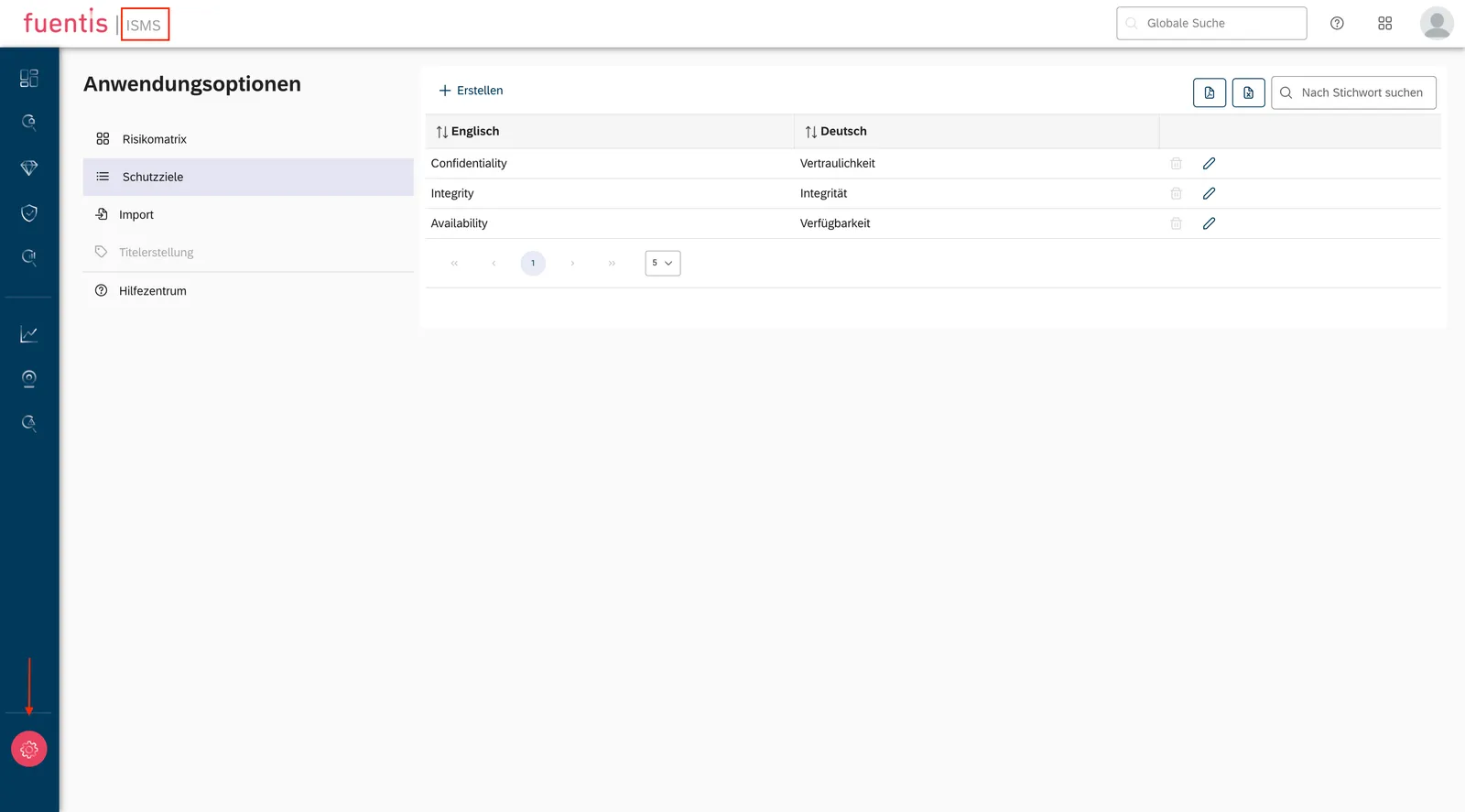
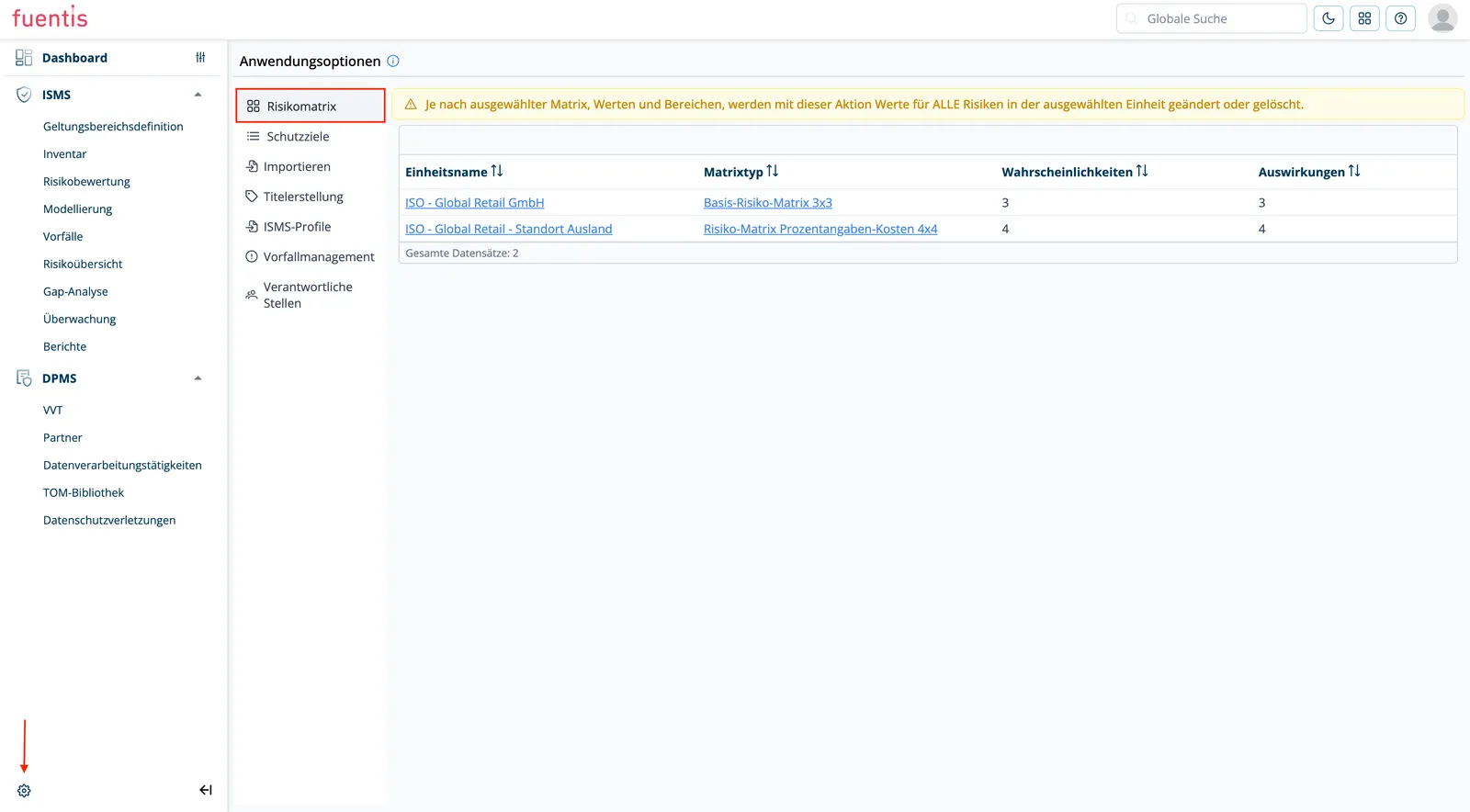
Navigation: ISMS → gear icon (bottom left) → Application Options
Extended Protection Goals
Section titled “Extended Protection Goals”In certain contexts, additional protection goals can be defined:
- Authenticity: Genuineness and credibility of information
- Non-repudiation: Provability of actions
- Accountability: Legal binding to transactions
- Reliability: Consistent system performance
Note: You can also adjust the values (attributes) of individual protection goals in the fuentis Suite.
2. Managing Protection Goals
Section titled “2. Managing Protection Goals”Creating a New Protection Goal
Section titled “Creating a New Protection Goal”Accessing the Configuration:
- Switch to the ISMS module
- Click on the gear symbol (bottom left) for application options
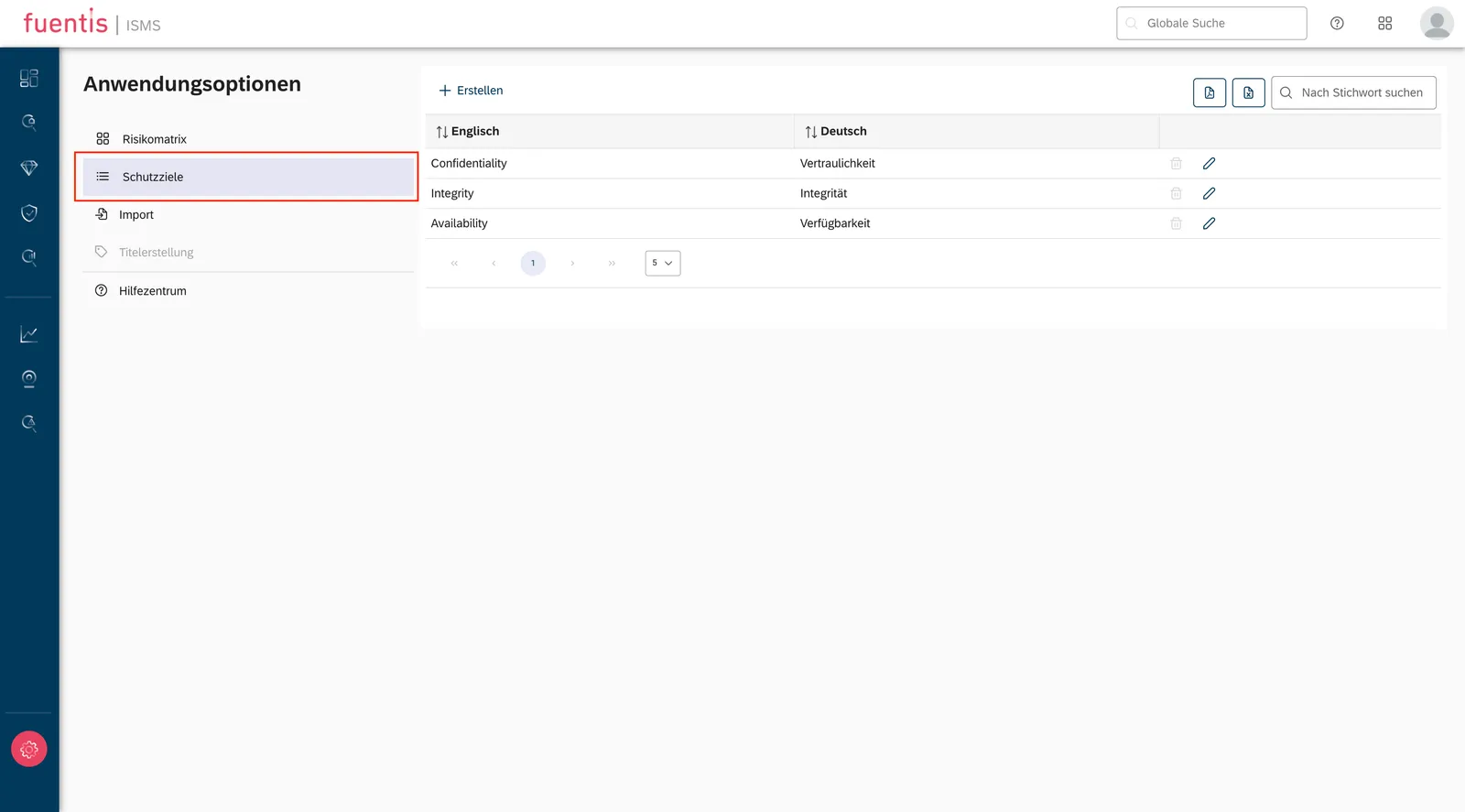
- Navigate to the “Protection Goals” category
- Click on “Create”
Important Note:
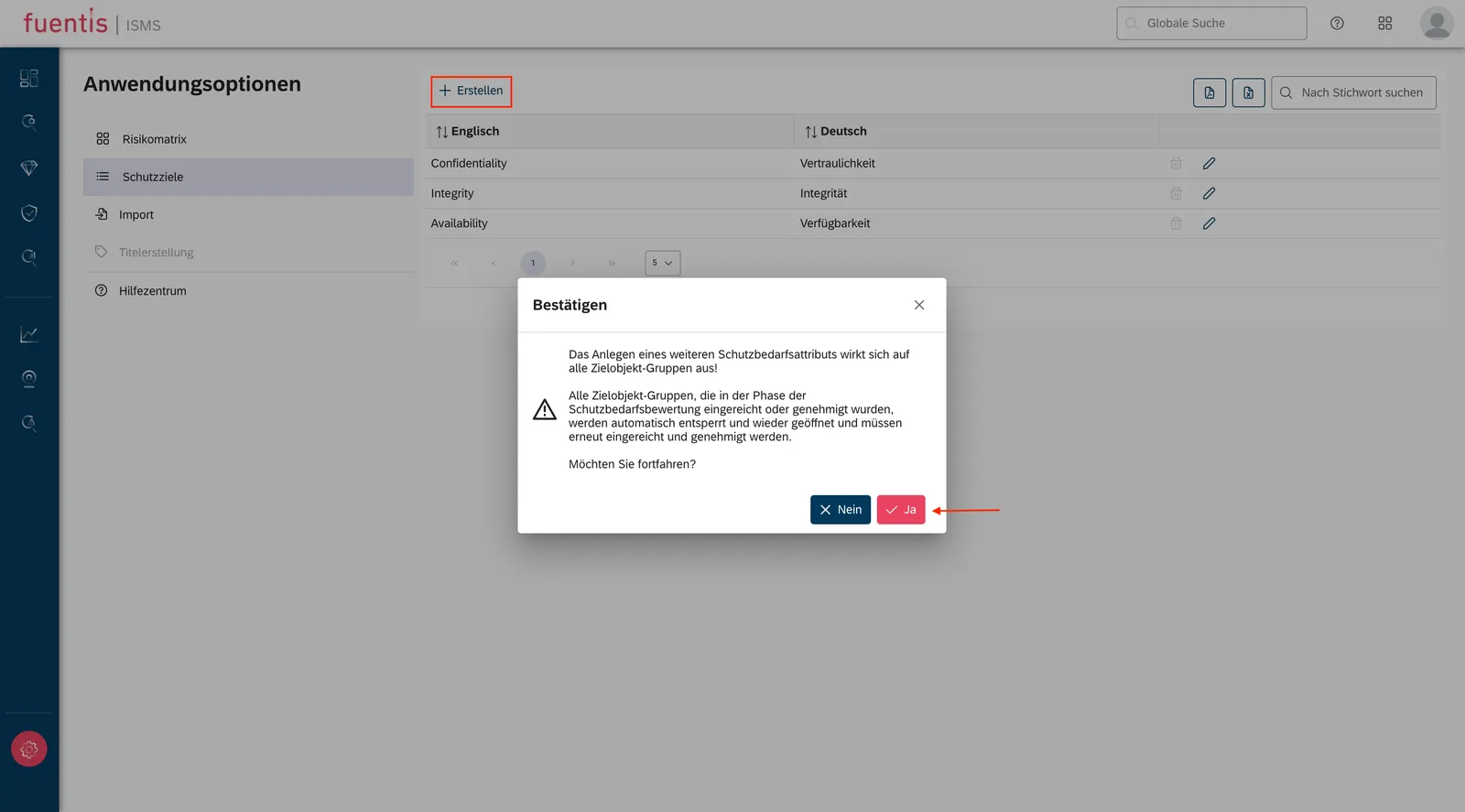
Adding a new protection goal affects ALL target object groups! Already submitted or approved protection requirement assessments will be automatically unlocked and must be edited again.
Configuration Steps:
- Assign names: German and English
- Define values (minimum 2, recommended 3):
- Choose weighting level: Very low, Low, Normal, High, Very high, Critical
- German and English designation for each value
- Save: Click on “Create”
Editing and Deleting Protection Goals
Section titled “Editing and Deleting Protection Goals”Editing:
- Click on the edit symbol in the corresponding row
- Adjustment of names and values possible
- Changes affect the entire system
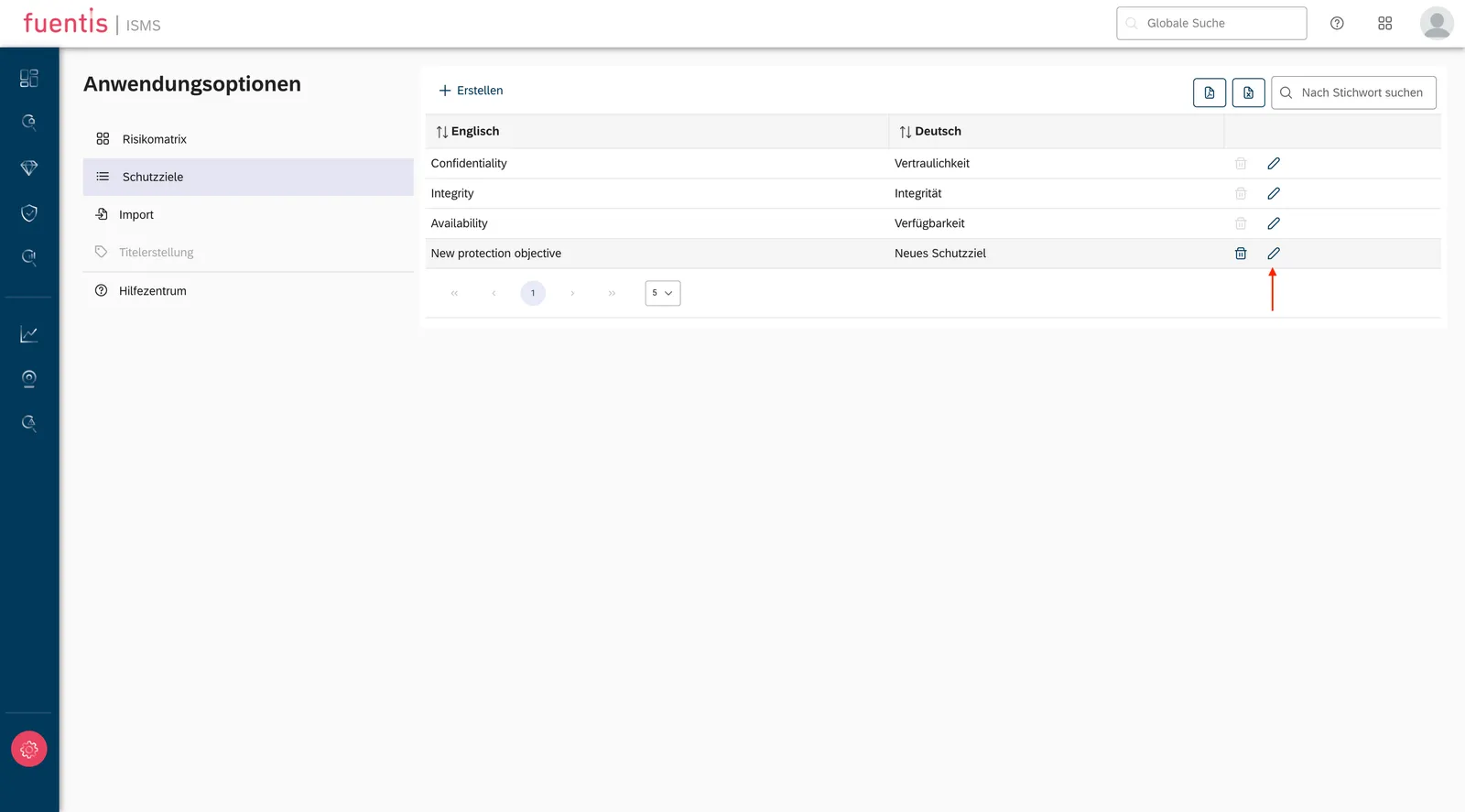
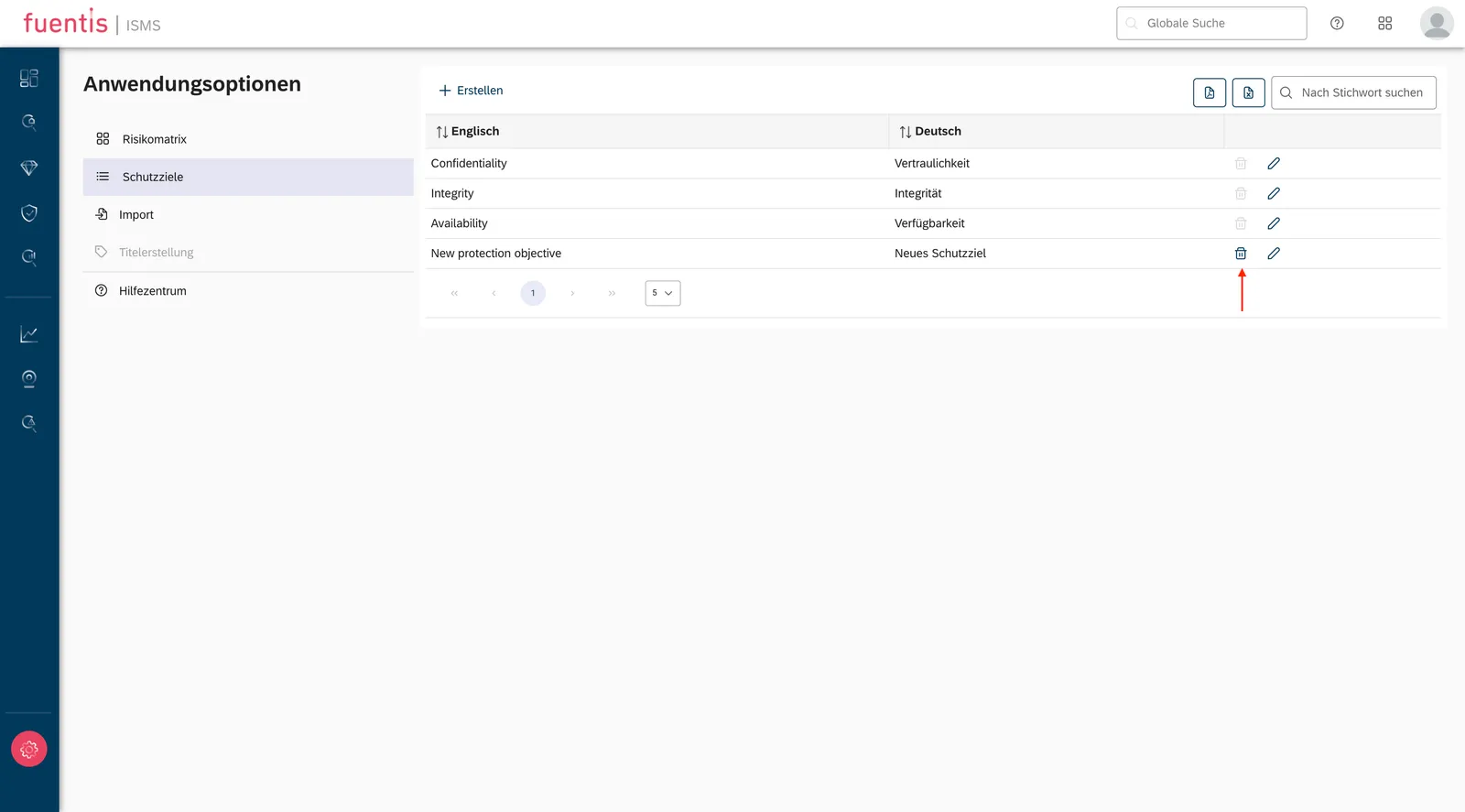
Deleting:
- Click on the delete symbol
- Deletion process takes a moment
- Push notification confirms successful deletion
- Caution: Deletion can have far-reaching effects
3. Risk Matrix Configuration
Section titled “3. Risk Matrix Configuration”Setting Options
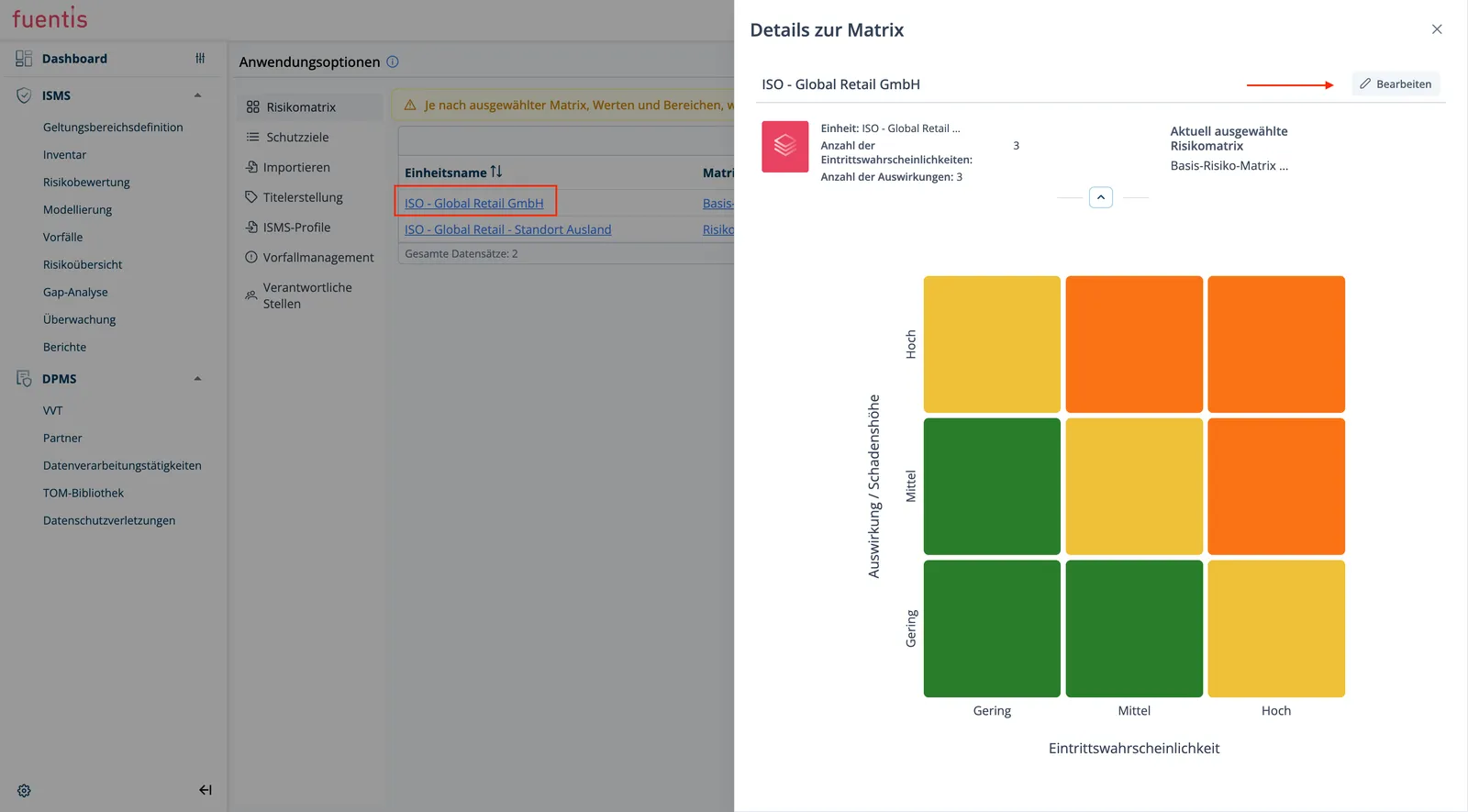
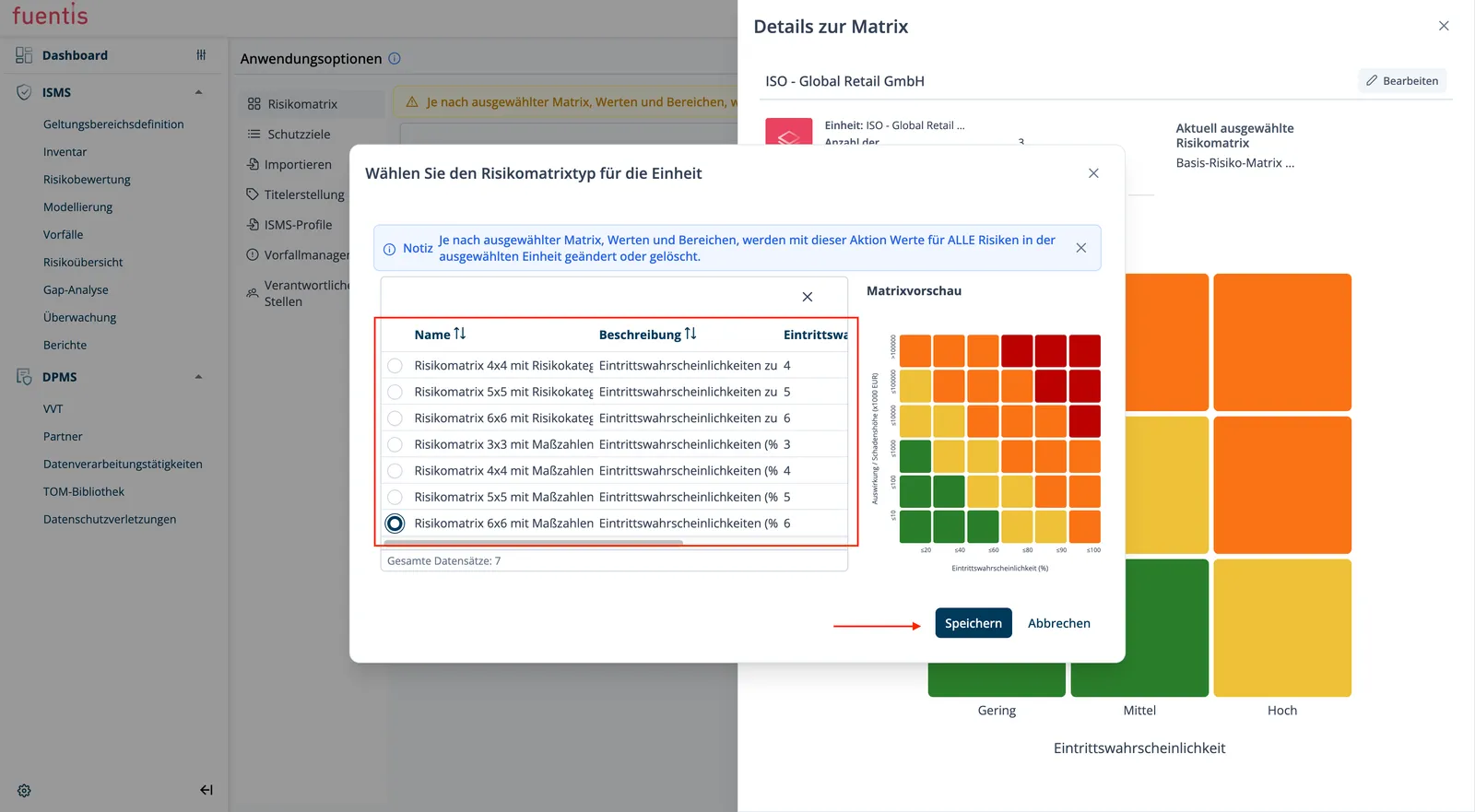
Section titled “Setting Options”The risk matrix is the central element for risk assessment. In the application options, you can:
Adjust Matrix Dimensions:
- 3x3, 4x4, 5x5, or 6x6 matrix selectable
- Adaptation to organization-specific requirements
- Translations available for all matrix sizes (except for some versions for 5x5)
Configure Value Ranges:
- Probability of Occurrence: Percentage or qualitative scales
- Damage Amount/Impact: Monetary values or categories
- Risk Categories: Defines the acceptance ranges
4. Import Functionalities
Section titled “4. Import Functionalities”Available Import Options
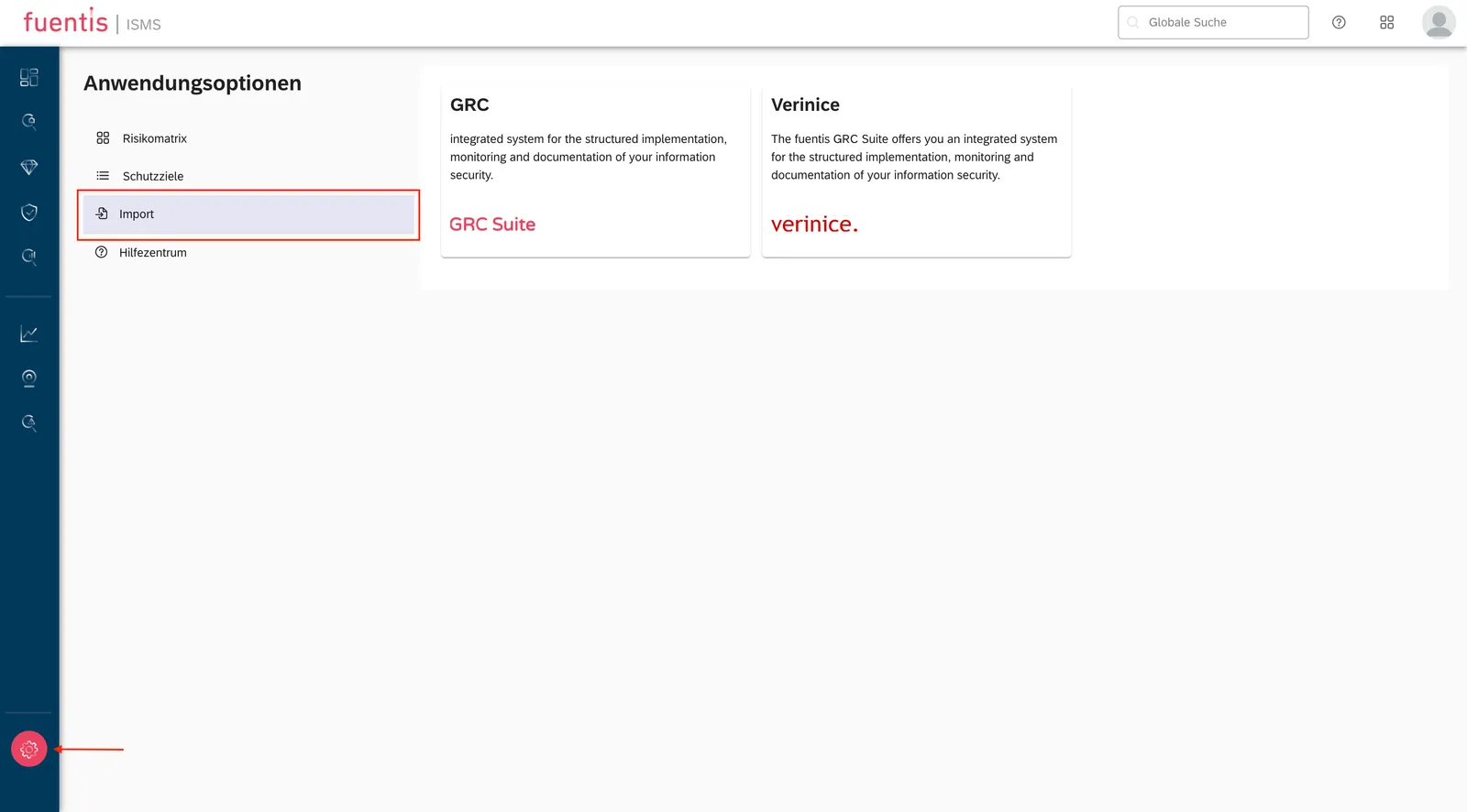
Section titled “Available Import Options”GRC Import:
- Migration from existing GRC system
- Transfer of risk data and measures
- Mapping to fuentis Suite 4 structures
Verinice Import:
- Data transfer from verinice.PRO
- Preservation of links between objects
- Automatic assignment to catalogs
Import Process:
- Application Options → Import
- Choose import type (GRC or Verinice)
- Click on “Import”
- Select catalog and unit
- Upload file via “Browse”
- “Import” to execute
Note: Please contact us for migration or import projects.
5. Automatic Title Generation
Section titled “5. Automatic Title Generation”Functionality
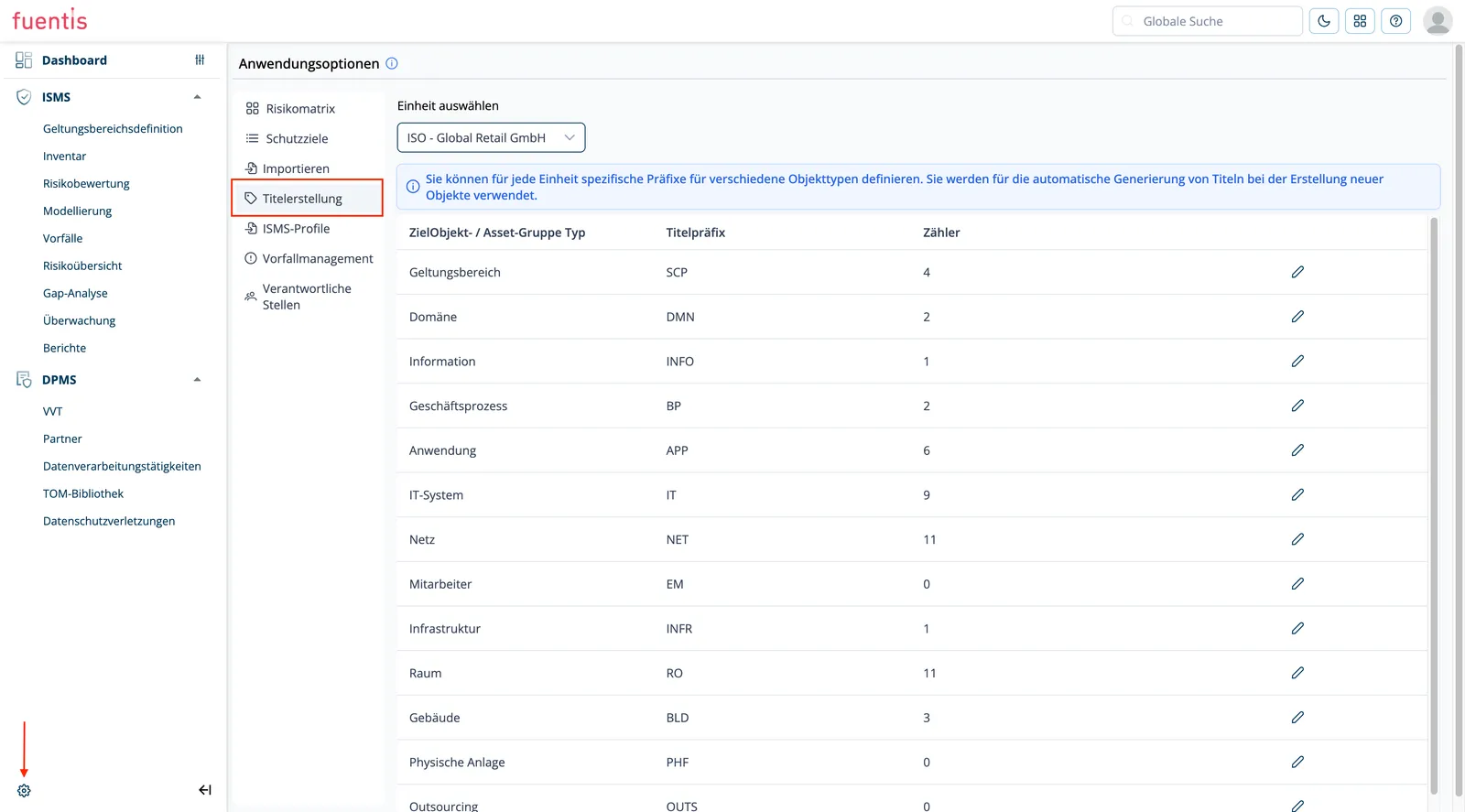
Section titled “Functionality”Automatic title generation enables:
- Uniform designations for target objects
- Entity-specific prefixes for different object types
- Automatic counters for sequential numbering
Configuration:
- Access: Application Options → Title Creation
- Authorization: Role “Manage Title Prefixes” required
- Settings per Entity:
- Object type (TargetObject/Asset Group Type)
- Title prefix
- Counter value
Example Configuration:
IT System: IT-SYS-[001]Network: NET-[001]Room: ROOM-[001]Process: PROC-[001]6. Responsible Parties
Section titled “6. Responsible Parties”Meaning and Purpose
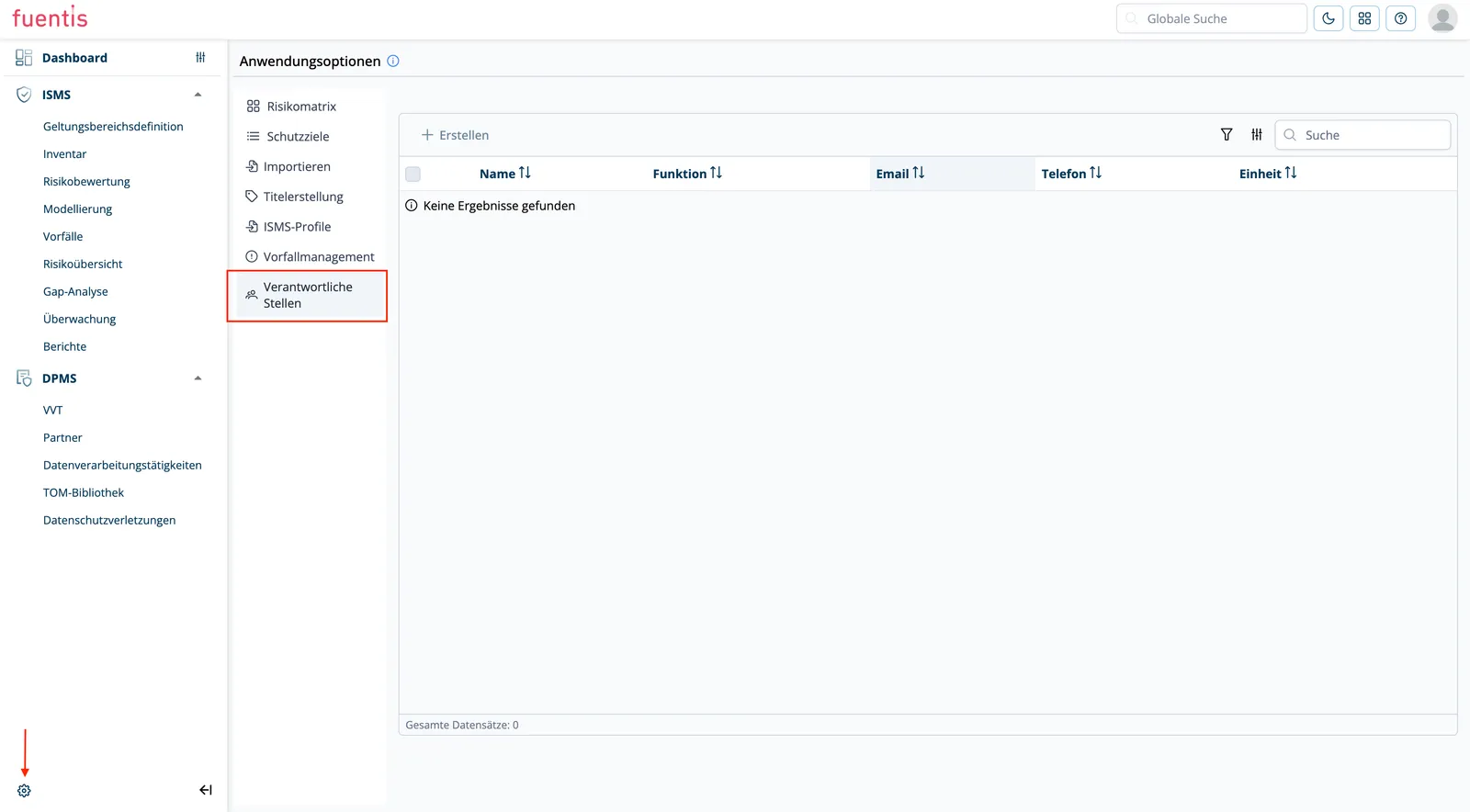
Section titled “Meaning and Purpose”Responsible parties map the governance structure of the ISMS and define clear responsibilities:
- Role Assignment: Assignment of persons to functions in the ISMS
- Decision Makers: Definition of approvers and contact persons
- Traceability: Documentation of responsible parties for audit and compliance
- Workflow Integration: Automatic notification in approval processes
- Management of Responsible Parties
- Access to Configuration
Name (required): Full name of the personFunction: Professional role or position (e.g., ISMS Manager, IT Security Officer)Phone: Phone number for direct contactEmail (required): Email address for notificationsUnit (required): Organizational assignment (Units dropdown)Practical Application:
- Notifications are sent to the stored email
- Unit assignment enables organization-specific responsibilities
- Particularly important for risk acceptances and measure approvals
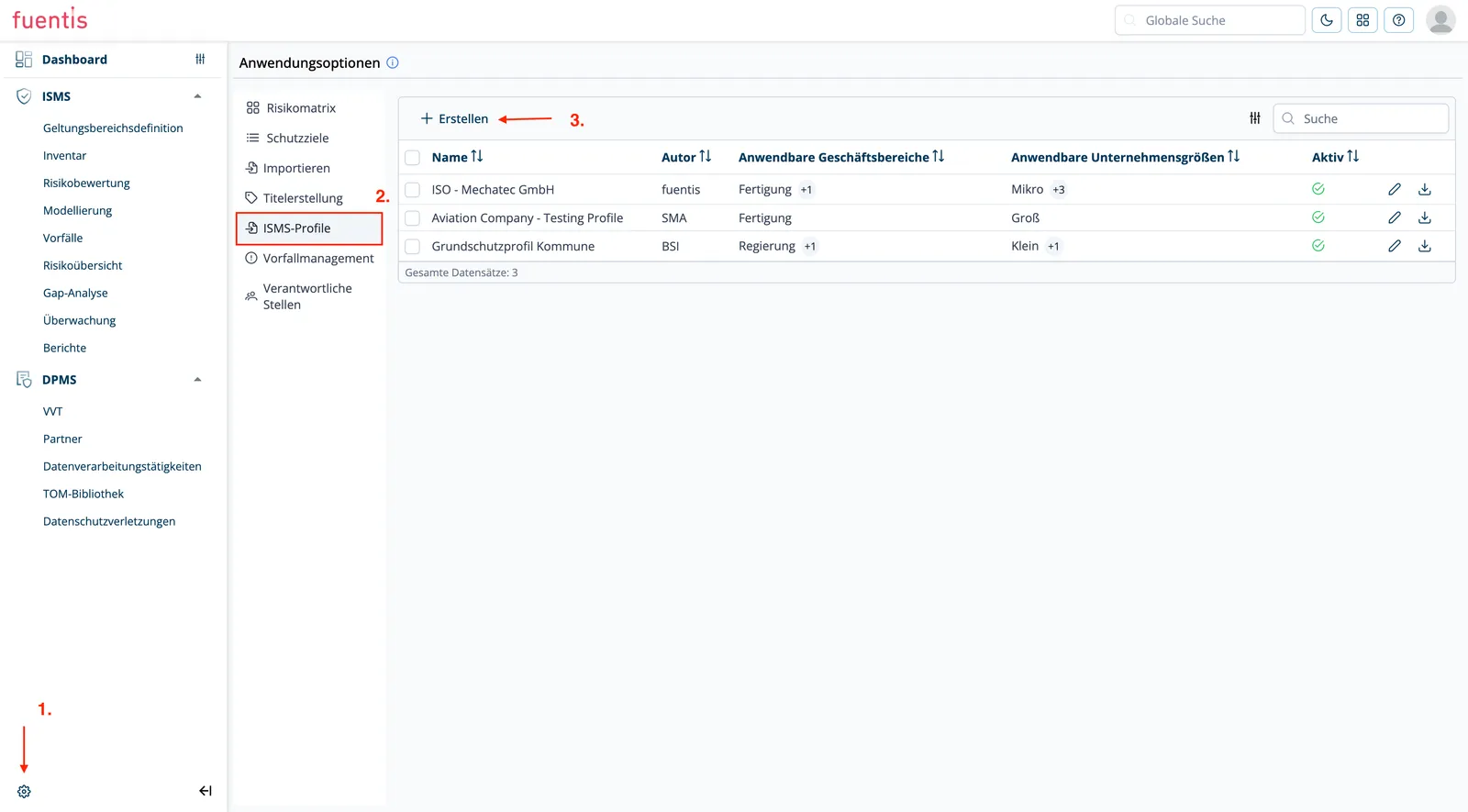
7. ISMS Profiles
Section titled “7. ISMS Profiles”Purpose and Benefits ISMS profiles enable the management of different security configurations for different contexts:
- Multi-tenant Support: Separate profiles for different organizations or departments
- Best Practice Templates: Predefined profiles for standards (ISO 27001, BSI IT-Grundschutz)
- Quick Implementation: Standard configurations for new projects or locations
- Compliance Variations: Profiles adapted to regulatory requirements
- Structure and Management of ISMS Profiles
- Access to Configuration:
- Switch to the ISMS module
- Click on the gear symbol (bottom left) for application options
- Navigate to “ISMS Profiles”
- Profile Properties (editable):
- Name (required): Designation of the profile (e.g., “ISO - Mechatec GmbH”)
- Author: Creator or responsible person of the profile
- Applicable Business Areas: Categories such as Manufacturing, IT Services, Services
- Applicable Company Sizes: Size classes (Micro, Small, Medium, Large) for which the profile is relevant
- Active: Toggle to activate/deactivate the profile
- Description: Documentation of profile purpose and scope of application
- Upload: ZIP file with profile configuration and catalogs
Advantages
- Quick implementation for new organizational units
- Compliance templates for regulated industries
- Standardized assessment criteria and risk matrices
- Export and import of configurations between systems
Note: Attention, this function is only available to Professional customers or Enterprise customers.
Note: You can download any scope as a profile.
8. Incident Management
Section titled “8. Incident Management”Here you can control and enter the white and black list of emails per unit from which you want to receive incidents.
Glossary
Section titled “Glossary”ISMS: Information Security Management System - Management system for information security
Protection Goal: Security objective for protecting information (confidentiality, integrity, availability)
Risk Matrix: Two-dimensional representation for risk assessment based on probability of occurrence and impact
TOG: Target Object Group - Target object group as structural element in the ISMS
Entity: Organizational unit within the fuentis Suite
Scope: Area of application of the ISMS
SLA: Service Level Agreement - Agreement on availability