

Incident Management Modul
The Incident Management Module is an integral component of the Information Security Management System (ISMS) of the fuentis Suite. It enables organizations to systematically capture, manage, and track security incidents – a crucial building block for compliance with ISO 27001, NIS2, and other regulatory requirements.
Why is it relevant?
In today’s threat landscape, the ability to respond quickly and effectively to security incidents is business-critical. The module supports you in systematically managing incidents, fulfilling regulatory reporting obligations, and learning from incidents.
Reporting an incident
Section titled “Reporting an incident”Navigation: ISMS → Incidents → Create incident report
The form captures the reporting person, email, unit, department, problem summary, problem type and problem description.
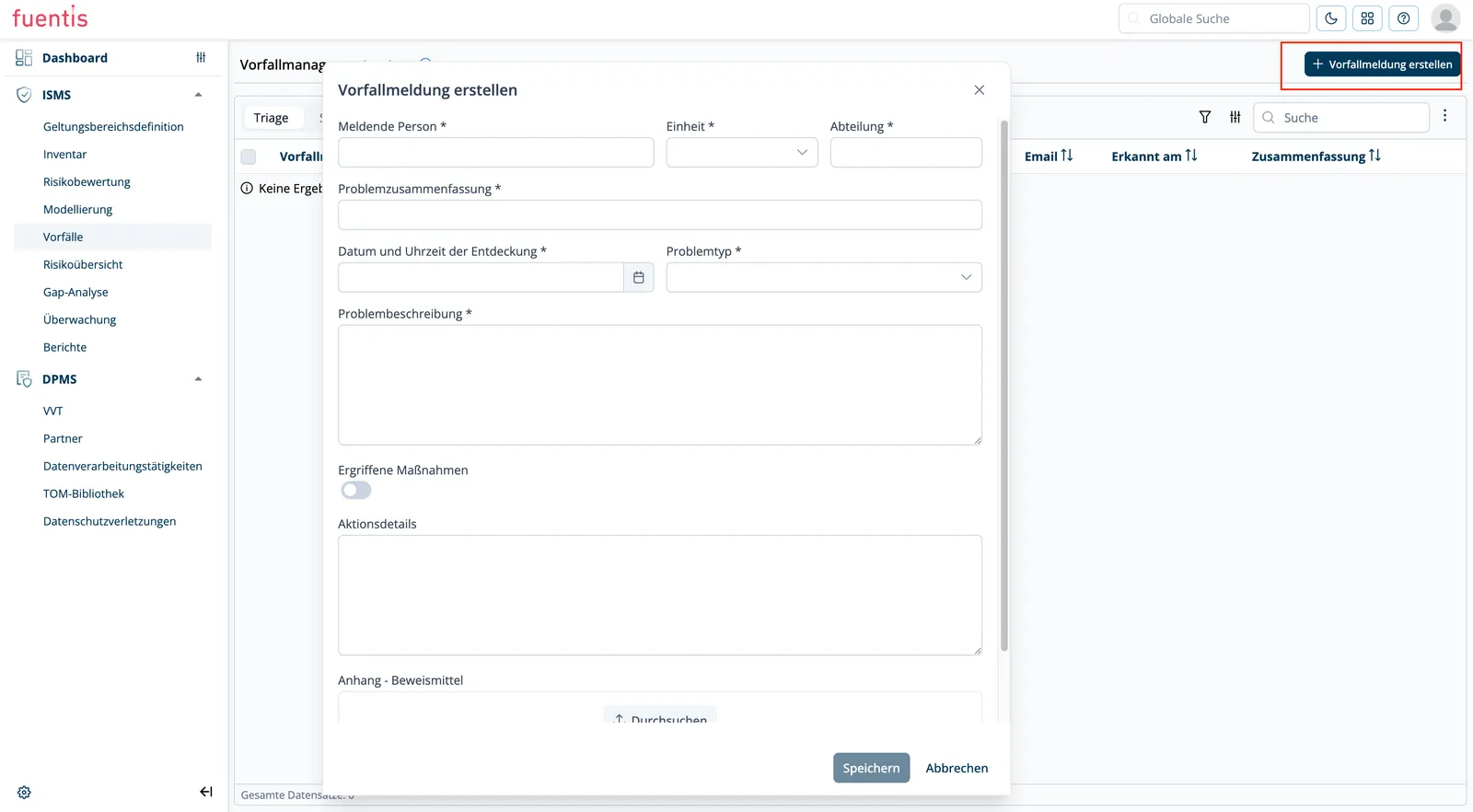
Reporting portal for people without access
Section titled “Reporting portal for people without access”Incidents can also be reported without a user account. The link to the reporting portal sits behind the question mark icon at the top right: copy the incident portal link from the slide-over that opens and pass it on to your staff.
Reports from the portal enter the system for triage, exactly like those entered directly.
Core Concepts and Requirements
Section titled “Core Concepts and Requirements”Integration into the ISMS
Section titled “Integration into the ISMS”Incident Management is not a separate application, but a dedicated phase within the ISMS structure. Each incident belongs to a specific entity, so all actions, visibility and handling happen at that entity level. You can only access the Incident Management Module in the new trust-platform.
Core Functionalities
Section titled “Core Functionalities”This section describes what the module does. How to operate it is covered below above under Reporting an incident.
Navigation: ISMS → Incidents
1. Incident Reporting
Section titled “1. Incident Reporting”- Multiple Reporting Channels: Internal employees, external stakeholders, IT monitoring systems
- External Reporting Forms: Publicly accessible forms for persons without direct system access
- Email Verification: Protection against misuse through validation of external reports
- Categorization: Automatic or manual classification (e.g., phishing, ransomware, data leak)
- Prioritization: Severity assignment based on impact and probability
2. Incident Lifecycle Management
Section titled “2. Incident Lifecycle Management”Report Status Workflow:
- Unverified: Receipt of external report
- Submitted: Email-verified report
- Accepted: Accepted as actual incident
- False Positive/Spam: Rejected reports
Incident Status Progression:
- New Incident: Initially after acceptance
- Under Investigation: Active analysis in progress
- Ongoing: Confirmed incident, countermeasures in progress
- Escalated: Escalation to higher level (optional)
- Mitigated/Contained: Threat neutralized
- Resolved: Fully resolved
3. Workflow Management
Section titled “3. Workflow Management”- Assignment & Escalation: Clear responsibilities and escalation paths
- Status Tracking: Complete tracking of incident progress
- SLA Management: Monitoring of response and resolution times
4. Documentation & Audit Trail
Section titled “4. Documentation & Audit Trail”- Central Repository: Secure storage of all incident records
- Metadata Tracking: Timestamps, affected systems, actions performed
- ISMS Asset Linkage: Direct connection to affected TOGs (Target Object Groups)
5. Handover to the DPMS for data breaches
Section titled “5. Handover to the DPMS for data breaches”When an incident involves personal data, the incident type is set to data breach in the incident assessment. Only then does the incident become visible in the DPMS, where the data protection officer picks it up, assigns it to a processing activity and documents the notification of the supervisory authority. Technical remediation stays with the incident manager.
The full sequence is on From security incident to data breach.
NIS2 Compliance Features
Section titled “NIS2 Compliance Features”The module specifically supports the requirements of the NIS2 directive:
- Reporting Obligations: Predefined templates for regulatory notifications
- Deadline Monitoring: Automatic reminders for 24h/72h reporting deadlines
- Audit Trail: Complete documentation for compliance evidence
Implementation Aids and Best Practices
Section titled “Implementation Aids and Best Practices”Organizational Preparation
Section titled “Organizational Preparation”Define Roles and Responsibilities
Section titled “Define Roles and Responsibilities”Incident Manager
- Triage of external reports
- Status overview of all incidents
- Escalation decisions
Incident Handler
- Operational processing of assigned incidents
- Documentation of measures
- Status updates
Crisis Team (for Major Incidents)
- Strategic decisions
- External communication
- Business continuity coordination
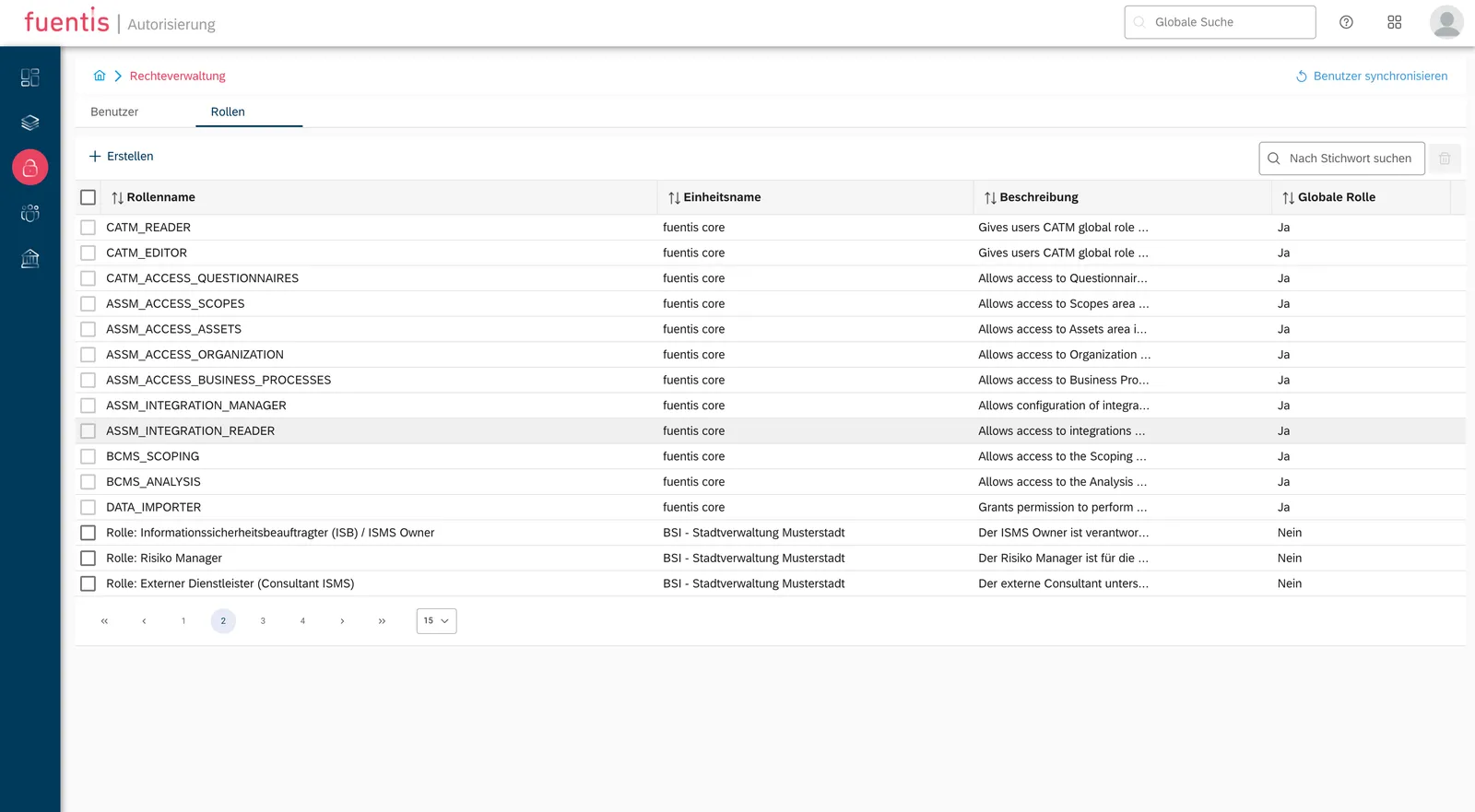
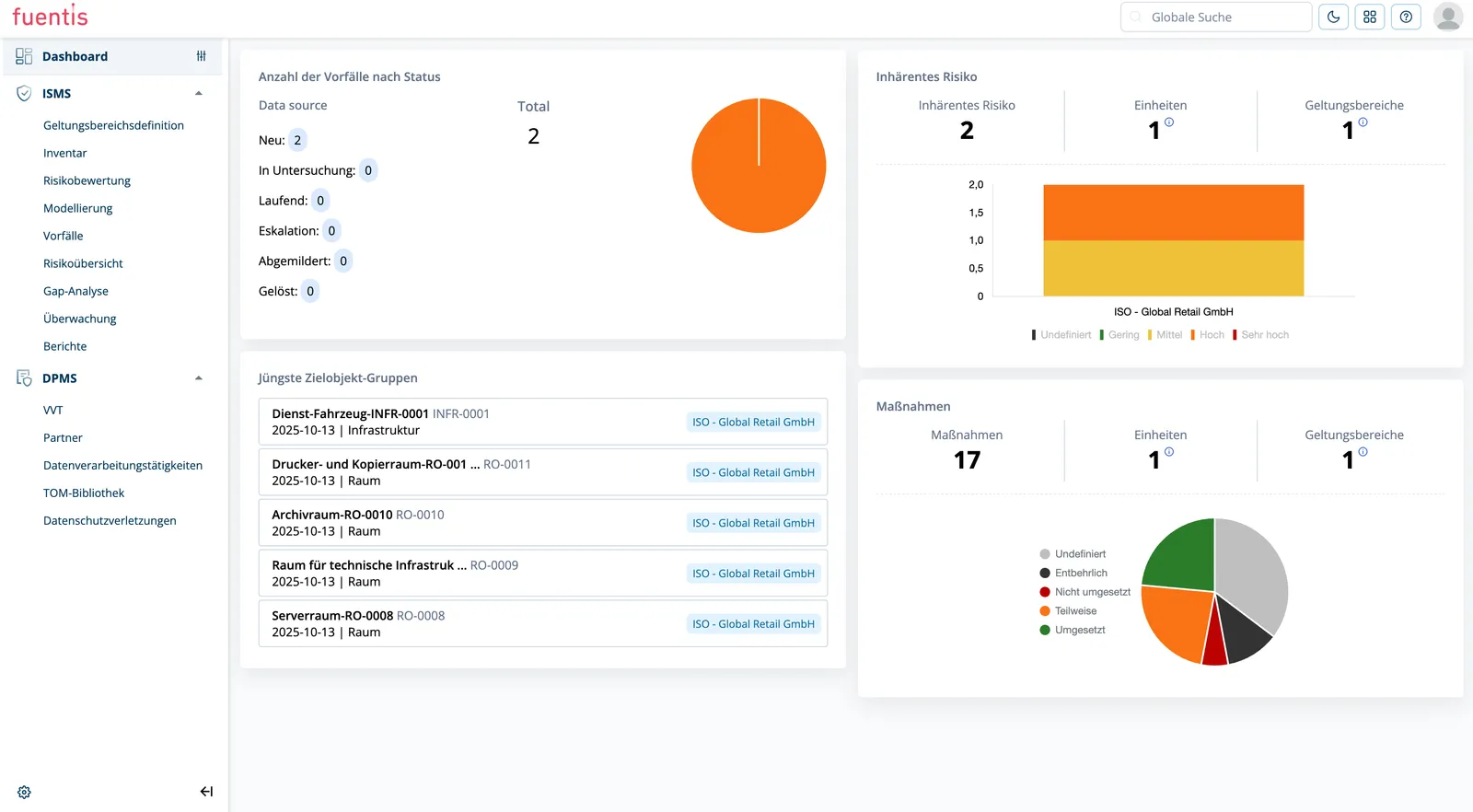
Dashboard & Monitoring
Section titled “Dashboard & Monitoring”Recommended Dashboard Widgets:
- Incidents by Status: Overview of active incidents
- SLA Compliance: Adherence to response times
- Trend Analysis: Incident development over time
- Top Threat Categories: Most frequent incident types
Practice Tips
Section titled “Practice Tips”Practice Tip: Incident Response Playbooks
Create predefined playbooks for common incident types. These can be stored as templates in the system and activated when needed.
Practice Tip: Regular Exercises
Conduct quarterly incident response exercises. Use the test environment of the fuentis Suite for realistic simulations.
Practice Tip: Lessons Learned
Establish a structured process for post-incident reviews. The insights should flow directly into risk assessment and measure planning.
Glossary
Section titled “Glossary”BAO (Betriebliche Aufbauorganisation): Crisis management structure with strategic, tactical, and operational levels
CSIRT (Computer Security Incident Response Team): Specialized team for IT security incidents
False Positive: False alarm; reported incident that turns out to be harmless
Major Incident: Severe incident with significant impacts on critical business processes
MTTD/MTTR: Mean Time to Detect / Mean Time to Respond - KPIs for incident response
SLA (Service Level Agreement): Agreed response and resolution times
TOG (Target Object Group): Target object group in the ISMS; structural unit for asset grouping
Triage: Initial assessment and prioritization of incoming incident reports