

Monitoring
Continuous monitoring of the Information Security Management System (ISMS) is a central component of ISO 27001 and IT-Grundschutz. Effective monitoring enables organizations to track the progress of their security measures, identify weaknesses in documentation early, and demonstrably fulfill compliance requirements.
The fuentis Suite offers a comprehensive solution with the monitoring module that goes beyond classic dashboards and reports. The module enables detailed evaluations at various ISMS levels and creates transparency about the implementation status of building blocks, requirements, measures, and controls.
The monitoring module of the fuentis Suite enables monitoring at various structural levels:
- Building Blocks: Superordinate security modules according to BSI-Grundschutz or custom structuring
- Requirements: Specific security requirements within the building blocks
- Measures: Concrete implementation steps to fulfill the requirements
- Controls: Review mechanisms for effectiveness control (ISO 27001 Annex A)
- Target Object Groups (TOGs): Grouping of assets and protection objects
How to reach the evaluation
Section titled “How to reach the evaluation”Navigation: ISMS → Monitoring
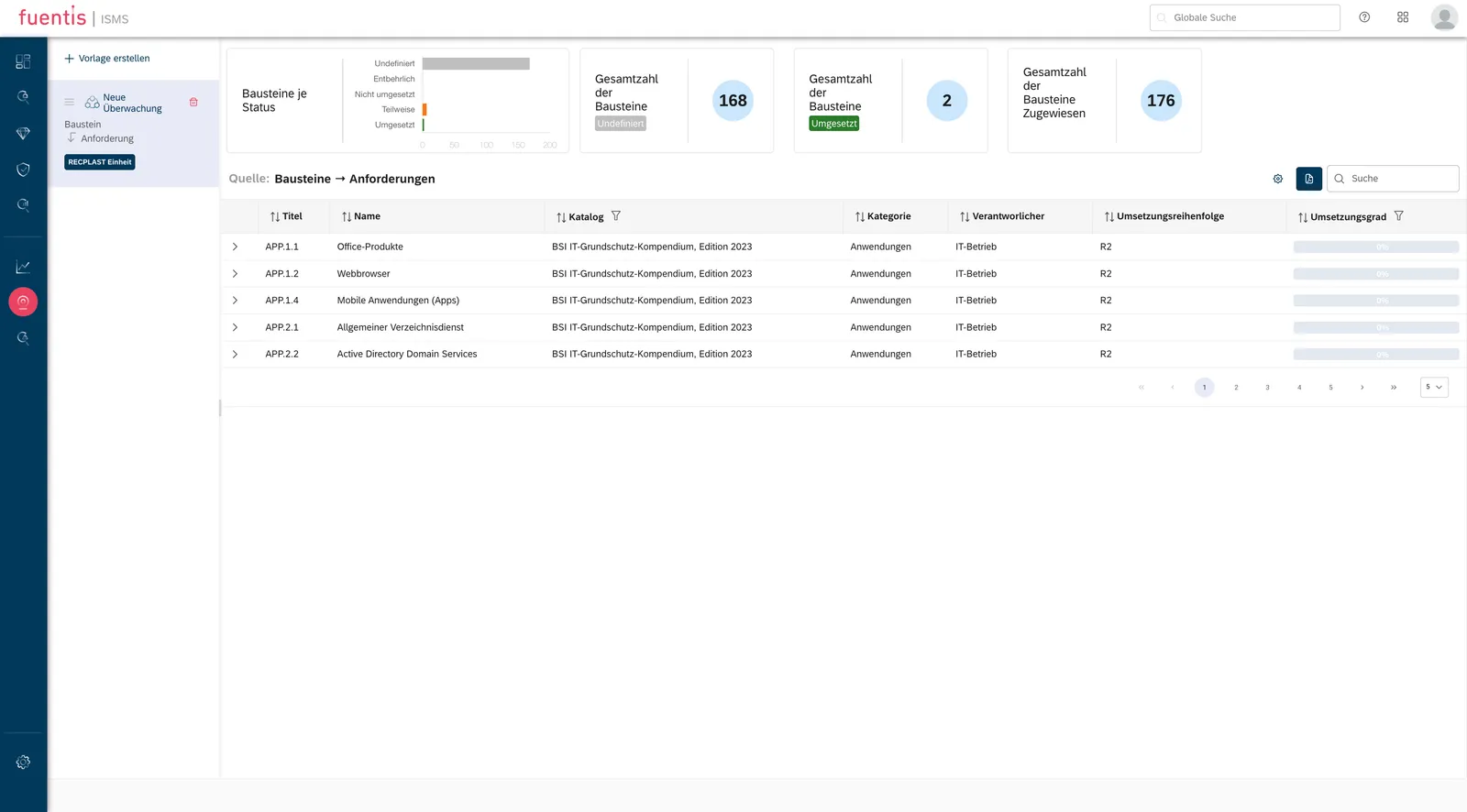
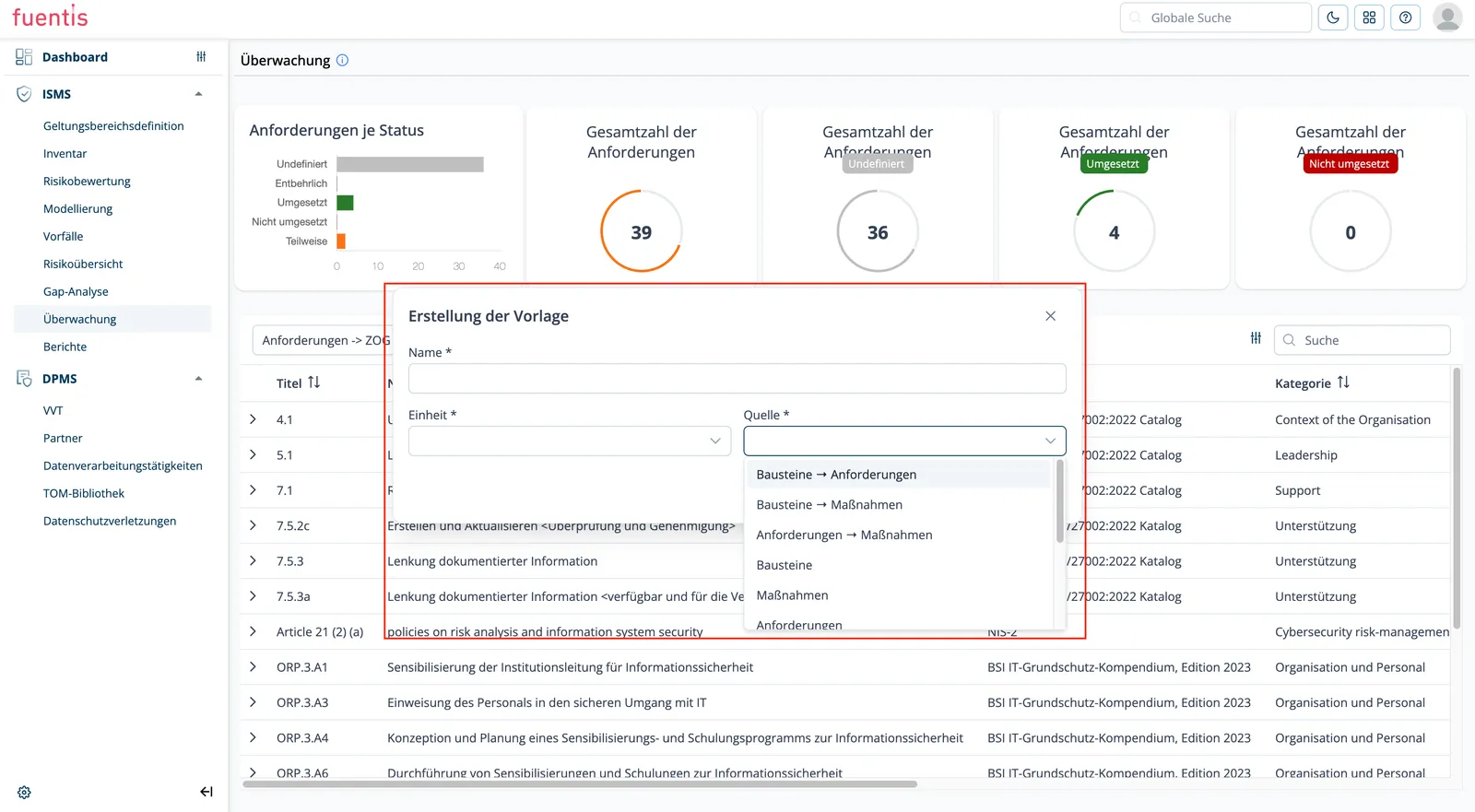
The module starts out empty. The evaluation below only appears once you have created a monitoring template via + Create template and assigned it a source — in the example Building blocks → Requirements. Without a template the view stays empty.
How a template is created is covered below under Step 1: Create Template.
Practical Application
Section titled “Practical Application”Step 1: Create Template
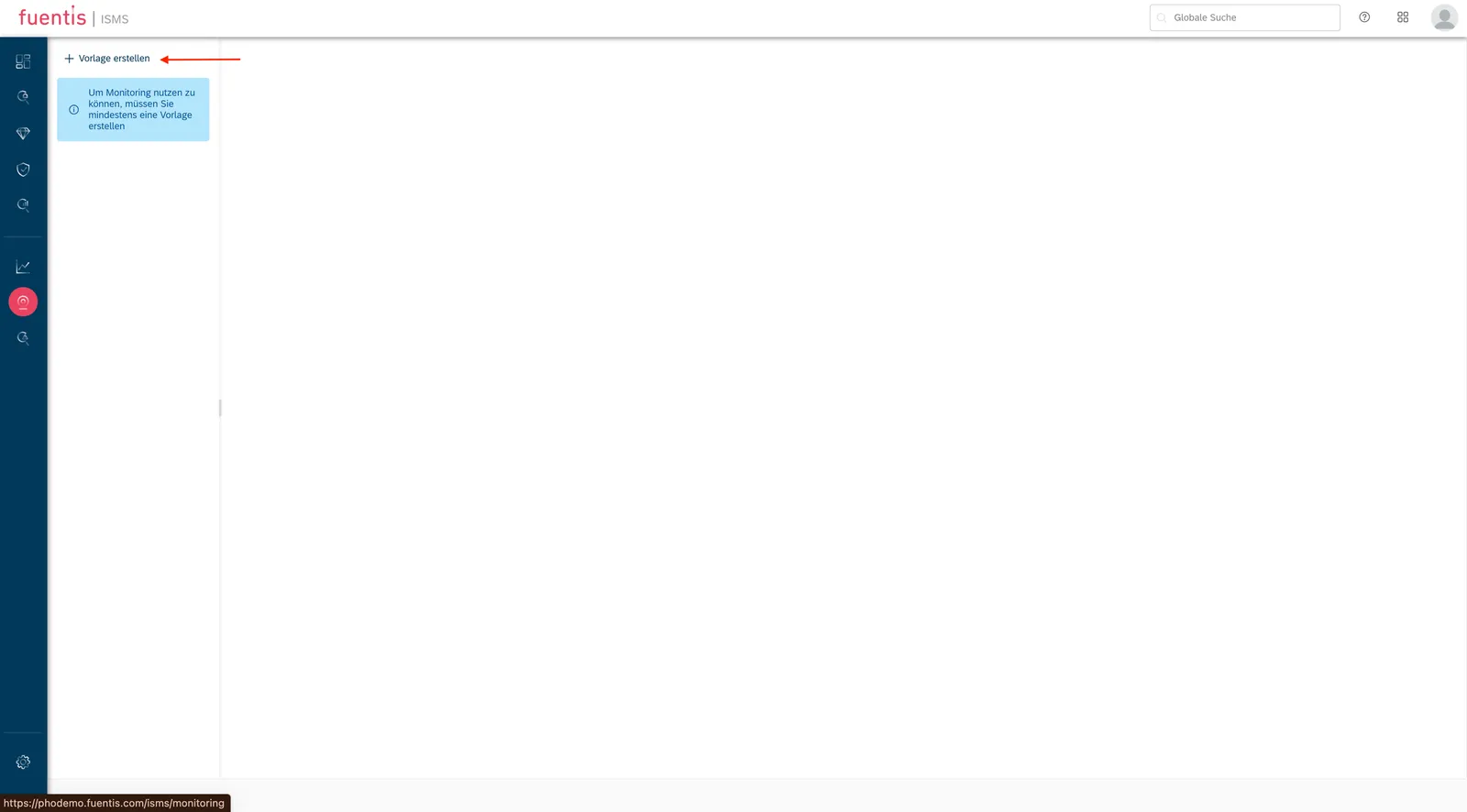
Section titled “Step 1: Create Template”- Navigate to the “Monitoring” tab in the ISMS module
- Click on the dropdown of available templates
- Click on ”+ Add New”
- Enter a meaningful name (e.g., “Q4-2025 Compliance Check”)
- Select the relevant organizational unit
- Important: Choose the source carefully. It decides what the analysis can show.
- Save the template
Step 2: Use Monitoring Overview
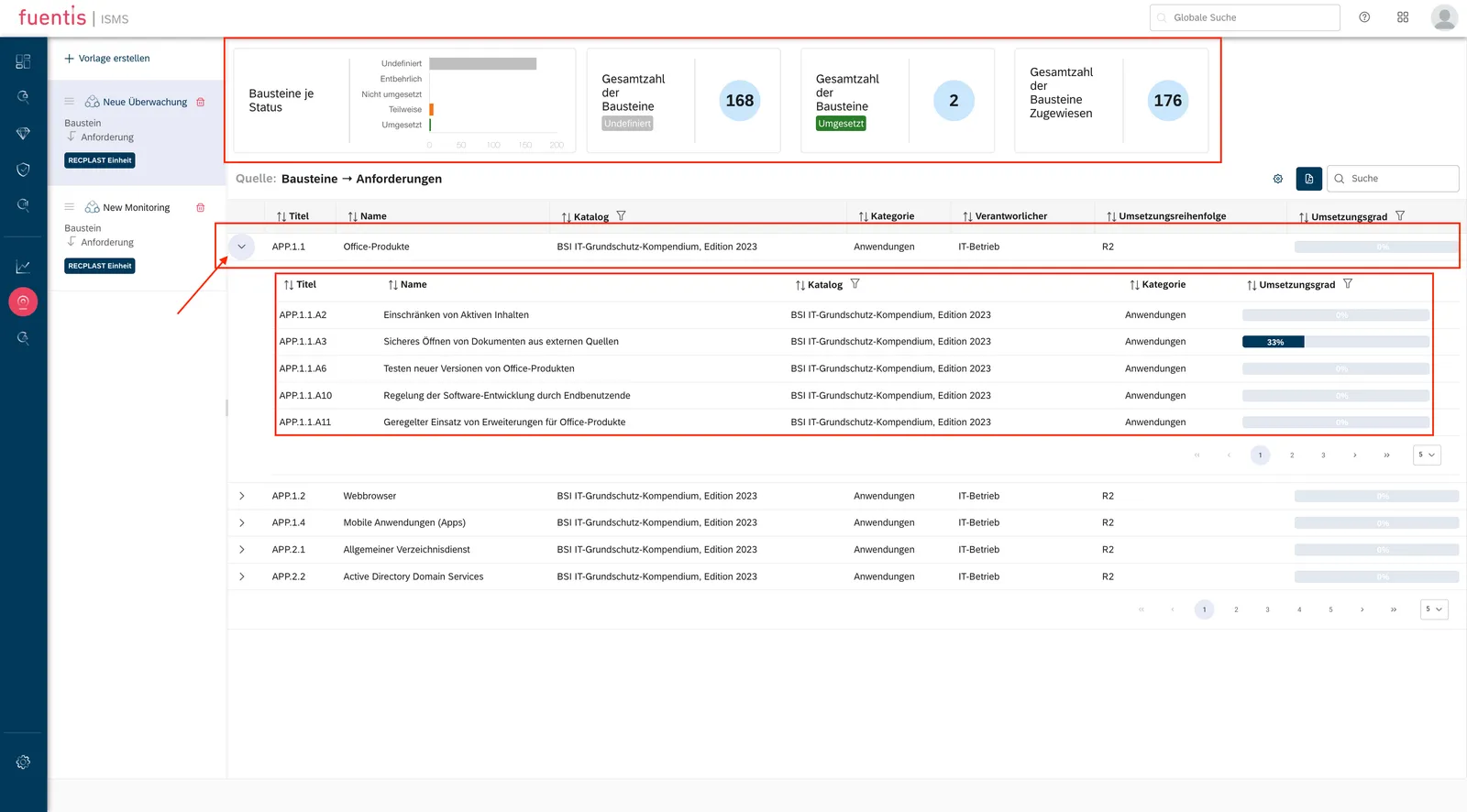
Section titled “Step 2: Use Monitoring Overview”After creation, the template appears in the left column of the overview:
- Left column lists every template you have created
- Right side shows the details of the template you picked
- At the top, the evaluation gives you the headline numbers
- Below that, the table lets you drill down
What you can do here:
- Expand and collapse the hierarchy with the arrows
- Jump straight to a linked element
- Read implementation status off the colour coding
Step 3: Individualize View
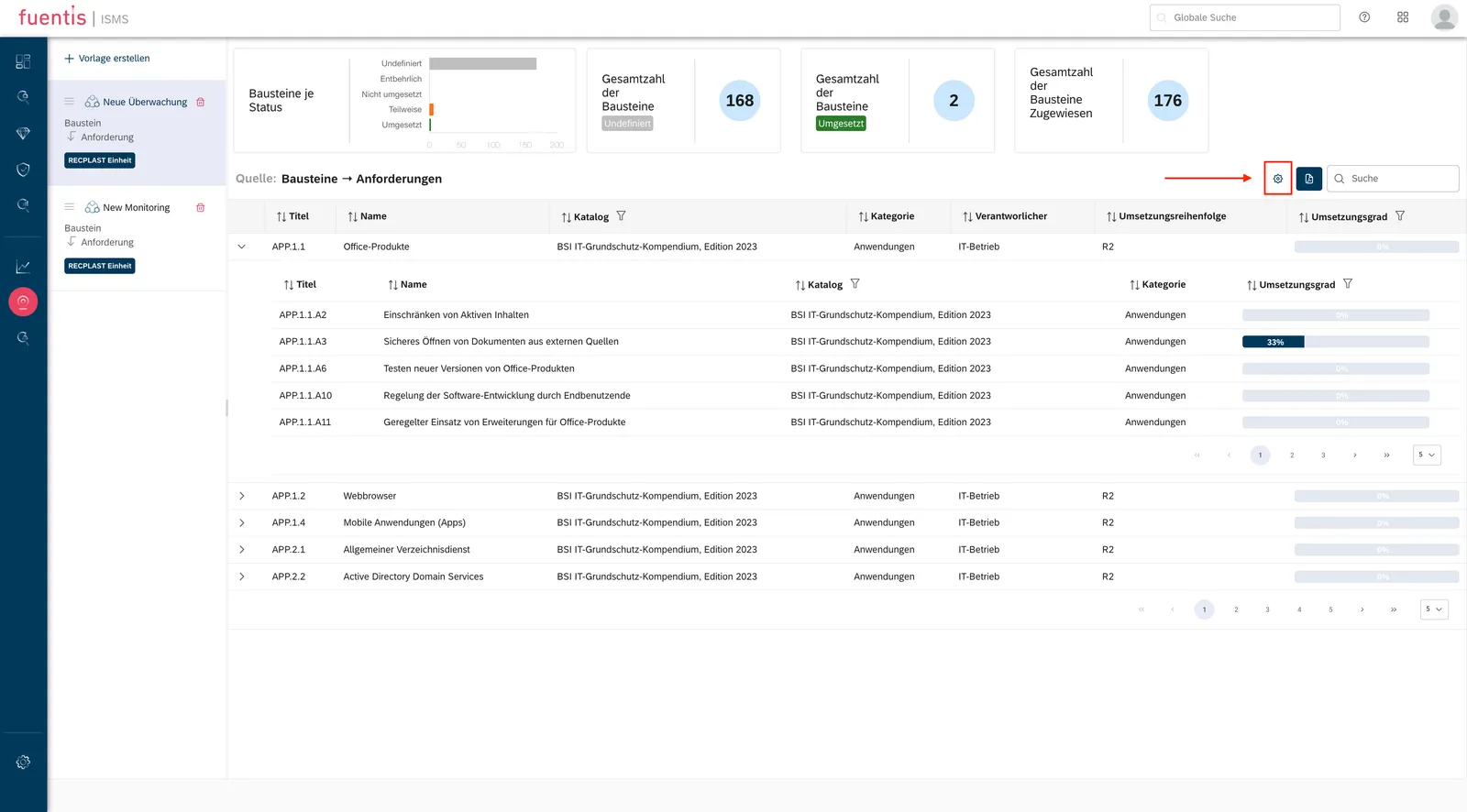
Section titled “Step 3: Individualize View”The gear symbol in the upper right opens the customization options:
Columns:
- Show or hide individual data fields
- Reorder the columns
- Set a default view
Save Options:
- Save applies your changes to this template only
- Save All applies them to every template
- Reset and Reset All restore the default view
Step 4: Export and Reporting
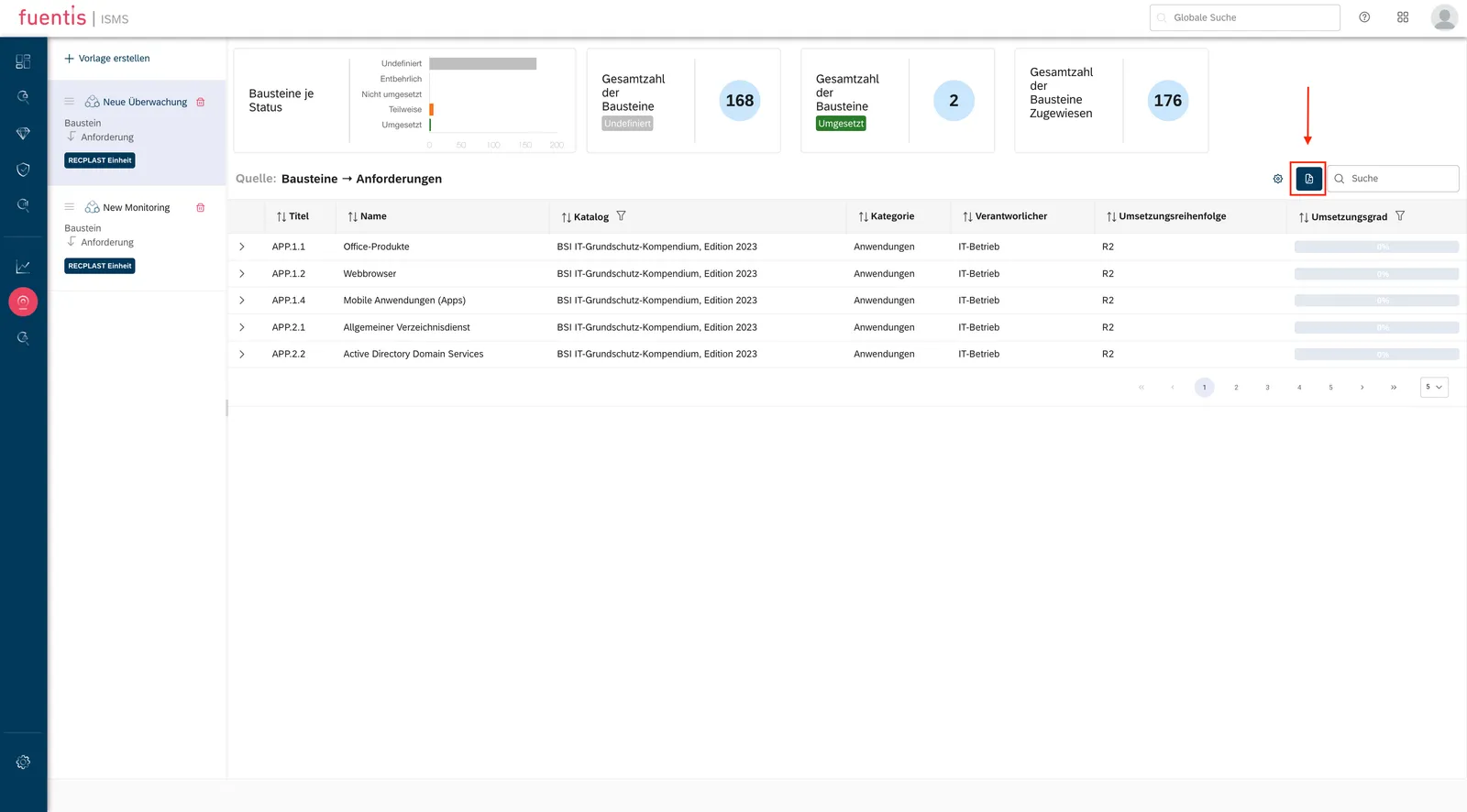
Section titled “Step 4: Export and Reporting”Use the export button to document where monitoring stands:
- Select the desired template
- Click on “Export” (upper right)
- Automatic download as PDF file
- PDF contains:
- Selected key figures and metrics
- Tabular overview according to configuration
- Timestamp and version information
Practice Tip: Create regular exports for:
- Management reports (monthly/quarterly)
- Audit documentation
- Progress evidence for certifications
Step 5: Template Management
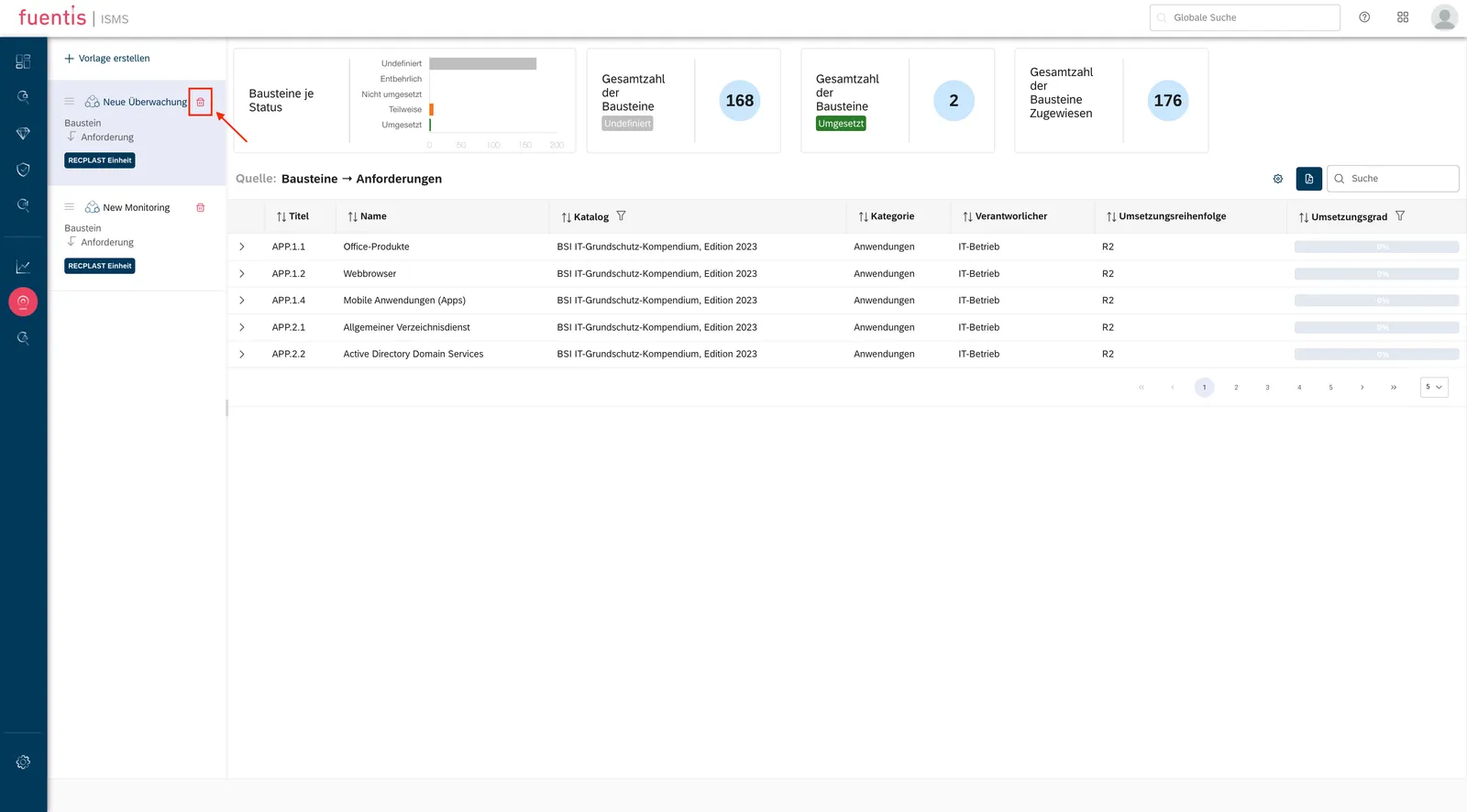
Section titled “Step 5: Template Management”Deleting a template:
- Click the delete icon in the template overview
- Confirm in the pop-up
- The template is gone for good
Best Practices for Template Management:
- Create templates for recurring evaluations
- Use descriptive names with date/purpose
- Archive templates that are no longer needed by exporting before deletion
Concepts and background
Section titled “Concepts and background”Template-based Approach
Section titled “Template-based Approach”Monitoring in the fuentis Suite runs on templates:
- Create a template and decide what you want to look at
- Pick a source, which sets both the elements you monitor and how they relate
- Choose the unit the template applies to
- Configure the evaluation: what is shown, and which numbers
Available Monitoring Sources
Section titled “Available Monitoring Sources”Which source you pick decides what the analysis can answer.
Hierarchical:
- Building blocks → requirements: which requirements sit under which block
- Building blocks → measures: which measures a block has produced
- Requirements → measures: which measure covers which requirement
Single element:
- Building blocks on their own
- Measures: how far implementation has got
- Requirements: where each one stands
- Controls: what is in place to check effectiveness
Asset-related:
- Building blocks → target object groups: which blocks touch which assets
- Measures → target object groups: which measures protect what
- Requirements → target object groups: what is required of a given asset group
- Controls → target object groups: controls arranged by target object
Practice tip: Let the question drive the source.
- Proving compliance? Building blocks → requirements
- Tracking implementation? Requirements → measures
- Judging risk per asset? Anything paired with target object groups
Integration into the ISMS Process
Section titled “Integration into the ISMS Process”Continuous Improvement Process (CIP)
Section titled “Continuous Improvement Process (CIP)”The monitoring module supports the PDCA cycle:
Plan: Define monitoring templates for the ISMS areas that matter most Do: Run the monitoring regularly Check: Analyse the results and work out what could be better Act: Derive corrective measures and carry them out
Scenario 1: Compliance review
Section titled “Scenario 1: Compliance review”Goal: Evidence of ISO 27001 conformity
Note: The gap analysis module is worth using here as well.
Procedure:
- Template “ISO 27001 Compliance” with source “Controls”
- Filter for Annex A controls
- Export for external audit
Scenario 2: Project Progress
Section titled “Scenario 2: Project Progress”Goal: Monitoring of an ISMS implementation project
Procedure:
- Template “ISMS Project Q4” with source “Requirements → Measures”
- Weekly updates
- Traffic light display for project control
Scenario 3: Asset Risk Management
Section titled “Scenario 3: Asset Risk Management”Goal: Security status of critical assets
Procedure:
- Template “Critical Systems” with source “Measures → Target Object Groups”
- Focus on high-critical TOGs
- Prioritization of protection measures
Additional Resources
Section titled “Additional Resources”Video Tutorial
Section titled “Video Tutorial”Glossary
Section titled “Glossary”ISMS: Information Security Management System - Management system for information security
TOG (Target Object Group): Grouping of assets with similar protection requirements
Building Block: Modular unit in BSI-Grundschutz for structuring security requirements
CIP: Continuous Improvement Process according to PDCA cycle
PDCA: Plan-Do-Check-Act - Management cycle for continuous improvement