

Risk Monitoring
Risk management is a central component of every Information Security Management System (ISMS). It enables organizations to systematically identify, assess, and treat potential threats to their information assets through appropriate measures. The fuentis Suite offers an integrated solution that meets both the requirements of ISO 27001 and BSI IT-Grundschutz.
Why is risk management relevant?
Section titled “Why is risk management relevant?”Without structured risk management, organizations can:
- Overlook critical security gaps
- Use resources inefficiently
- Miss compliance requirements
- Be unprepared for security incidents
- Lose the trust of customers and partners
Continuous risk assessment is not only a requirement of international standards but also a business-critical process for protecting sensitive information and maintaining business continuity.
How to reach the risk overview
Section titled “How to reach the risk overview”Navigation: ISMS → Risk Overview
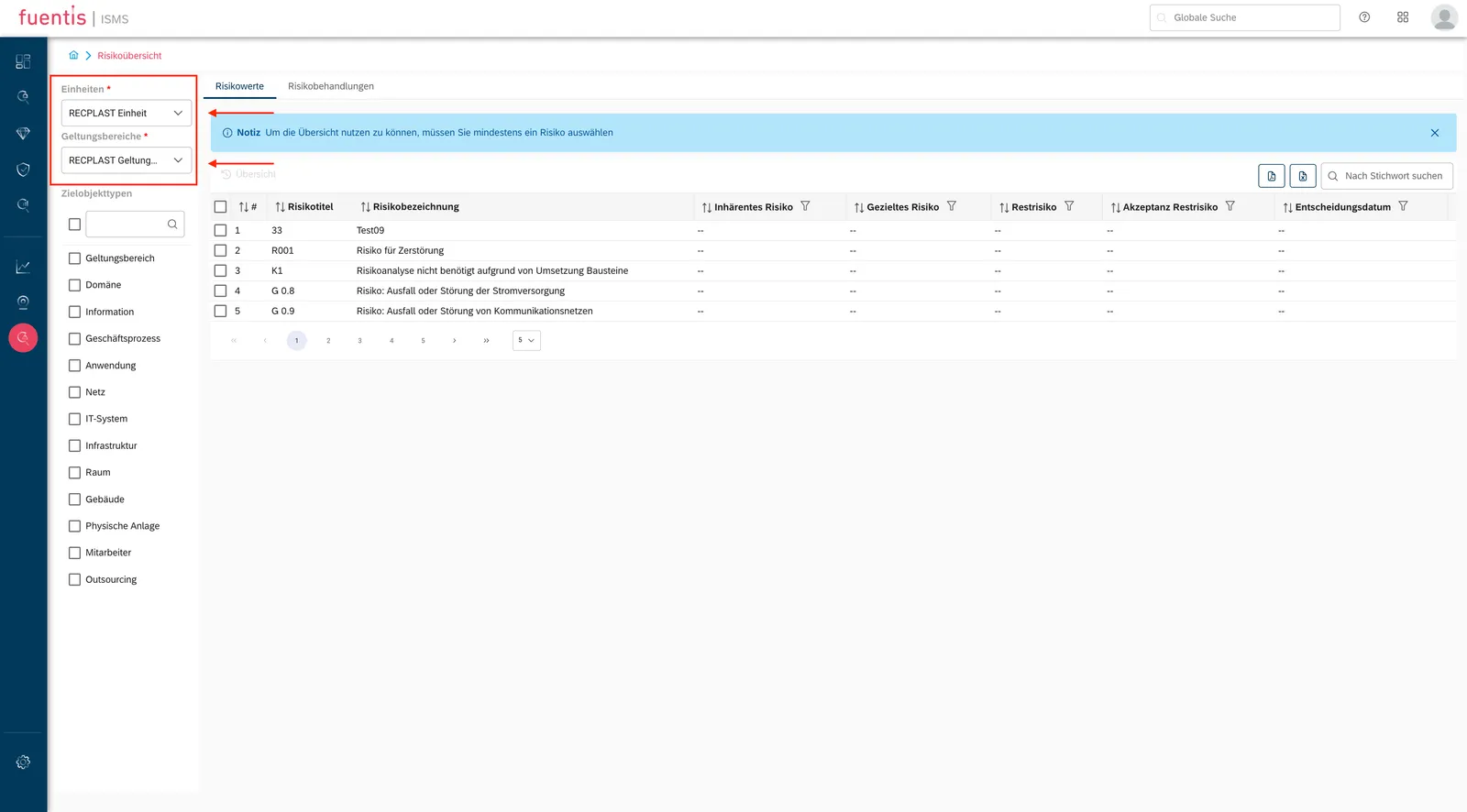
The overview evaluates the risks recorded in the risk module. It produces no data of its own: as long as nothing is recorded there, the view stays empty.
The Risk Overview as a Central Instrument
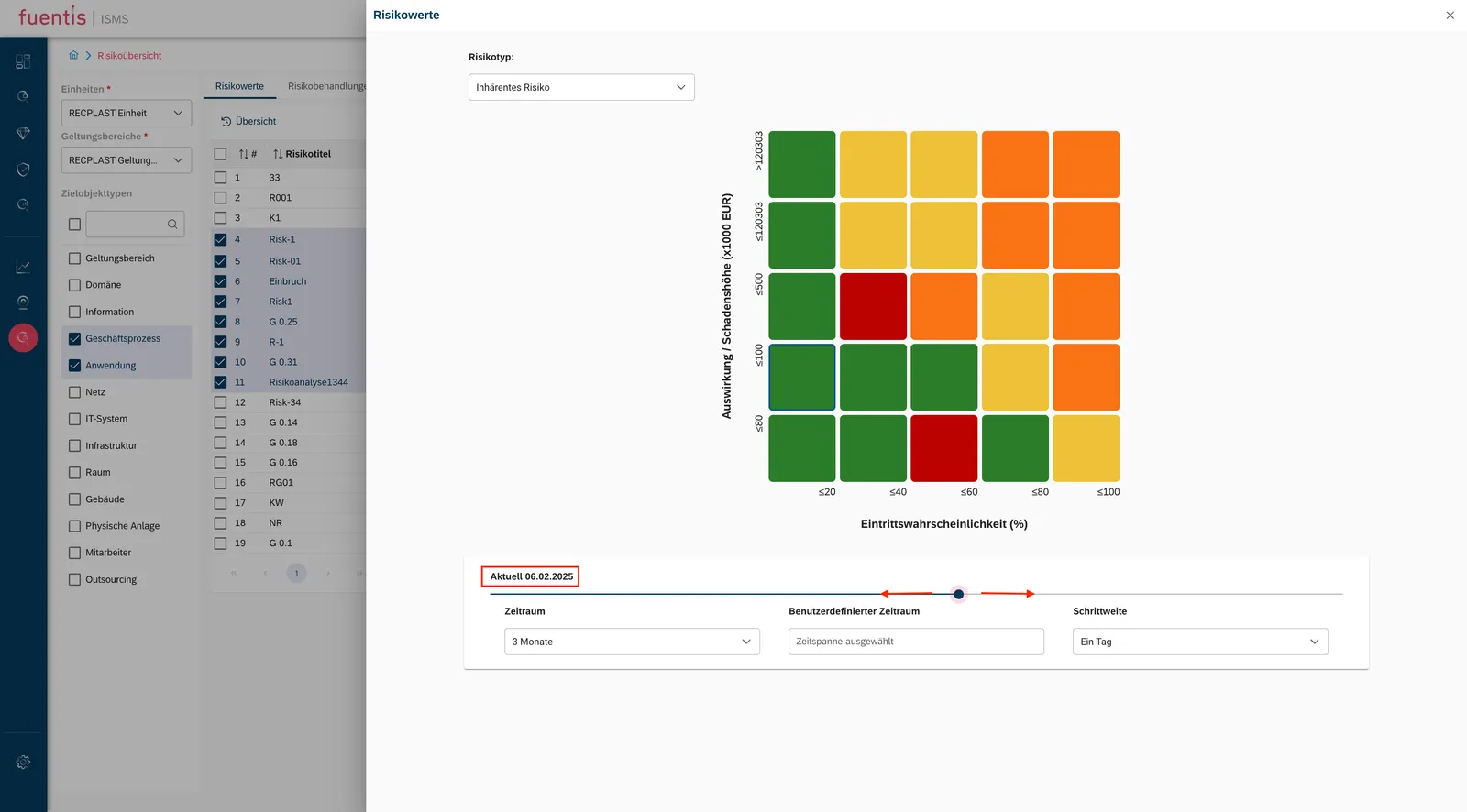
Section titled “The Risk Overview as a Central Instrument”The risk overview visualizes how your ISMS develops over the periods you define. You can follow how risk positions shift and see whether mitigation measures are working.
Risk Treatments
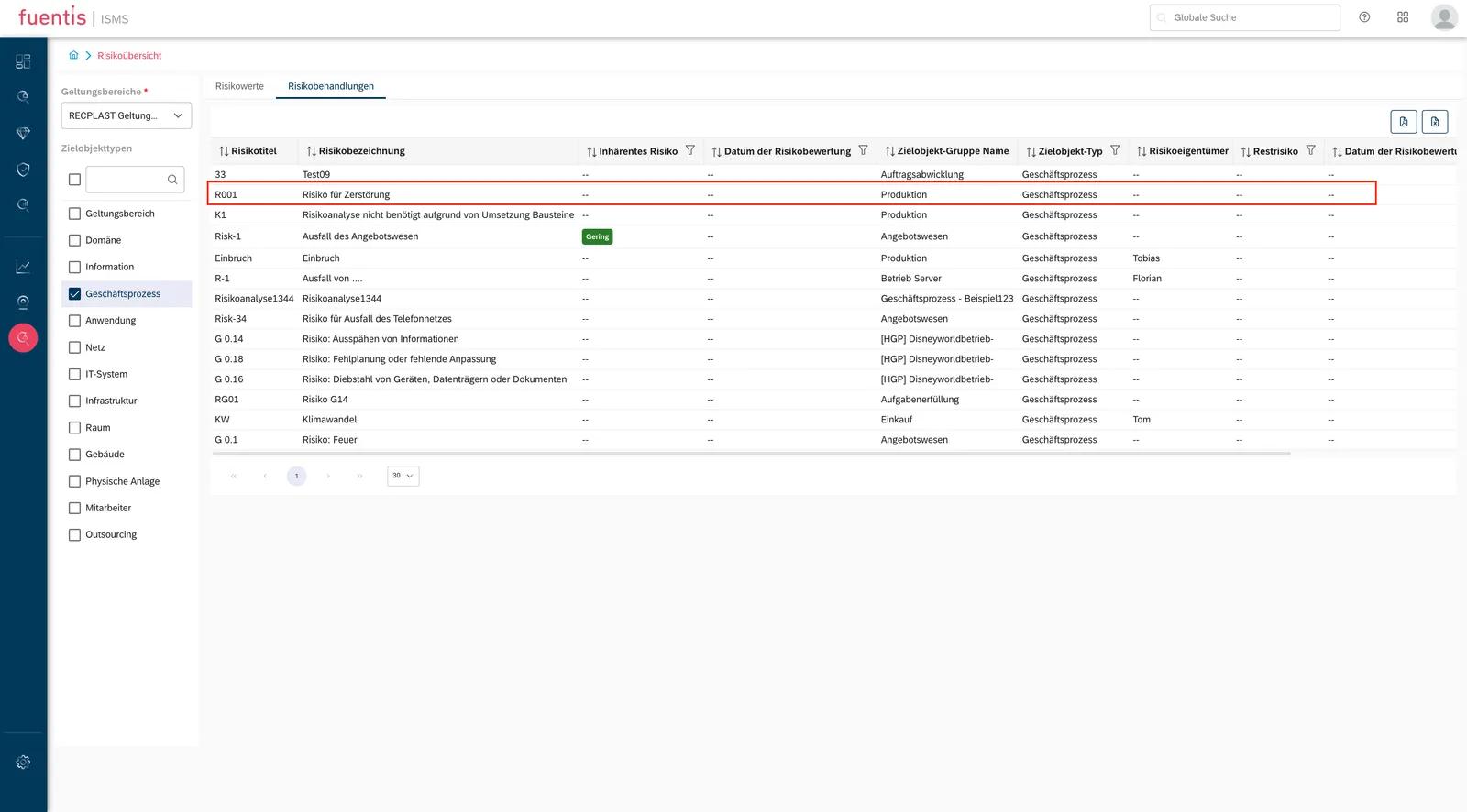
Section titled “Risk Treatments”Here you can view all risks and the associated risk treatments of a unit in detail. Simply click on the risk to open a detailed view
Risk Title & Status
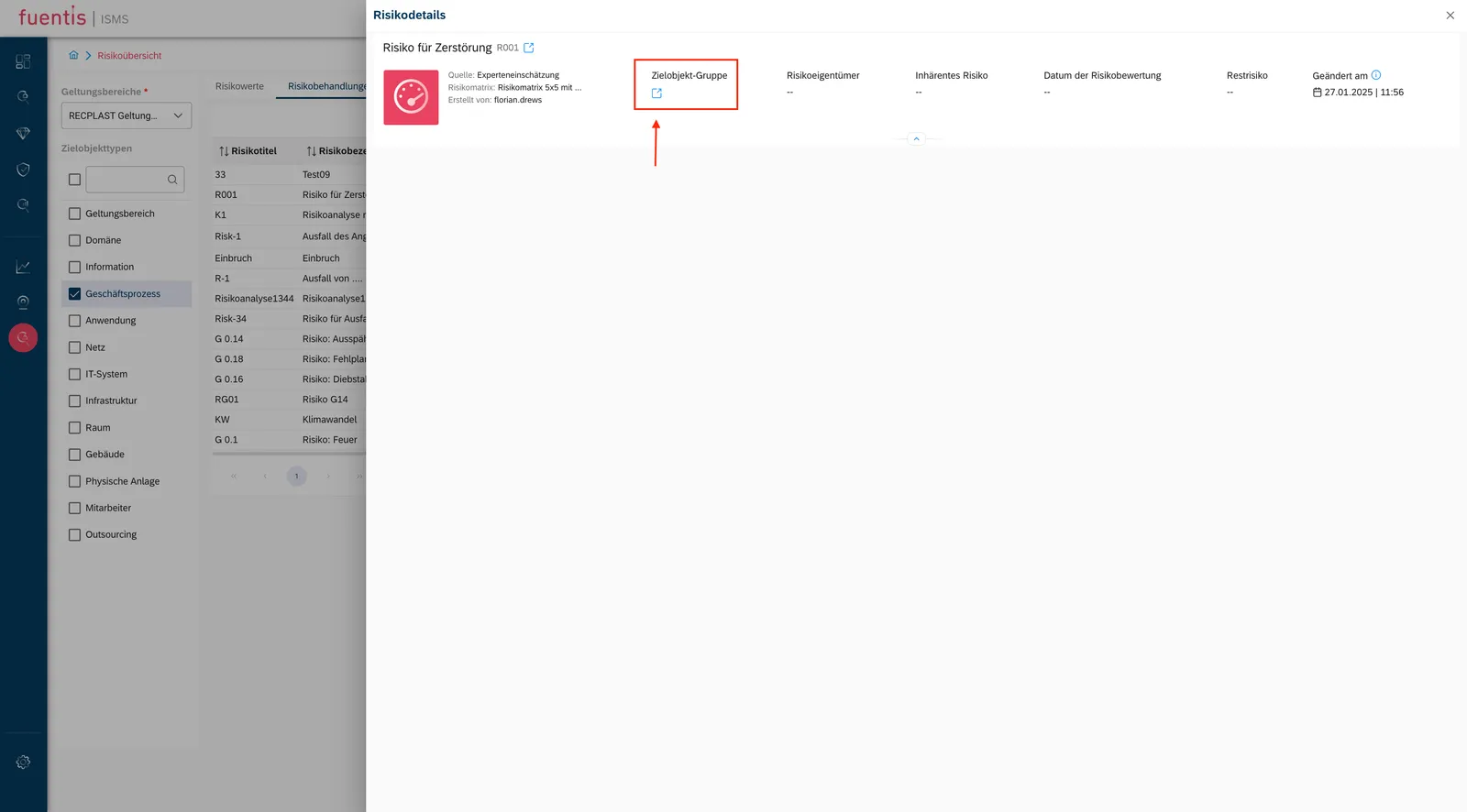
- Display of the risk name with matching icon.
- Status badge in color (Red / Orange / Yellow / Green) shows the current risk status.
Interaction & Navigation
- Collapsible buttons (+/–): Expand and collapse control and measure lists.
- Asset links: Direct navigation to linked assets.
- Color coding (consistent):
- Green = Low / Implemented / OK
- Yellow / Orange = Medium / In Progress
- Red = High / Critical / Overdue
Core Functions of Risk Overview:
Section titled “Core Functions of Risk Overview:”1. Risk Values Tab
- Select organizational units or scopes
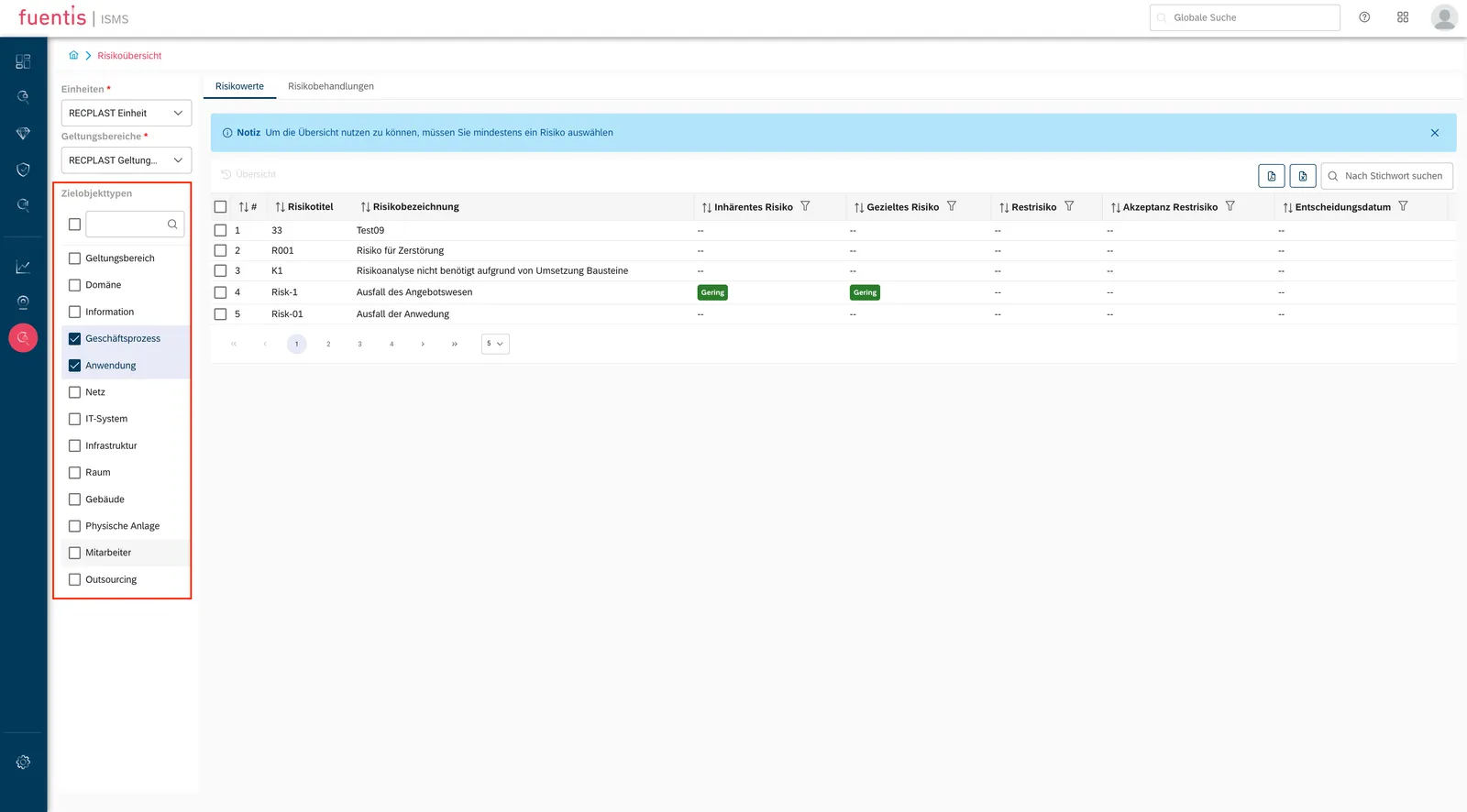
- Filter by target object type (asset)
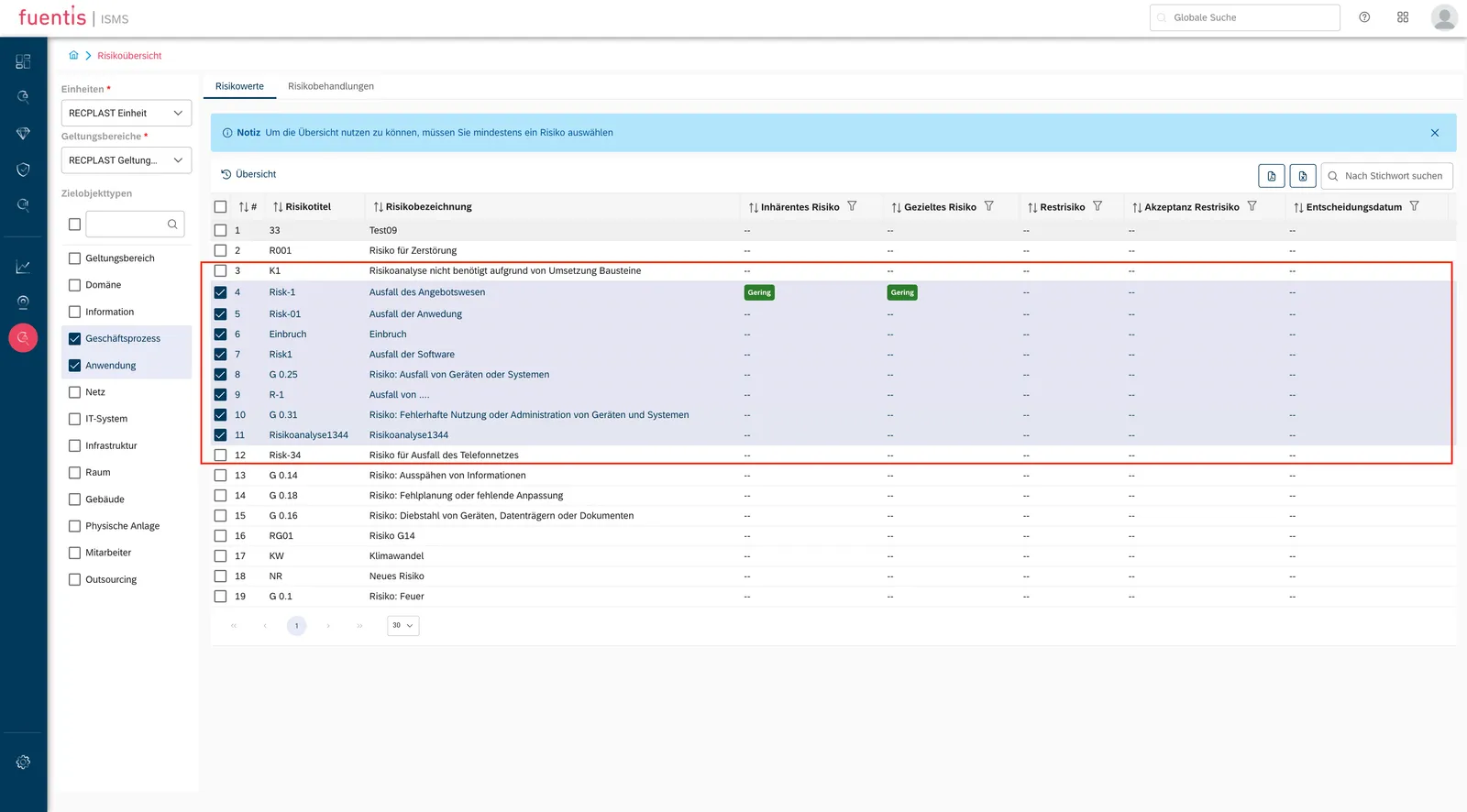
- Shows risk title, relationship and current status
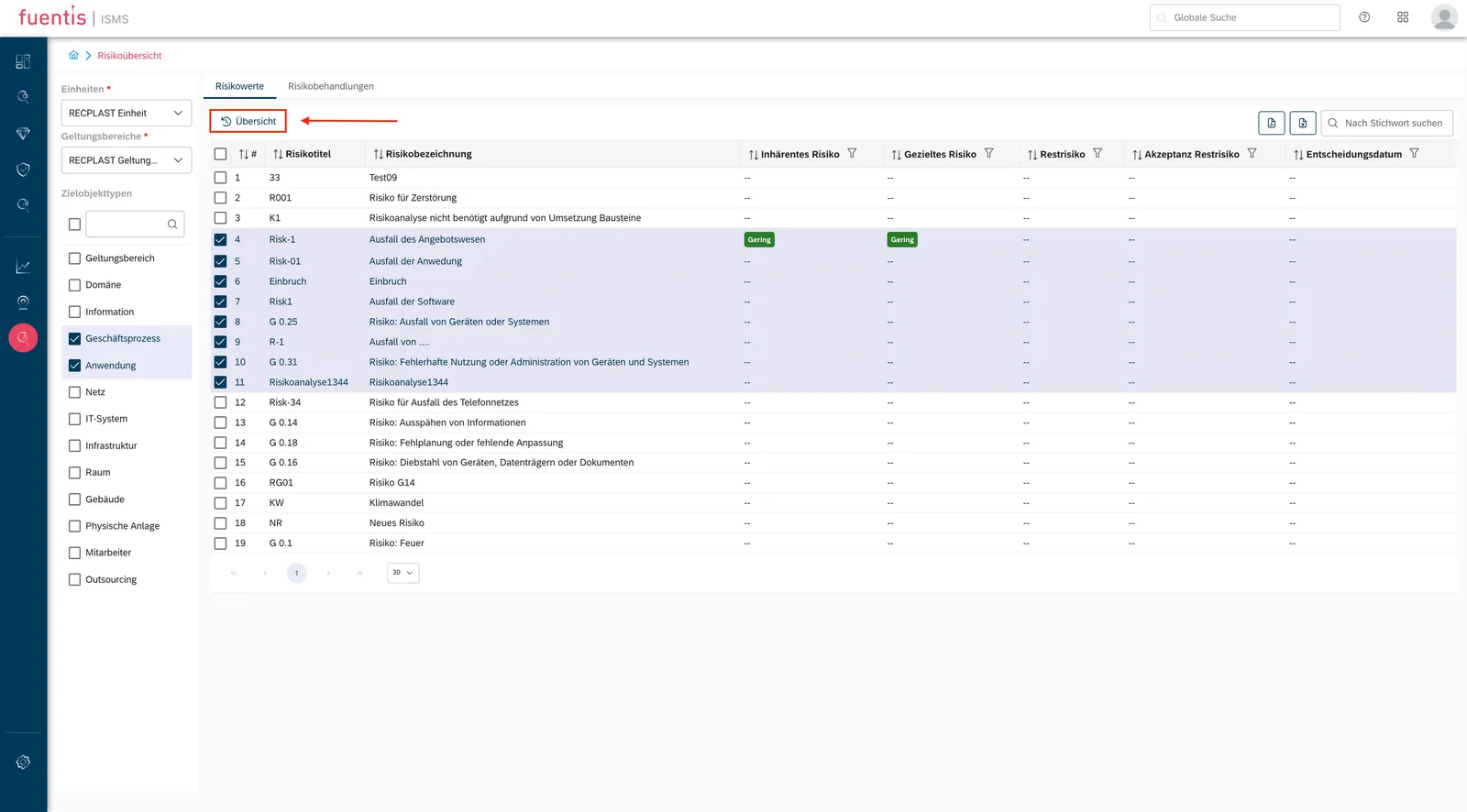
- Select several entries to compare them
2. Risk Matrix Visualization
- Shows the risk matrix defined for the scope
- Choose a risk type: gross, net or residual
- Colour-codes critical areas so they stand out
3. Time-based Analysis
- Predefined time periods: Quick selection for standard periods
- User-defined time periods: Flexible adaptation to individual requirements
- Step size configuration: Granularity of temporal consideration (daily, weekly, monthly)
- Timeline slider: Interactive navigation through risk history
Risk Treatment: From Analysis to Action
Section titled “Risk Treatment: From Analysis to Action”Risk treatment in the fuentis Suite follows a structured workflow:
Process Steps of Risk Treatment:
Section titled “Process Steps of Risk Treatment:”1. Risk Identification and Selection
- Lists every identified risk in the left navigation panel
- Shows status (open, in progress, treated) so you can prioritise quickly
- Jumps straight to critical risks
2. Detailed Analysis
- Complete risk description with all relevant attributes
- Link to affected target object groups (assets)
- Historical development of risk value
3. Measure Planning
- Definition of risk mitigation measures
- Assignment of responsibilities
- Setting implementation deadlines
- Documentation of expected risk reduction
4. Follow-up
- Monitoring of implementation status
- Effectiveness testing of measures
- Adjustment when needed
Practice Tips for Effective Risk Management
Section titled “Practice Tips for Effective Risk Management”Practice Tip: Regular Risk Reviews Establish a fixed rhythm for risk reviews (e.g., quarterly). Use the time progression function to identify trends and act proactively.
Practice Tip: Optimal Use of Step Sizes For strategic considerations, choose larger step sizes (monthly/quarterly). For operational analyses after security incidents, use daily or weekly steps.
Practice Tip: Multi-Scope Analysis Compare risk profiles of different organizational units or locations to identify best practices and leverage synergies.
Practice Tip: Documentation for Audits Regularly export PDF reports to fixed deadlines. These serve as evidence of continuous risk monitoring during certification audits.
How the fuentis Suite Supports You Specifically
Section titled “How the fuentis Suite Supports You Specifically”The fuentis Suite offers several unique features for risk management:
1. Integrated Compliance Support
- Pre-configured risk catalogs for ISO 27001 and BSI IT-Grundschutz
- Automatic linking of risks with requirements (controls)
- Gap analysis to identify action needs
2. Flexible Risk Assessment
- Customizable risk matrices (3x3, 4x4, 5x5)
- Configurable assessment criteria
- Support for different risk types (gross, net, residual risk)
3. Workflow Automation
- Automatic notifications when thresholds are exceeded
- Escalation mechanisms for critical risks
- Reminder functions for risk reviews
4. Multi-tenant Capability
- Separate risk assessments for different organizational units
- Consolidated reporting at corporate level
- Role-based access control
5. Historization and Audit Trail
- Complete traceability of all changes
- Audit-proof documentation
- Compliance-compliant archiving
Integration with Other ISMS Components
Section titled “Integration with Other ISMS Components”Risk management is not an isolated function but closely integrated with other ISMS areas:
Link with Asset Management
Section titled “Link with Asset Management”- Risks are directly assigned to target objects (assets)
- Protection requirement determination flows into risk assessment
- Criticality of assets determines prioritization
Connection to Measure Catalogs
Section titled “Connection to Measure Catalogs”- Automatic suggestions from control libraries
- Mapping to ISO 27001 Annex A or BSI building blocks
- Effectiveness testing of implemented controls
Business Continuity Management (BCM)
Section titled “Business Continuity Management (BCM)”- Identification of business-critical risks
- Basis for Business Impact Analysis (BIA)
- Emergency planning based on risk scenarios
Glossary of Important Terms
Section titled “Glossary of Important Terms”Gross Risk/Inherent Risk: Risk assessment without considering existing measures
Net Risk: Risk assessment considering already implemented measures
Residual Risk: Remaining risk after implementation of all planned measures
Risk Matrix: Graphic representation for classifying risks by probability of occurrence and damage amount
Scope: Defined area of the organization for which the ISMS applies
Target Object (Asset): Resource worth protecting (information, system, process)
Control: Measure for risk mitigation (technical, organizational, or physical)
Gap Analysis: Systematic identification of gaps between current and target state